Stripe Alternatives: How to Get Paid When Stripe Says No
Stripe turns businesses away for two reasons: what they sell is on its list of prohibited and restricted businesses, or they're in a country Stripe doesn't serve. Below are the real alternatives, each from its own website as of November 17, 2026, and one that needs no approval at all.
Go to openreceive.org, click Copy agent directions, and paste them into your coding agent (Cursor, Claude Code, Codex or your site builder's agent). It works out how your site is built and sets it up. You'll need a wallet that gives you a receive-only code, such as a free Rizful account or Alby Hub. No approval necessary.
Why Stripe Says No
What you sell. Stripe publishes its own list of prohibited and restricted businesses (last updated September 22, 2026). Some of it is illegal anyway. But much of it is legal: fundraising "by nonprofits, charities, political organizations", crowdfunding platforms, "Online dating and matchmaking services", "Telemedicine and telehealth services" and travel reservation services. For businesses in those categories, Stripe says it "might not be able to grant approval for your business to use our products", and an approval it gives "may be modified or revoked by Stripe at any time".
Where you are. As of November 17, 2026, Stripe's global availability page lists 51 countries and regions where a business can use it. If yours isn't one of them, the page says: "Payments not supported yet." Argentina, Colombia, Egypt, Pakistan, the Philippines, Turkey, Ukraine and Vietnam are among the countries not on the list.
The Card Alternatives
If you need to take cards, other companies may say yes where Stripe said no. Each fee and limit below is as its own page stated it on November 17, 2026. Fees change, so check the page before you choose.
| Provider | What it is | Fee | The limit, in its own words |
|---|---|---|---|
| Paddle | A merchant of record for software: it sells your software for you | 5% + 50¢ per checkout transaction | Works "with software businesses anywhere in the world" except a list of countries. "If your company's primary offering is human services ... or the sale of physical goods, Paddle is not a good fit for your needs." Donations and crowdfunding are on its prohibited list |
| Square | Card payments, in person and online | 2.9% + 30¢ online (its "Online API" rate, every plan) | Its US terms: "you are located in the United States" |
| GoCardless | Bank payments (ACH pull payments), not cards | 0.5% + $0.05 per transaction in the US; 1.5% + $0.05 international | "Collect international payments from 30+ countries" |
Each of these may suit you. But like Stripe, each one decides whether to take your business. Paddle's own acceptable use policy says it "reserves the right to exercise judgment" in deciding.
OpenReceive: No Approval Necessary
We build OpenReceive, the safe way to receive bitcoin and stablecoin payments for websites and apps. It's free, open-source payment software that runs on your own site, so there's no application to a payment company, and no one to approve your store: no approval necessary.
It's for legal businesses. It doesn't change what's legal where you are; it changes who has to say yes.
Here's what it takes, plainly:
- It isn't cards. Your customers pay in bitcoin over Lightning, or in stablecoins like USDT and USDC (and ETH or SOL), and you get bitcoin.
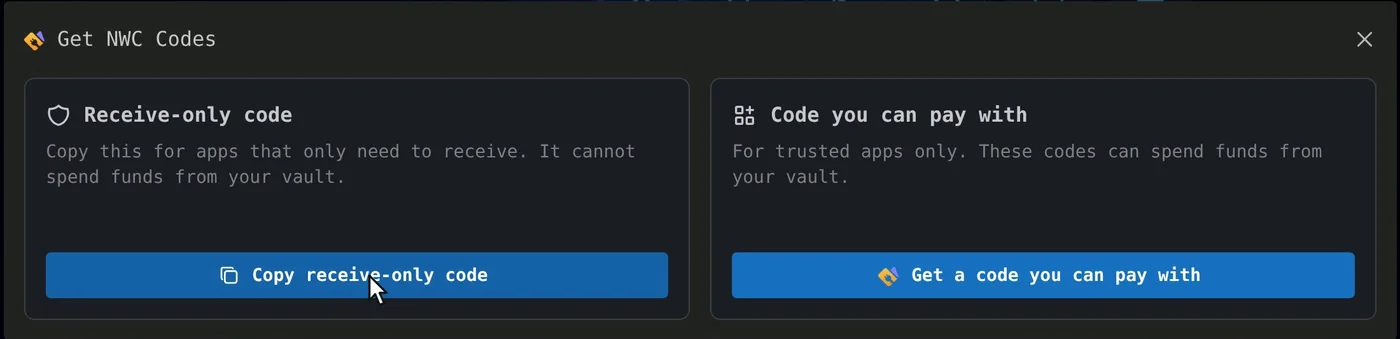
- A wallet that gives you a receive-only code, such as Rizful (a free account) or Alby Hub (your own node, with Megalith as its default channel partner). The code lets your site create invoices in your wallet, but never spend from it.
- A site that runs server code. WordPress with WooCommerce, and about 25 frameworks (Next.js, Laravel, Django, Rails and more). A purely static site can't take payments with it, and hosted builders such as Shopify, Wix, Squarespace and Webflow have no OpenReceive plugin.
In Rizful, the receive-only code is in the menu, under NWC Codes:
In Alby Hub, you add a connection under Connections and set it to Read Only ("Receive payments and view history"):
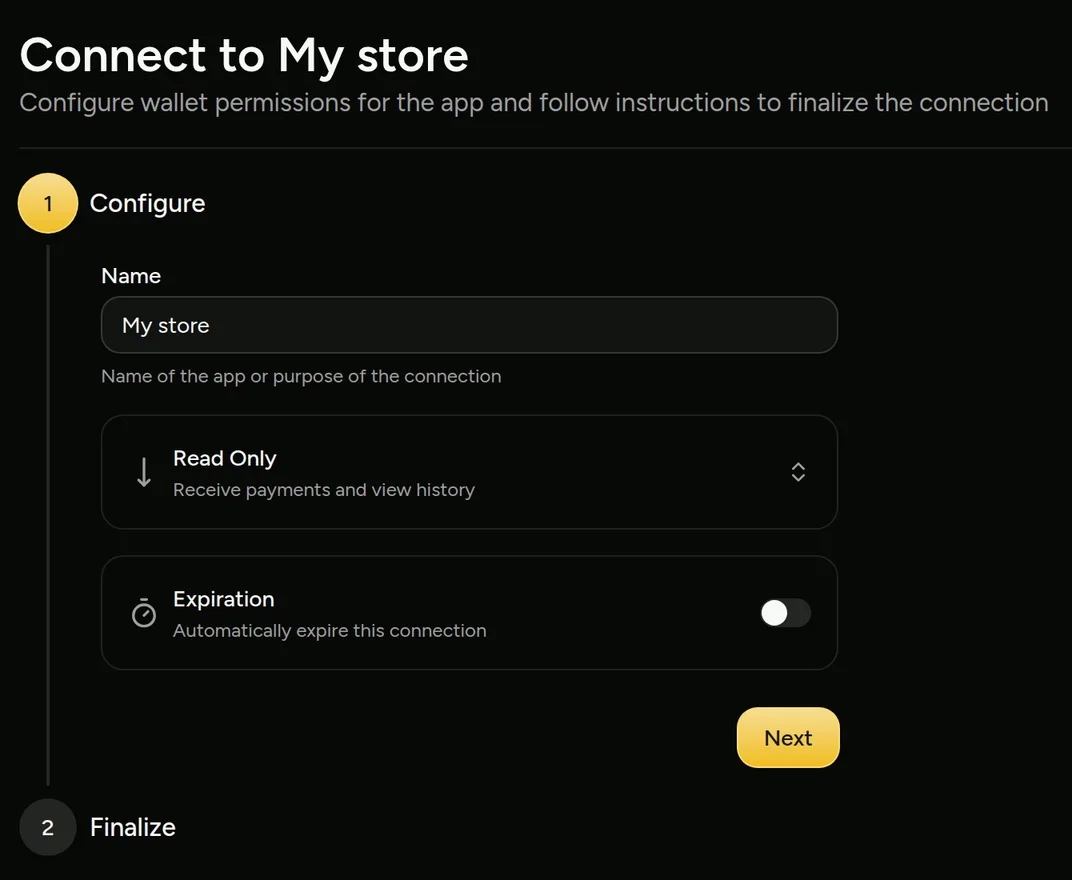
Then all you need to do is click Copy agent directions on openreceive.org and paste them into your coding agent. In OpenReceive's words: "It works out your stack, or picks one, and follows the right directions."
We Tried It
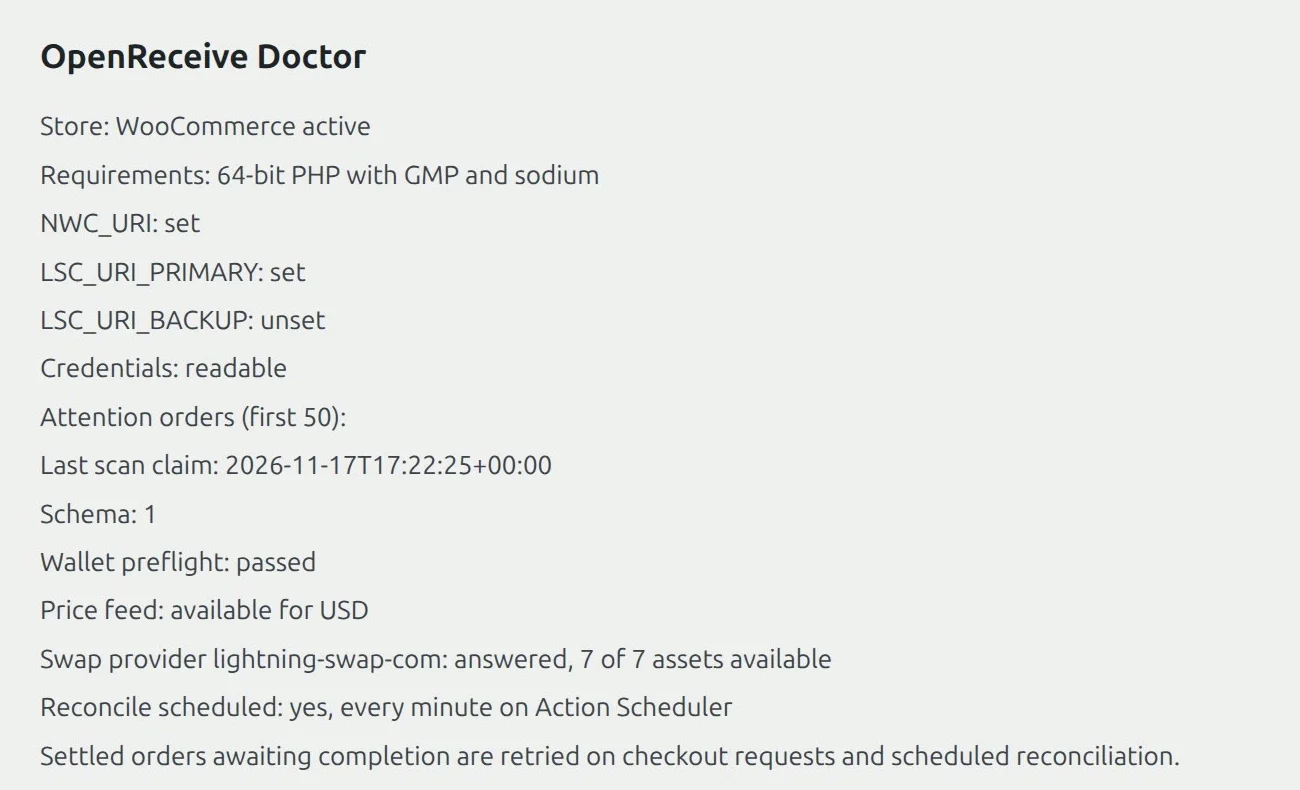
On November 17, 2026 we gave a coding agent our own WooCommerce store and pasted the homepage's "Start here" directions, word for word. It found the stack on its own: "Your site is WordPress with WooCommerce ..., so I'll follow OpenReceive's WordPress + WooCommerce directions." It asked for the wallet's receive-only code, then the swap code, installed OpenReceive 0.5.0 from WordPress.org, saved both codes ("Settings saved; wallet preflight passed.") and switched it on. The plugin's own check passed:
A Real Payment
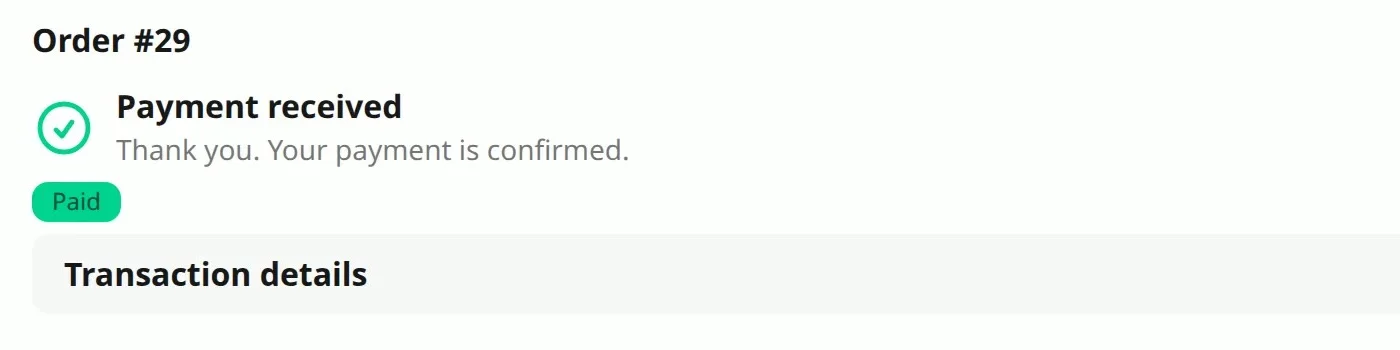
Then a real order: a customer bought one Nub for $1.00 and picked Bitcoin. The store showed a Lightning invoice made by its own wallet, for 1,569 sats. (Sat is short for satoshi, which is the smallest unit of bitcoin. There are a hundred million satoshis in a bitcoin.)
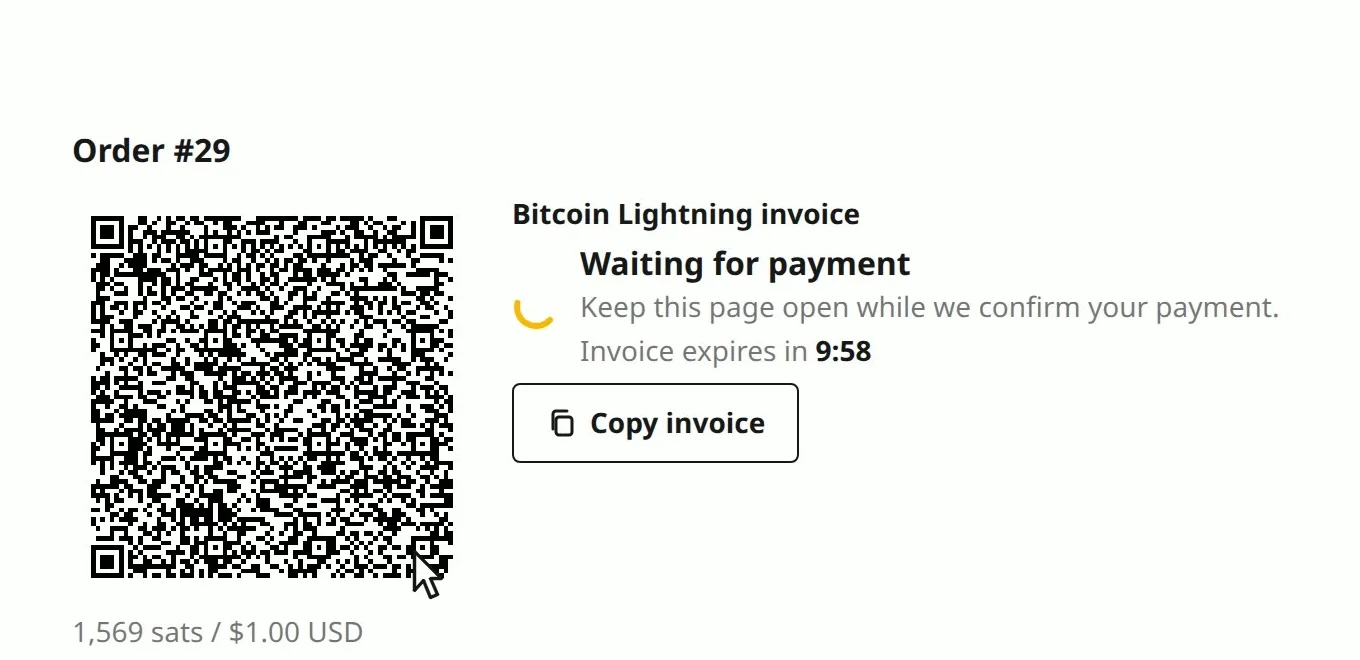
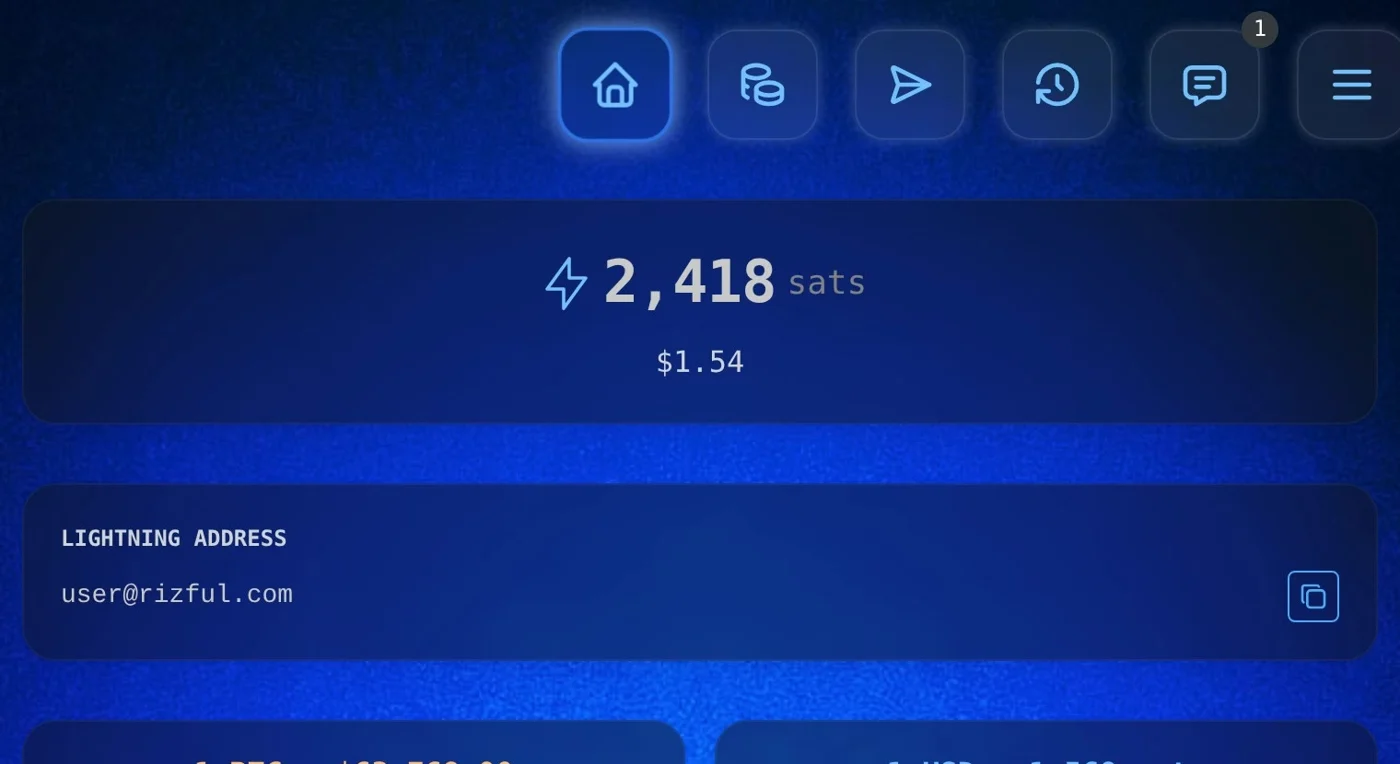
We paid it from Alby Hub. The store saw it paid, and it landed in the store's Rizful wallet in seconds (849 sats before, 2,418 after):
No payment company in between, and no OpenReceive fee: its WordPress.org FAQ says "OpenReceive is free software and takes no cut." Rizful's FAQ: "Receiving payments into your account is free."
Stablecoins Cost Something
Customers can pay in USDT or USDC instead, and you still get bitcoin: a swap provider takes the stablecoin and pays a Lightning invoice from your wallet. It charges its own fee, fixed into each quote. Lightning Swap, for one, says "Fees between 1.1% and 5% depending on market conditions", plus estimated Lightning routing fees, and a flat $1 network fee on USDT on Tron.
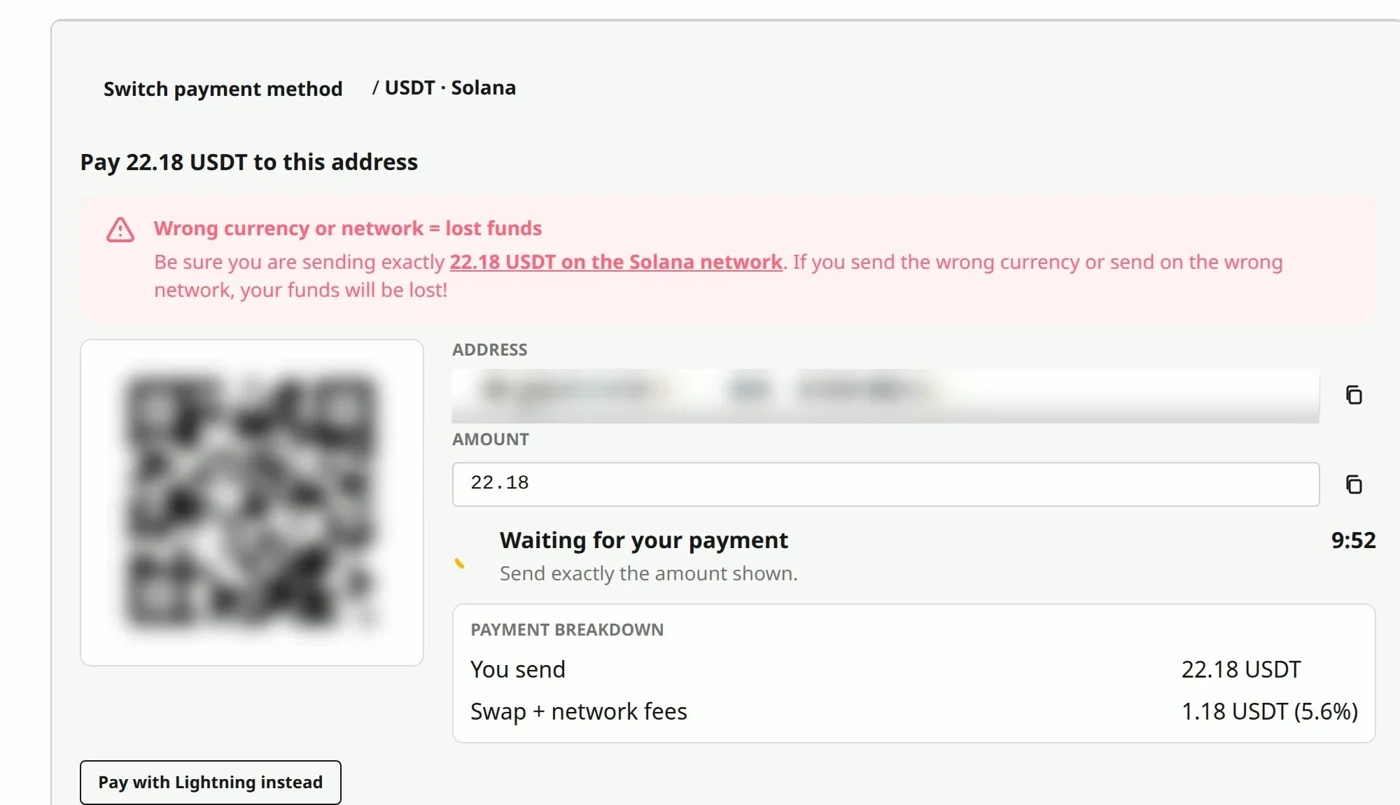
On a real $21.00 order on November 17, 2026, USDT on Solana came to 22.18 USDT: 1.18 USDT of swap and network fees, 5.6%. The same order on Tron came to 23.21 USDT (2.21 USDT, 10.5%, the $1 Tron fee included). We didn't pay either.
What It Costs
On that same $21 order, as each page stated it on November 17, 2026:
| How the customer pays | The fee | Who pays it |
|---|---|---|
| A US card through Stripe (2.9% + 30¢) | $0.91, 4.3% | You: it comes out of the payment |
| Bitcoin over Lightning, with OpenReceive into Rizful | None from OpenReceive; receiving into Rizful is free | Nobody (the customer's wallet pays the Lightning routing: 6 sats on our $1 order) |
| USDT on Solana, with OpenReceive and Lightning Swap | 1.18 USDT, 5.6% | Your customer, on top of the price: the quote asked for 22.18 USDT for the $21.00 order |
So OpenReceive takes nothing from you either way. Bitcoin is the cheapest for your customer too; with stablecoins, your customer pays the swap, and here that was more than a card's fee.
Set It Up
Go to openreceive.org and click Copy agent directions. For the wallet, a free Rizful account takes a minute; Alby Hub gives you your own node.
Our step-by-step guides for OpenReceive:
- How to Accept Crypto Payments on Your Website: any website, with a coding agent and OpenReceive's agent directions.
- How to Accept Crypto Payments in WooCommerce: the WordPress plugin, from wp-admin.
- How to Accept USDT Payments on Your Website: stablecoins in, bitcoin out.
- What Is a Crypto Payment Processor? (And How to Get Paid Without One): BitPay, Stripe, CoinGate and CoinPayments, and what they charge.
- BTCPay Server Alternative: Lightning payments without running a node.