RoboSats Tutorial: How to Buy and Sell Bitcoin
RoboSats lets you buy and sell bitcoin with another person, over Lightning. There is no account and no email: you make a Garage Key in your browser, it gives you a robot identity for each trade, and RoboSats recommends reaching it over Tor.
For this tutorial we made one real trade, start to finish, on November 16, 2026, and we played both sides so you can see every step: a seller and a buyer, each in their own browser, each with its own Rizful wallet. To keep strangers out of it, our order said "Video demo, please don't take" and asked a 50% premium. A real order sits near the market price, a few percent either way.
The amounts below are in sats. Sat is short for satoshi, which is the smallest unit of bitcoin: there are 100 million satoshis in a bitcoin (more in What Is a Satoshi?).
| Our trade | Order 143501 on TheBigLake, November 16, 2026 |
|---|---|
| Sold | 20.50 USD of bitcoin, paid for (in a real trade) by whatever method the two sides agree |
| The seller locked | a 626-sat bond, then 20,906 sats in escrow: the trade plus the seller's 5-sat fee |
| The buyer locked | a 627-sat bond |
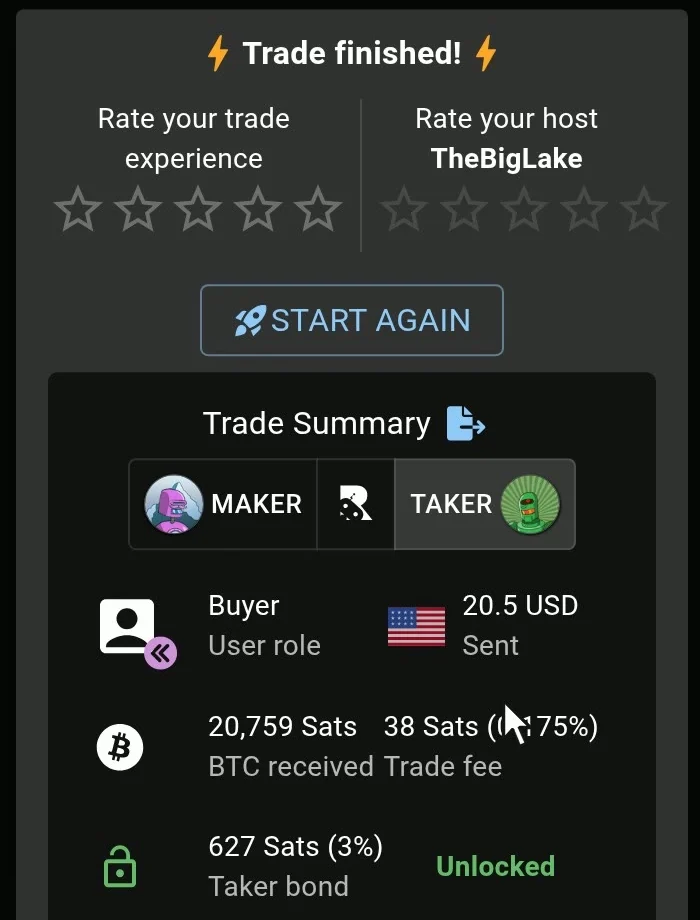
| The buyer received | 20,759 sats, in Rizful, seconds after the seller confirmed |
| Bonds | both came back in full |
| What it all cost | 179 sats |
How RoboSats works
RoboSats is a peer-to-peer exchange. There's no single company in the middle: independent coordinators run the order books, set their own fees, and step in if a trade goes wrong. You pick a coordinator (RoboSats calls it the "host") for each order.
- Each side locks a bond. "By default, the bond is 3% of the total trade amount" (RoboSats' bond page); the maker can set it from 2% to 15%. Follow the rules and it comes back. Cancel alone after the order is taken, or fail to pay or confirm in time, and you lose it.
- The seller's bitcoin waits in escrow until the seller confirms that the money arrived: "Escrow funds are released to the buyer once you select 'Confirm Fiat Received'" (RoboSats' escrow page).
- Both are hold invoices: Lightning payments that wait in your wallet, unsettled, until the trade is done. "A hold invoice only locks in the payment but does not yet settle it" (the same page).
What you need before your first trade
- A Lightning wallet that can keep a payment on hold for hours. The bonds and the escrow are hold invoices, and the seller's wallet has to hold two at once: "it is necessary to use a wallet that allows for multiple pending HTLCs since you will need to lock funds for a bond and then an escrow" (escrow page). We demoed with Rizful (below).
- A few sats for the bond, even if you're buying. At 3%, a 20 USD trade needs about 630 sats. If you have none, RoboSats' own answer: "you could have a friend cover the fidelity bond by paying the QR code for you" (bond page). Bitcoin Stack Exchange's RoboSats without any BTC to start with? lists other ways: a friend, a bitcoin ATM, selling something for bitcoin, a meetup.
The best wallet for RoboSats
Rizful, for the easy start. It runs in your browser, and it's free to receive. We demoed with Rizful, and tested it on its own before filming: it paid a real RoboSats bond, held it, and got every sat back when the order expired. In the trade below it paid both bonds, held the seller's bond and escrow at the same time, and received the payout. Two things look rough, and both are fine:
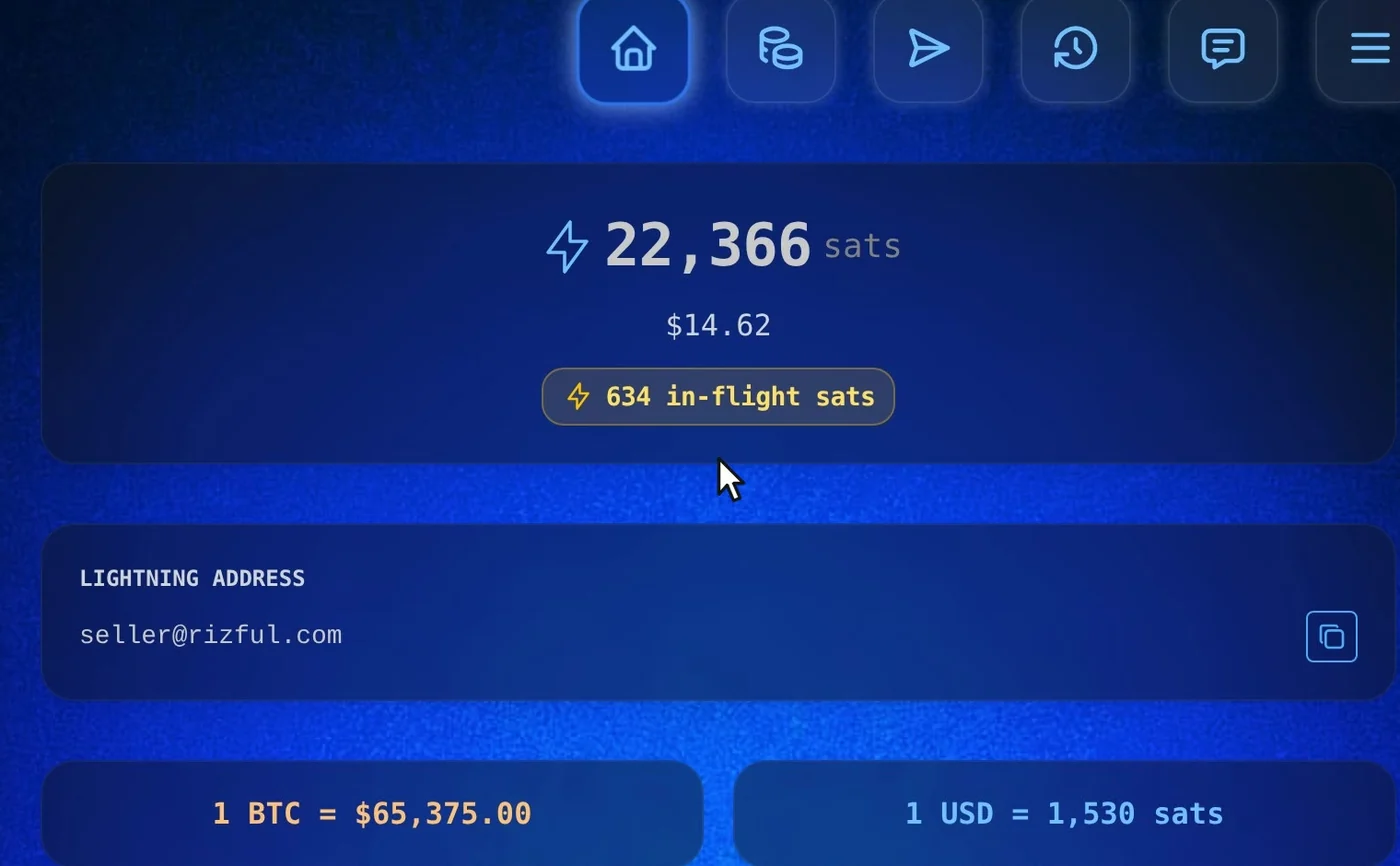
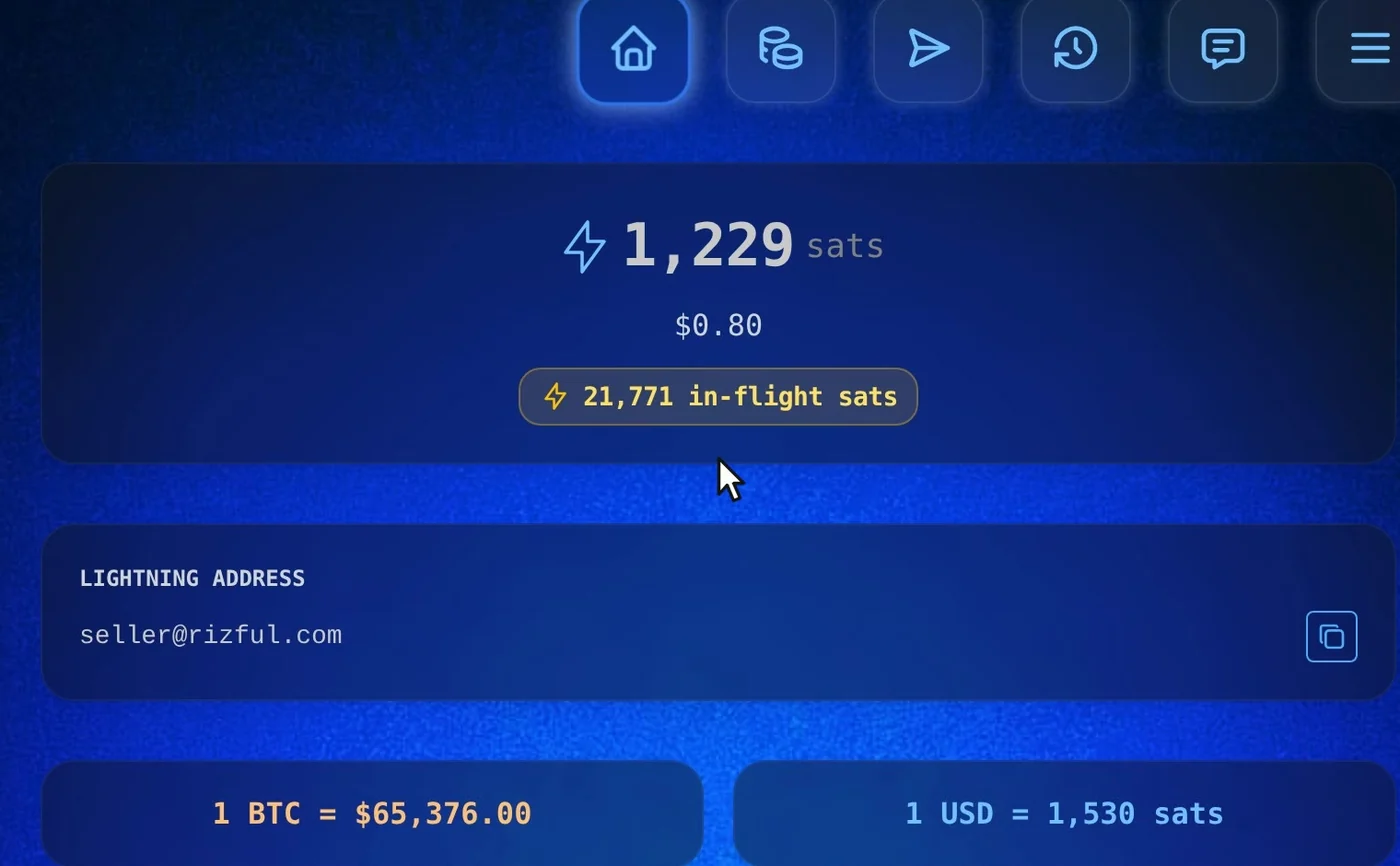
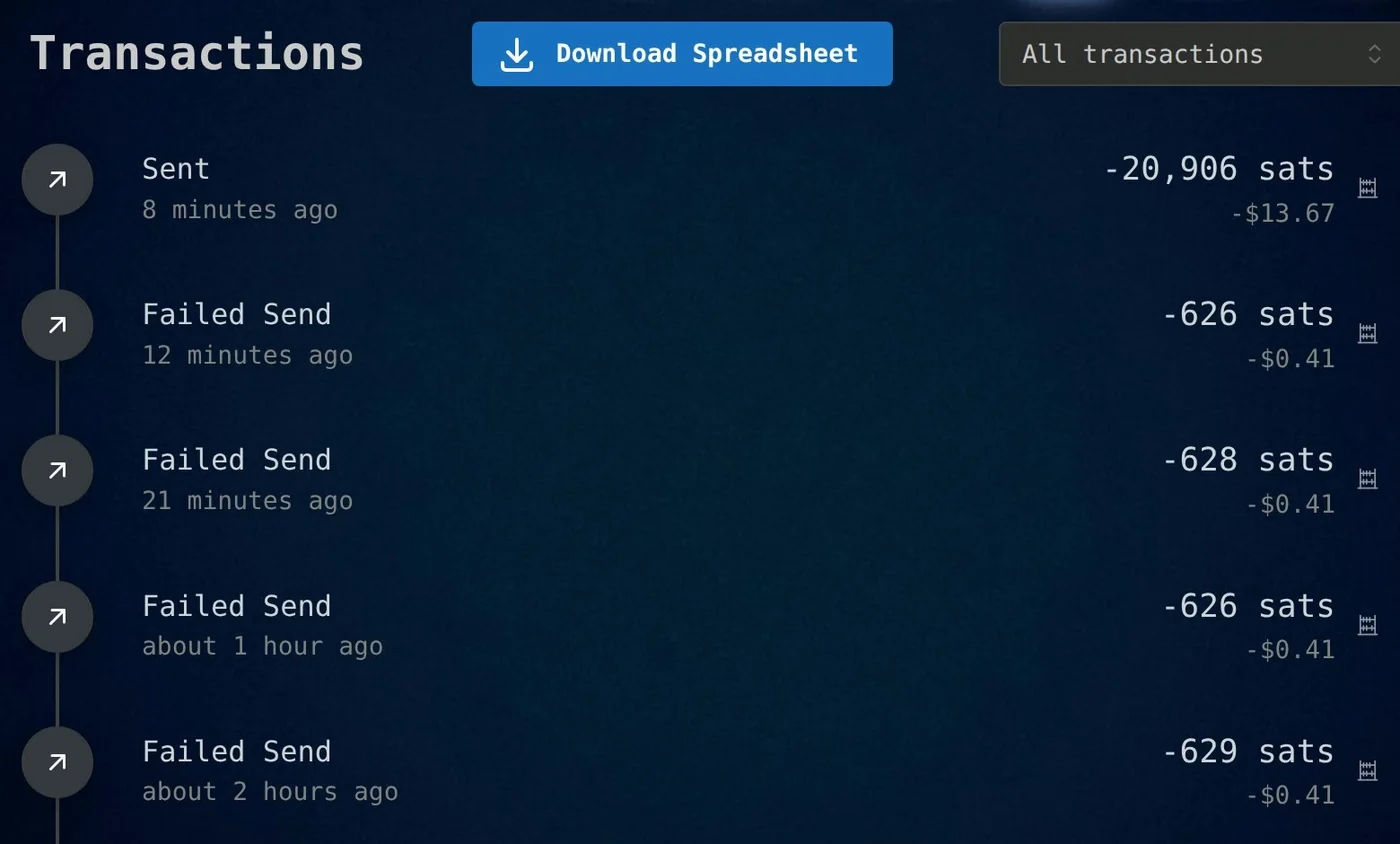
- The Send screen keeps spinning while RoboSats holds the payment. Refresh the page and the home shows those sats as "in-flight".
- A bond that comes back is listed as "Failed Send" in your Transactions. It only means the hold was let go; nothing was lost. RoboSats warns about this: "Depending on the wallet, the invoice might show as a payment that is in transit, frozen, or even appearing to fail" (bond page).
And one setting to change before you buy: raise the routing budget.
Alby Hub, for your own Lightning node, with your own channels (Megalith is its default channel partner). We didn't film a trade with it for this guide. Alby Hub isn't on RoboSats' list either; the list has the Alby browser extension.
RoboSats' own list rates each wallet on whether it shows an ongoing payment clearly, can hold the long bonds, and can receive the payout: learn.robosats.org/docs/wallets.
Getting to RoboSats
"Accessing RoboSats via TOR is strongly recommended" (RoboSats' Tor page). On a computer, open its onion address in Tor Browser (the address is on RoboSats' access page). On Android, the RoboSats app has Tor built in (the same page links to it). Be patient: over Tor, our first load took more than a minute. If it won't load at all, see When RoboSats won't load.
A real trade, step by step
1. Your robot
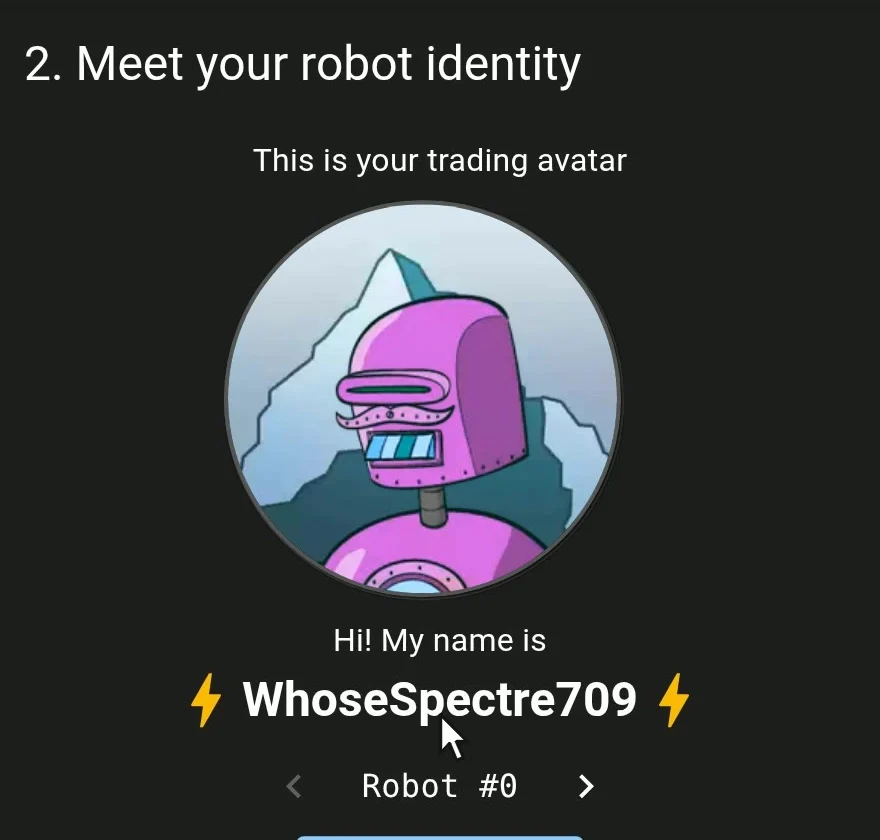
There's no sign-up. Switch to Garage Key and Generate one, right in your browser: it makes a fresh robot for every trade. Back it up: your Garage Key "is the only backup you need to recover any of your robots" (bond page). Never show it to anyone (we've blurred ours in the video).
2. The seller makes an order
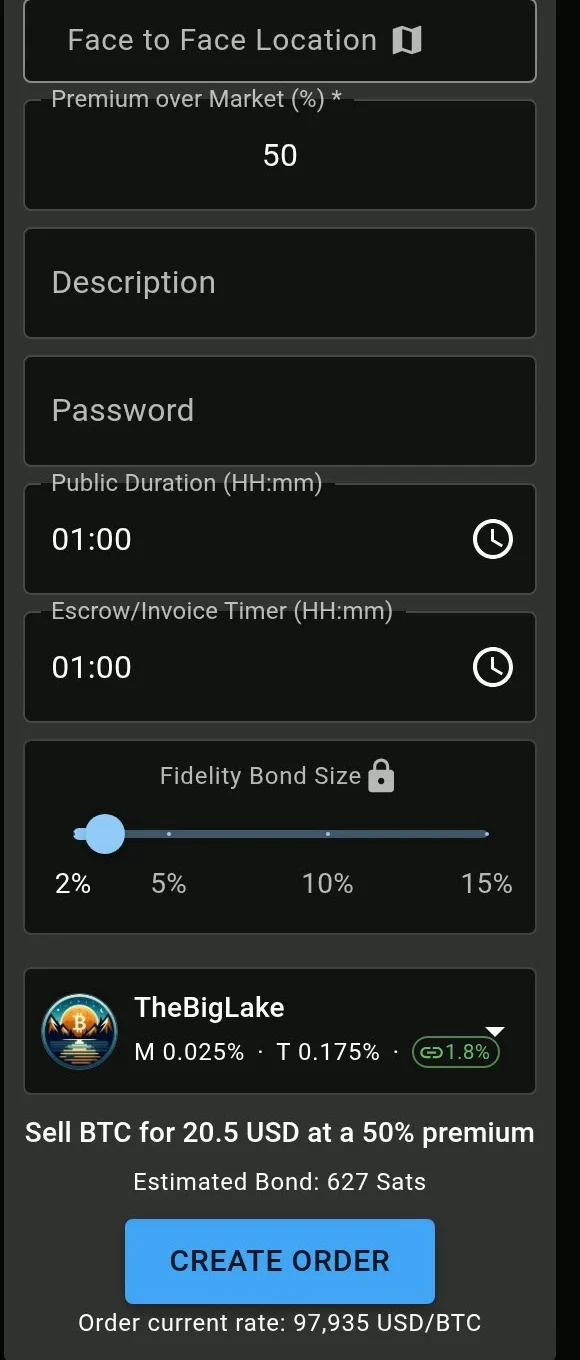
Our seller sold 20.50 USD of bitcoin. The payment method is free text, so ours said "Video demo, please don't take", with a 50% premium so no real buyer would take it. We set both timers to an hour (the shortest public time, 10 minutes, was too short for a second client over Tor).
The host is the coordinator. We picked TheBigLake: 0.025% for the maker, 0.175% for the taker, as its entry in the client said that day. Before you lock a bond, RoboSats reminds you who you're trusting: "Coordinators of p2p trades are the source of trust ... Make sure you research and trust 'TheBigLake' before locking your bond." Read the host's own rules in the client before you pick it.
3. The seller's bond
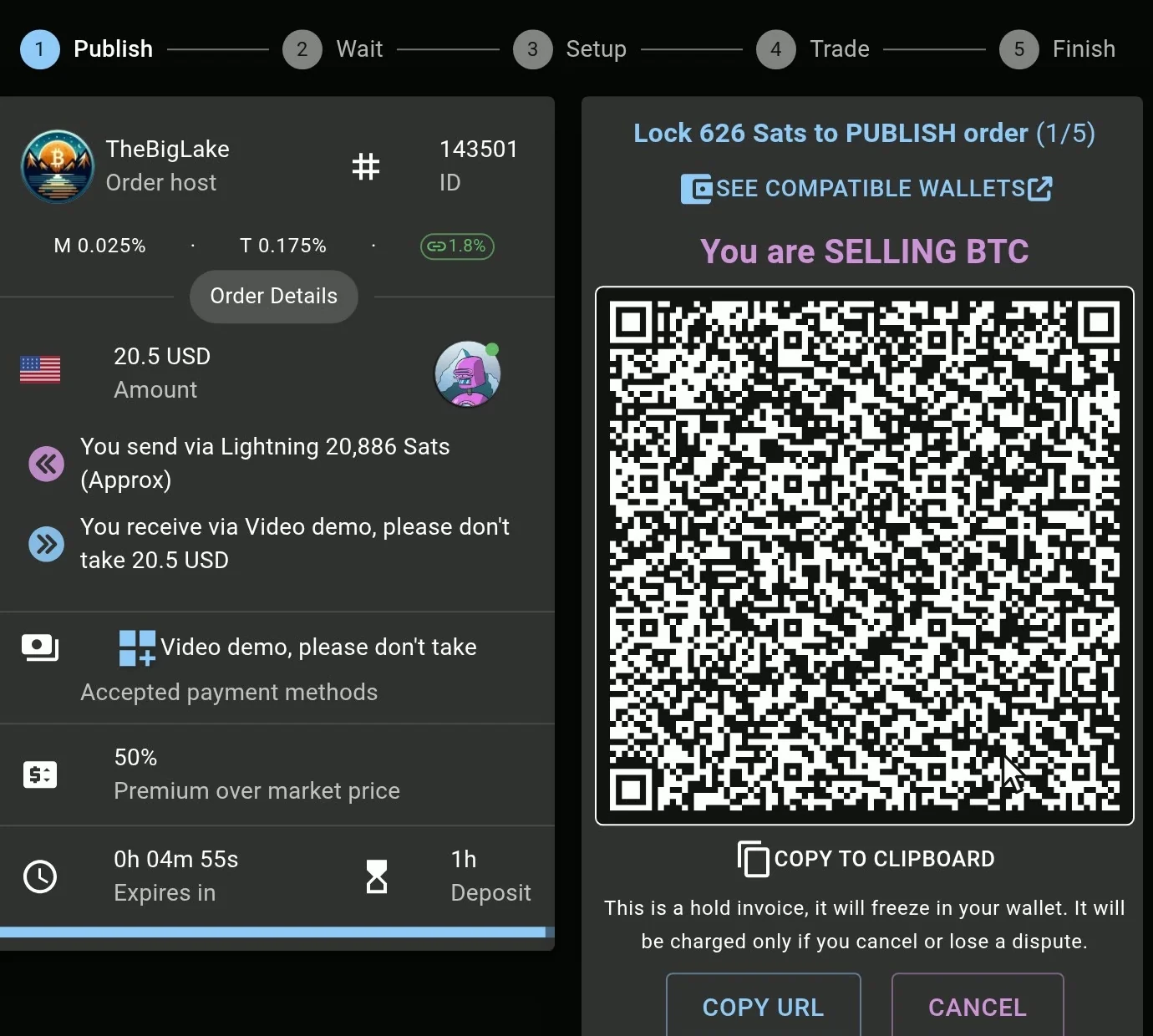
Create Order shows the bond, here 626 sats, as a hold invoice: "This is a hold invoice, it will freeze in your wallet. It will be charged only if you cancel or lose a dispute." Copy it and pay it from your wallet.
In Rizful the Send screen keeps spinning while RoboSats holds the payment. Refresh, and the home shows the held sats as in-flight (626 plus a few sats Rizful keeps aside for the fee). RoboSats then says "Your maker bond is locked" and "Your order is public".
4. The buyer takes it
The buyer, in a second browser with a robot of its own (UnintendedActor60), found the order in the book and clicked Take Order. The taker's bond was 627 sats, paid from the buyer's Rizful the same way. Once the taker's bond is locked, the order is taken, and neither side can back out alone: "After the order is taken, it cannot be cancelled except if both the maker and taker agree to collaboratively cancel" (escrow page).
5. The seller's escrow
The seller then locks the bitcoin: "Lock 20,906 Sats as collateral". That's the trade plus the seller's 5-sat fee. Rizful now held both payments, the bond and the escrow.
6. The buyer's payout invoice
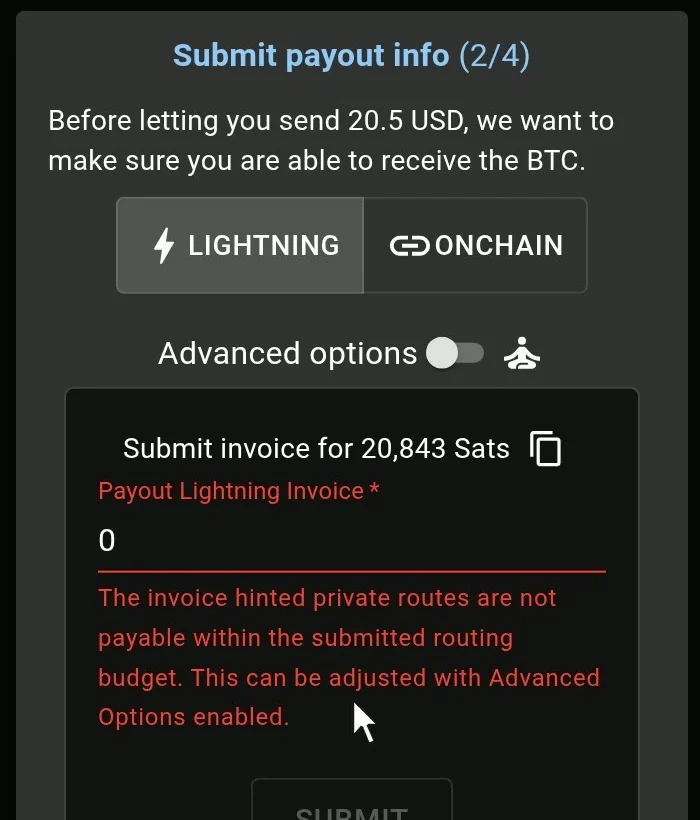
The buyer gives RoboSats an invoice to be paid into, for exactly the amount it asks. Our first one, for 20,843 sats, was refused: "The invoice hinted private routes are not payable within the submitted routing budget. This can be adjusted with Advanced Options enabled."
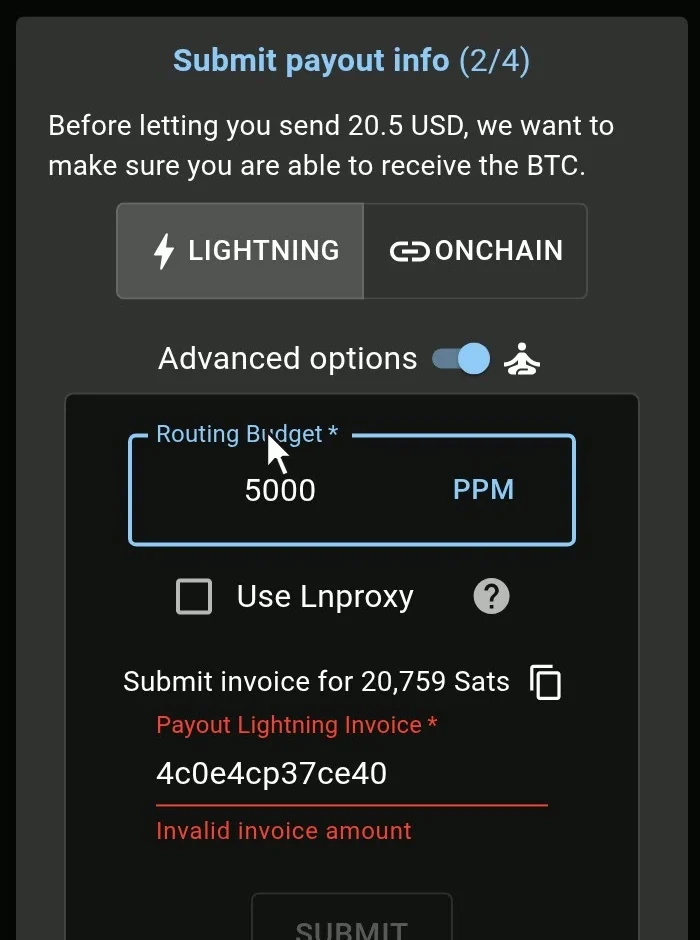
We opened Advanced options, set Routing Budget to 5000 PPM, and RoboSats asked for 20,759 sats instead: the bigger budget comes off the payout. In Rizful, Receive, that exact amount, copy the invoice and submit it. Accepted.
7. The chat, and the two confirms
The two robots then chat, encrypted end to end ("Every robot has a pair of PGP keys to encrypt the communication end-to-end", RoboSats' privacy page). The seller says how to pay. In a real trade, this is when the buyer sends the money, by whatever method you agreed; ours was a demo, so no money moved.
The buyer clicks Confirm 20.5 USD sent. The seller checks the account and, only when the money is really there, clicks Confirm 20.5 USD received: "This action cannot be undone!"
8. Done
Seconds later RoboSats released the escrow and paid the buyer: "Trade finished!", and 20,759 sats landed in the buyer's Rizful. Both bonds came back. Rizful lists a returned bond as "Failed Send": that only means the hold was let go.
The routing budget: the default is born to fail
When RoboSats pays the buyer, it spends up to a routing budget on Lightning fees, and takes it off the payout. The default is 1,000 ppm (parts per million): a tenth of a percent. That default is born to fail. Lightning fees vary, for Rizful as for other wallets: Rizful's invoice hinted a private route costing about 2,500 ppm, and RoboSats refused the invoice before it even tried. RoboSats should probably raise the default. Until then, before you submit your invoice, open Advanced options and set the routing budget to 5,000 ppm, to be safe. On our trade that was 104 sats; whatever the route doesn't use stays with the coordinator.
RoboSats fees
"RoboSats charges a 0.2% fee of the total trade amount; this fee is distributed between the order maker and the order taker who pay 0.025% and 0.175%, respectively" (RoboSats' fees page). Each coordinator sets its own; the client's host list on November 16, 2026 showed:
| Coordinator | Maker | Taker |
|---|---|---|
| TheBigLake | 0.025% | 0.175% |
| Temple of Sats | 0.025% | 0.175% |
| FreePort | 0.025% | 0.175% |
| Ammanaya | 0.020% | 0.170% |
| LibreBazaar | 0.000% | 0.175% |
| Gumpellite | 0.000% | 0.000% |
The seller's fee is added to the escrow, the buyer's comes off the payout. On top: the buyer's routing budget, and your own wallet's fee for sending (Rizful's is 0.1% plus routing; receiving is free). A payout on-chain instead of over Lightning is a swap, with its own fee.
What our trade cost
| Sats | |
|---|---|
| RoboSats, the maker's fee (0.025%) | 5 |
| RoboSats, the taker's fee (0.175%) | 38 |
| The buyer's routing budget (5,000 ppm) | 104 |
| Rizful, sending the escrow (0.1% + routing) | 32 |
| Total | 179 |
The bonds cost nothing: both came back in full.
When RoboSats won't load
Over Tor, RoboSats can be slow, and a coordinator can go down. What we saw on November 16, 2026:
- The first load took 76 to 130 seconds ("Looking for robot parts ...", "Adding layers to the onion ..."). RoboSats' Tor page warns of "lower network connection speeds, sporadic downtime due to DDoS" (Tor page).
- TheBigLake was down for a few minutes (22:29 to 22:33 UTC) in the middle of our filming. Check isrobosatsdown.templeofsats.org first: an uptime page for the federation's coordinators, run by Temple of Sats.
- If the main onion address won't load, "you can use any federation coordinator's own onion address instead, since they all serve the same client" (access page); the status page lists them.
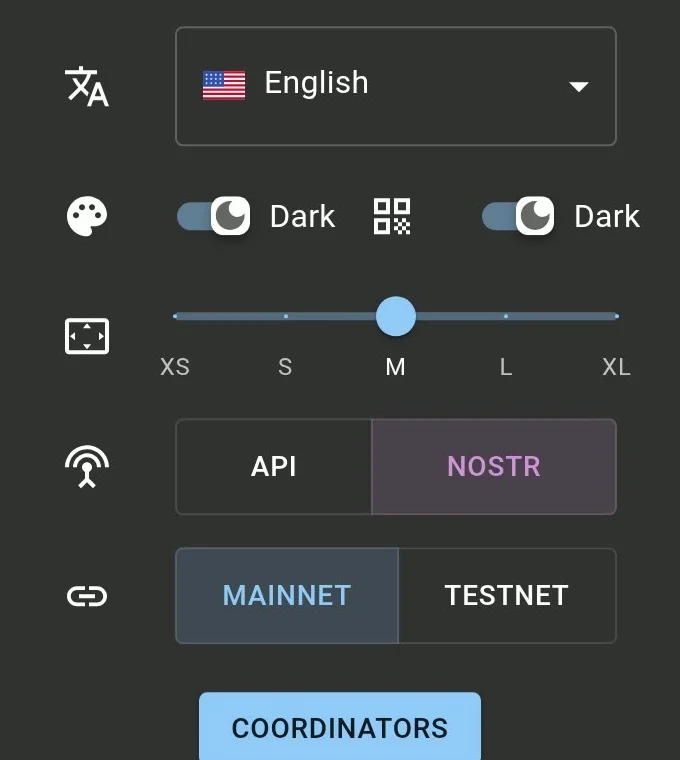
- If the order form hangs on "Loading...", open Settings and switch from NOSTR to API. That fixed it for us at once.
RoboSats vs Bisq, Peach and Hodl Hodl
Each from its own pages (Bisq's wiki through the Internet Archive's October 2026 copies: bisq.wiki didn't load for us), as of November 2026:
| Runs as | Settles | Deposits | Fee | |
|---|---|---|---|---|
| RoboSats | a website over Tor, and an Android app | over Lightning | a bond from each side, 3% by default | 0.2% in all (0.025% maker, 0.175% taker), per coordinator |
| Bisq | a desktop app | on-chain, in a 2-of-2 multisig | 15% to 50% from each side | 1.3% in BTC (0.15% maker, 1.15% taker) |
| Bisq Easy | the Bisq 2 app (desktop, and Bisq Easy Mobile) | the seller sends after the money arrives | none: security comes from the seller's reputation | none |
| Peach | a phone app | on-chain, in a 2-of-2 escrow | the seller funds the escrow | 2%, paid by the buyer |
| Hodl Hodl | a website, "sign up with an e-mail and a password" | on-chain, in a multisig escrow (and Lightning offers) | the seller funds the escrow | 0.75% (0.5% with a referral) |
Bisq Easy is the way in with no bitcoin at all, since it asks for no deposit. RoboSats is the one that settles over Lightning, start to finish, in minutes.
Video
The whole trade, filmed from both sides, is in the video at the top of this page.