How to Accept Bitcoin and Crypto Donations: A Free Donate Button for Your Website
You can take Bitcoin and crypto donations on your own website with a form you control: preset amounts, an Other field, and a checkout that pays straight into your own wallet. All you need to do is go to openreceive.org, click Copy agent directions, and paste them into your coding agent. OpenReceive is free and open source, with no approval necessary, and every number on this page comes from a real donation we made while filming the video.
On a site builder like Wix or Squarespace, or don't want to build anything? A Lightning address is the simplest tip jar there is, and Rizful gives you a QR code for it too.
| Donate page with OpenReceive | Lightning address | |
|---|---|---|
| What you set up | A page on your website | A free address, such as you@rizful.com |
| Donors pay with | Bitcoin, USDT, USDC, SOL or ETH | Bitcoin over Lightning |
| You receive | Bitcoin, in your own wallet | Bitcoin, in your own wallet |
| Preset amounts, Other field | Yes | No, the donor types an amount in their wallet |
| Thank-you page, running total | Yes | No |
| Code | A small server: your coding agent writes it | None |
Add it with your coding agent
All you need to do is click Copy agent directions.
- Go to openreceive.org and click Copy agent directions, on the front page.
- Under Start here, click Copy text.
- Paste it into Cursor, Claude Code, Codex or your site builder's agent, and say what you want in one sentence. Ours was: "Add a donate page to my site, with $5, $20 and $50 buttons and an Other field where people can type any amount."
- When your agent asks, give it your codes.
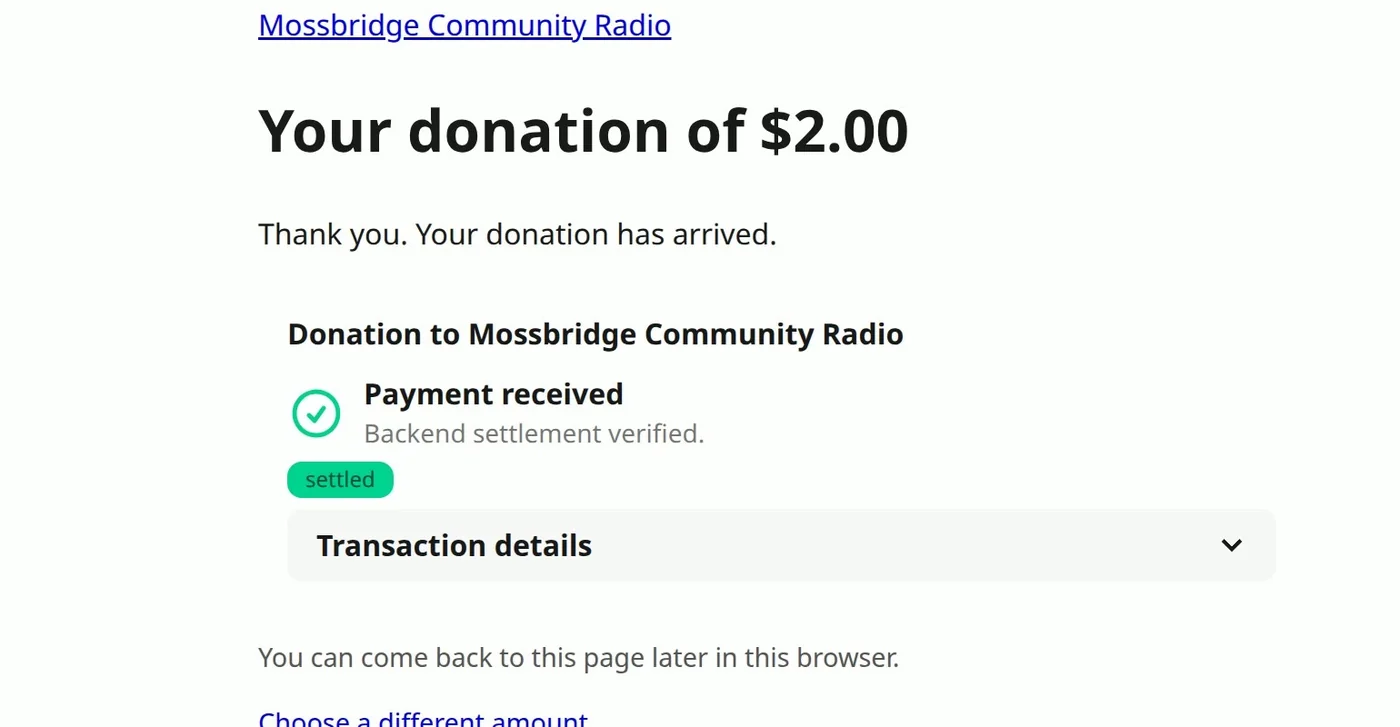
We tried exactly that, on a small Express site with no payments on it. The agent worked out what the site was built with ("Your site is an Express app, so I'll follow OpenReceive's Express directions."), built the page, and tested it. It's plain, because that's all we asked for. But it's real: we gave it a real $2, and it went through as 2,637 sats, paid from an Alby Hub wallet into the same Rizful wallet as the donation below.
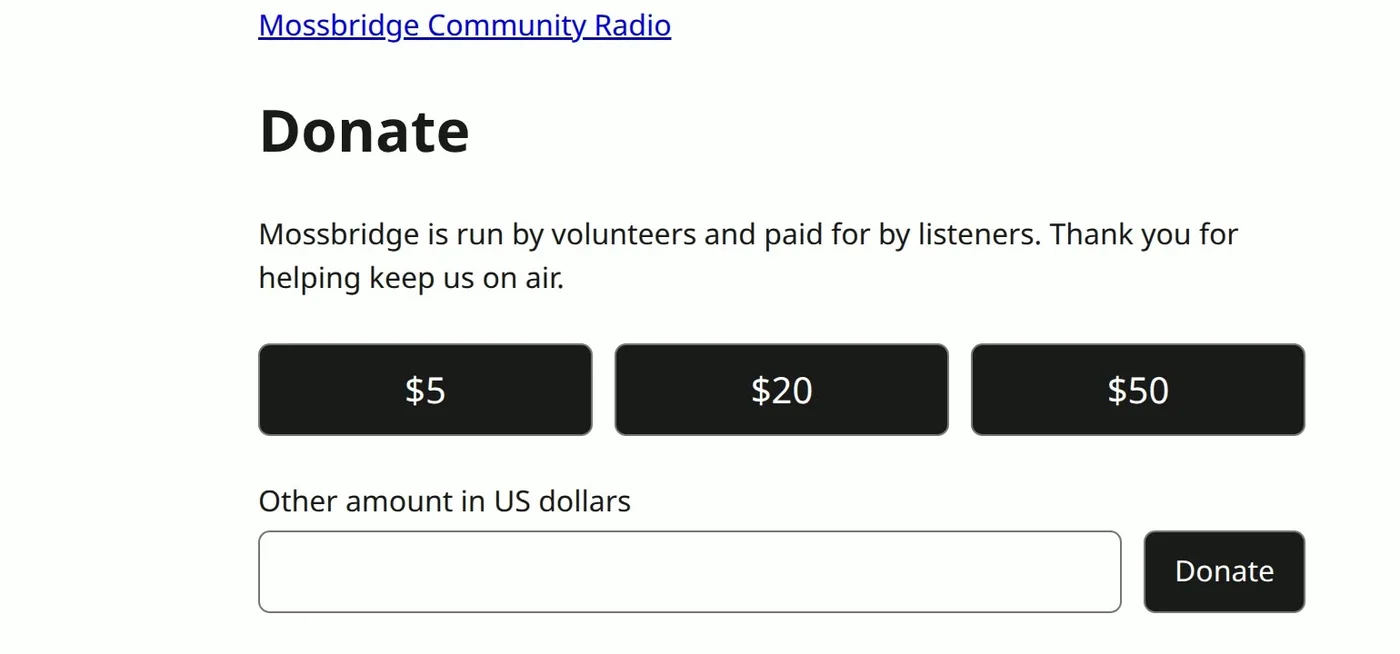
The directions cover Laravel, Next.js, WordPress and more than twenty others, and your agent works out which one you're on. If you'd rather write it yourself, all the code is below.
A real donation, start to finish
We built a donation page for a radio station that doesn't exist. The payment was real.
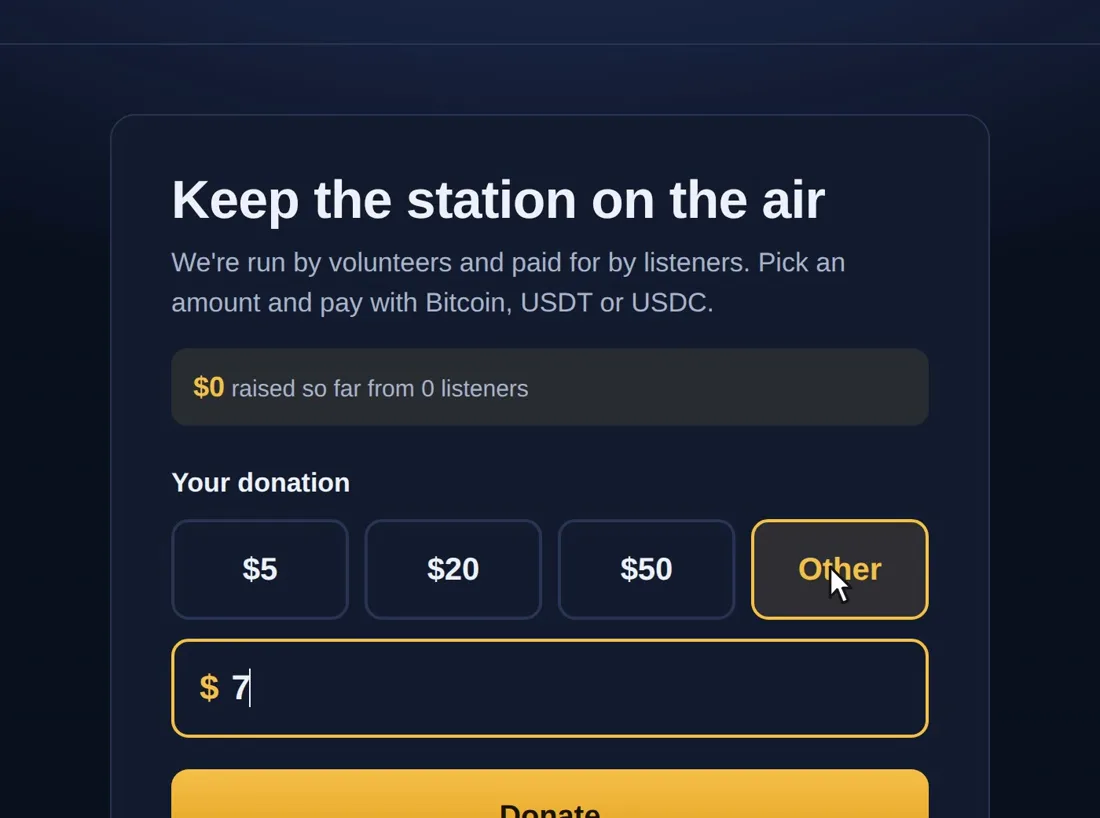
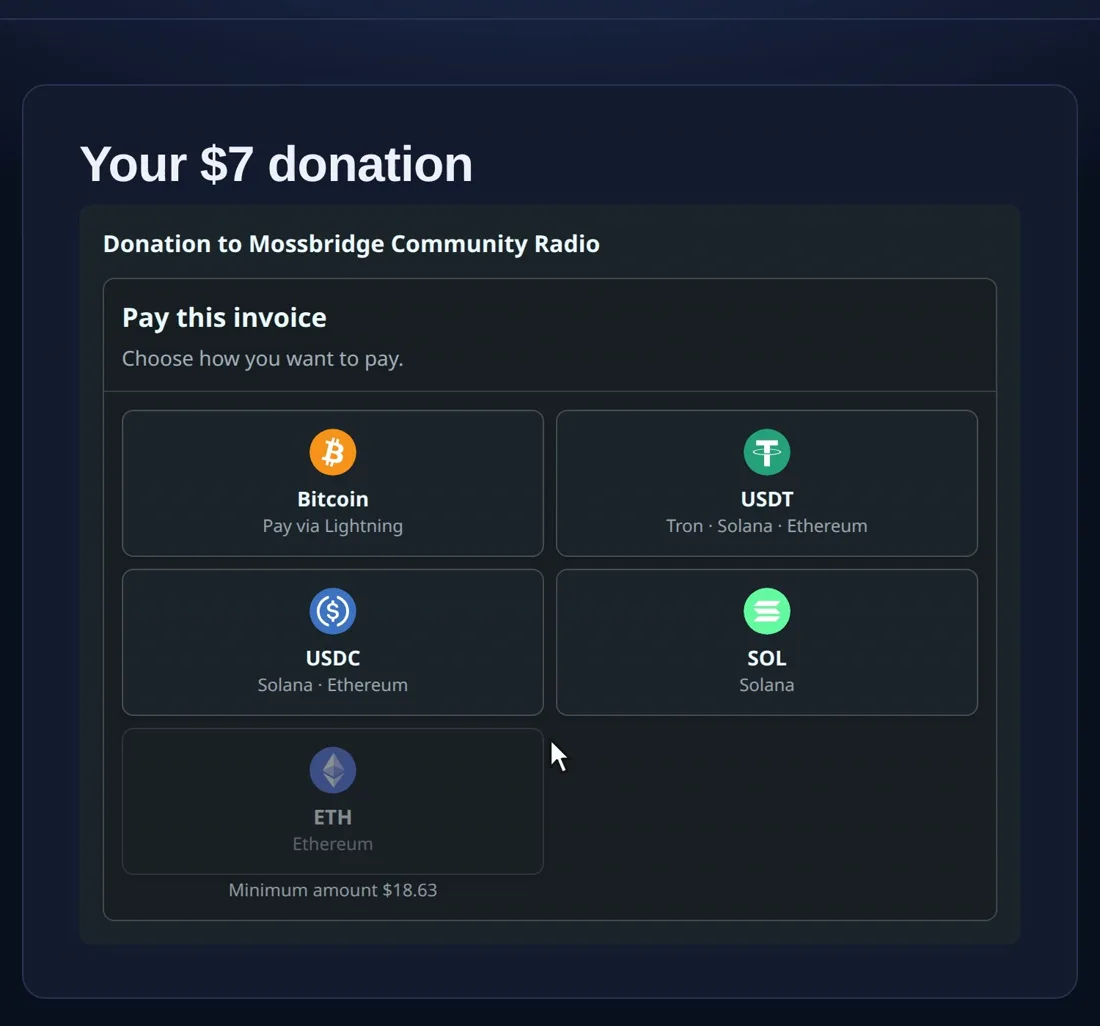
The donor picked Other, typed $7 and clicked Donate. The checkout offered every way to pay.
OpenReceive turned $7 into a Lightning invoice for 9,220 sats at that minute's price. (Sats are the small units of bitcoin: 100,000,000 sats make one bitcoin.)
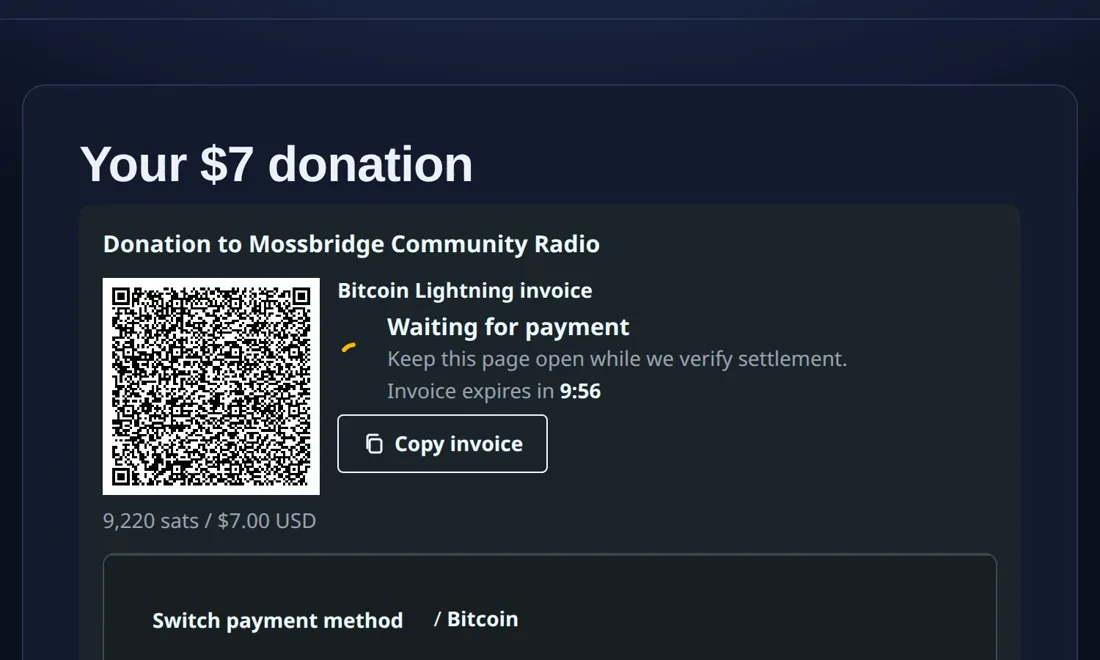
We paid it from Phoenix on a phone. The invoice carried the donation's name, "Donation to Mossbridge Community Radio", and Phoenix showed its own fee before we paid.
| What happened | Amount |
|---|---|
| The donor chose | $7.00 |
| The invoice | 9,220 sats |
| Phoenix's fee, paid by the donor | 40 sats |
| Our Rizful wallet before | 39,997 sats |
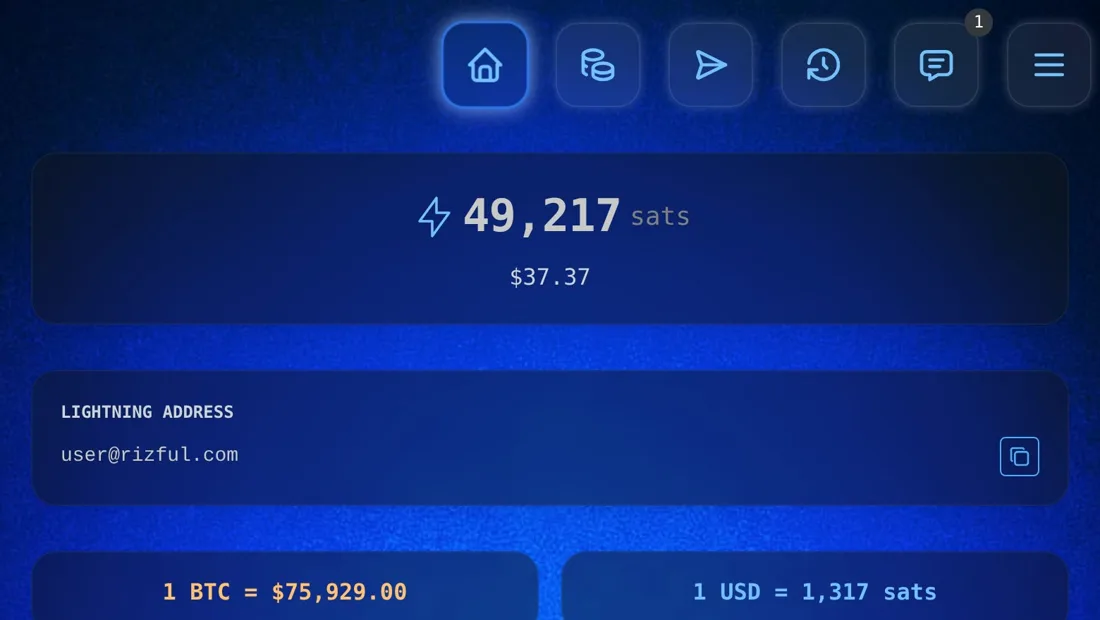
| Our Rizful wallet after | 49,217 sats |
| Received | 9,220 sats, every one of them |
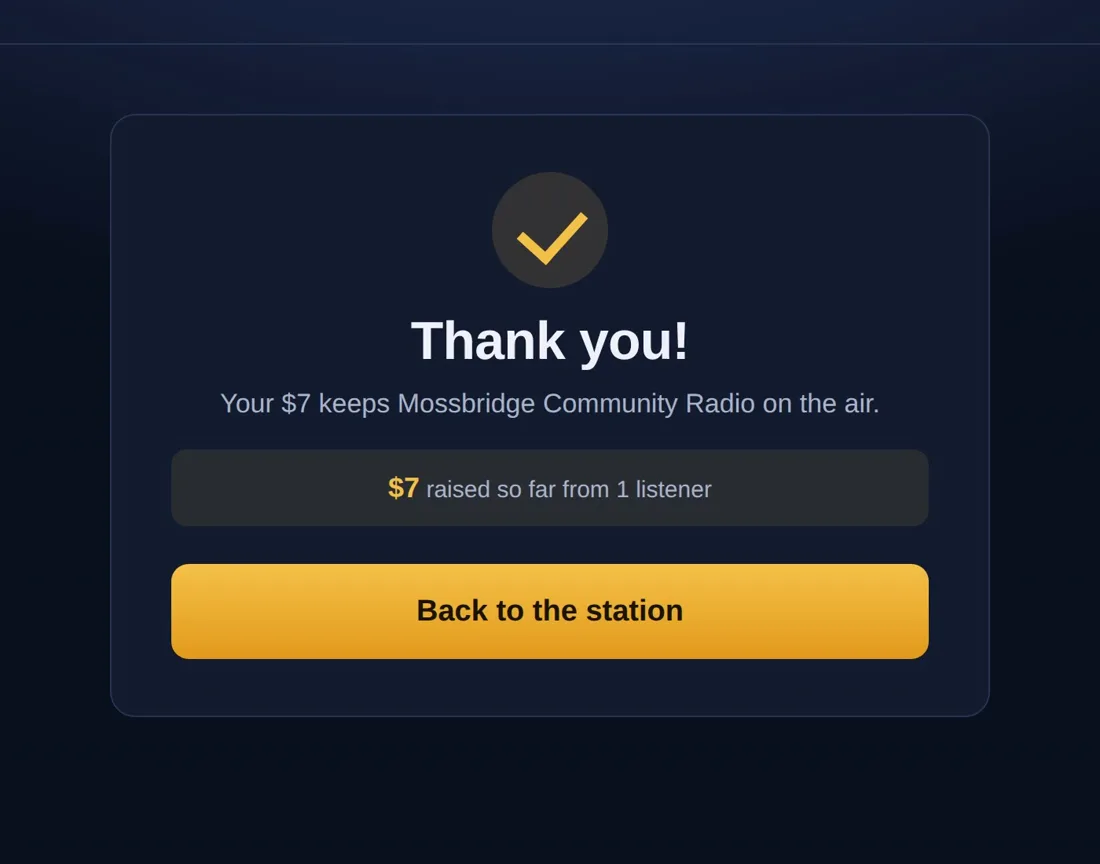
The wallet showed the new balance a couple of seconds after we tapped Pay. The page said thank you, and its total went from $0 to $7.
Receiving into Rizful is free, and OpenReceive costs nothing: it is free and open source under the MIT license. Your wallet provider, a swap provider if you use one, and Lightning routing may charge their own fees. In this payment the only fee was Phoenix's, and the donor paid it.
Let donors pay with USDT and USDC
With a swap provider connected, donors can also pay in USDT (Tron, Solana or Ethereum), USDC (Solana or Ethereum), SOL or ETH. Every payment still reaches you in Bitcoin. Lightning Swap takes the USDT and pays your wallet over Lightning. If you want to keep USDT, this isn't the tool for you.
With the second code in place, the same checkout shows the extra tiles.
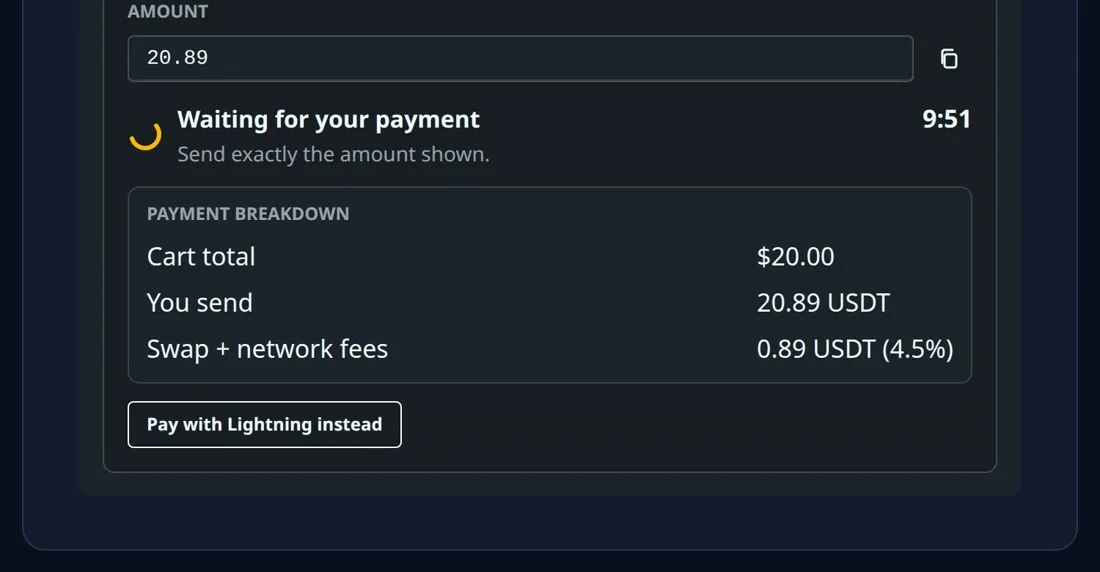
On the day we filmed, a $20 donation in USDT on Solana was quoted at 20.89 USDT: 0.89 USDT (4.5%) of swap and network fees, paid by the donor. The quote moves with the market (the same donation was 20.86 and 20.87 minutes earlier), so check it on your own page. Each network has a minimum: that day, USDT on Solana started at 2.75 USDT and USDT on Tron at 9 USDT, so a $5 donation couldn't use Tron. The checkout greys out what an amount can't use, and Pay with Lightning instead is always a click away.
Before you turn this on, read Swap refunds: each donation's own URL is how a donor comes back to claim a refund if a swap fails, and the page above keeps one for every donation.
The codes your agent will ask for
The first comes from your wallet: a receive-only code. In Rizful, open the menu, choose NWC Codes and Copy receive-only code. It can take payments into your wallet, but it can never spend them: even if your server is compromised, nobody can spend your funds.
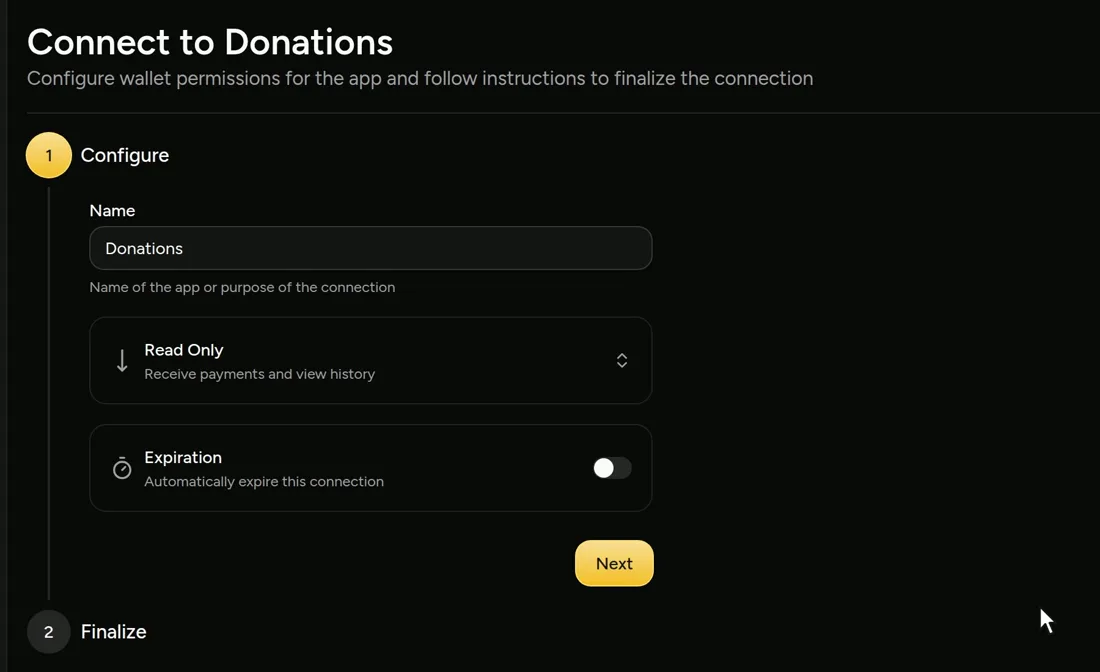
If you run your own node, use Alby Hub, with a channel from Megalith, its default channel partner. In Connections, choose Add Connection, pick Read Only ("Receive payments and view history"), and copy the code.
The second is only for stablecoins: Lightning Swap Connect. Go to lightning-swap.com, choose Sign in for API keys, create a key, and copy the code.
Both go in your server's environment, never in the browser and never in git. Your agent puts them there.
The simplest tip jar: a Lightning address
On a site builder like Shopify, Wix, Squarespace or Webflow? OpenReceive has no plugin for those. But the simplest tip jar of all is a Lightning address. It looks like an email address and takes payments
from Lightning wallets. Ours is user@rizful.com, and you can get one free at rizful.com.
Put it in your bio, your newsletter or under your posts. A supporter types it into a Lightning wallet, picks an amount and sends. We sent 1,000 sats from Phoenix, for an 8-sat fee paid by the sender, and they landed in the same wallet: 49,217 to 50,217 sats.
Rizful gives you a QR code for it, too. In your Rizful account, choose Receive Lightning and click Download Payment QR.
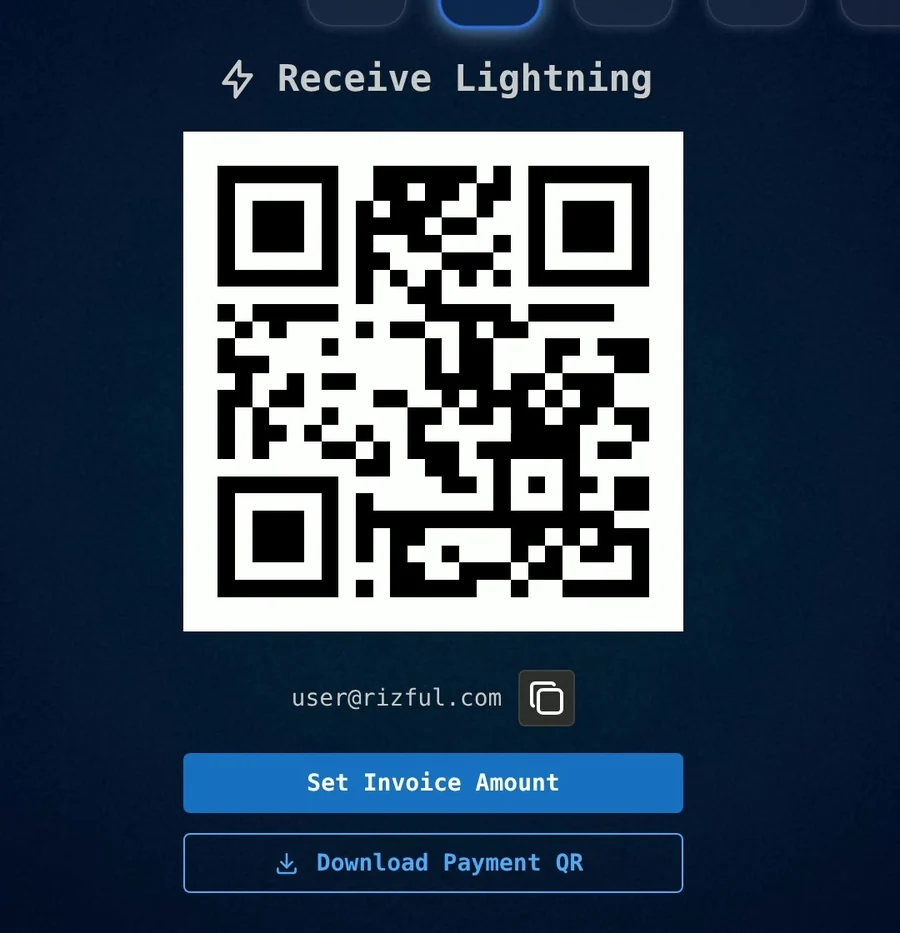
It's a picture of your address, yours to keep. It has no expiration date and takes any amount, so you can print it, or put it on your page. Our guide to getting paid with your Rizful QR code has more.
There's no form, no thank-you page and no stablecoins, but there's nothing to build.
Why the amount has to go through your server
Your agent handles this. If you're curious, here's what it's doing underneath.
In a shop, your server knows the price. A donation's amount comes from the donor, and that is the one thing to get right, because OpenReceive won't take an amount from the browser. We tried it, asking it to charge one sat:
HTTP/1.1 400 Bad Request
{"code":"INVALID_REQUEST","message":"This route does not accept a payer-supplied amount; the host resolves its order price."}
That refusal is what stops anyone paying one sat for a thousand-dollar order. As OpenReceive's authorization guide puts it, a payer-supplied amount "could only ever be an attempt to pay less, or to trick support with an overpaid receipt."
So the donor's choice takes the long way round:
- The form posts the amount to your server.
- Your server checks it and saves it as a donation, in your database.
- OpenReceive asks your server for the amount, through a function you write called
amountFor. It reads the row you saved.
The donor still chooses. Your server writes it down.
Build the page by hand
You need Node 22.13 or newer (on an older 22, run it with --experimental-sqlite). This is the Express version; OpenReceive has
the same three pieces, amountFor, onPaid and authorize, for
Next.js, Rails, Django, Laravel and more. The code below ran against a real wallet before we wrote
it down: a donor's $12.50 became an invoice for 16,459 sats, a typed "abc" was refused, and a request with no cookie got a 403.
1. Get a receive-only code from your wallet, as above.
2. Install the packages.
npm install express @openreceive/express @openreceive/http @openreceive/elements
Set "type": "module" in package.json.
3. Put your code in the server's environment. Never in the browser, and never in git.
NWC_URI=nostr+walletconnect://your-receive-only-code
For stablecoins, add the second code beside it, as LSC_URI_PRIMARY=lightning+swapconnect://lightning-swap.com/?key=...&secret=....
4. Save this as server.js.
import { randomUUID } from "node:crypto";
import path from "node:path";
import { DatabaseSync } from "node:sqlite";
import { fileURLToPath } from "node:url";
import { openReceiveExpress } from "@openreceive/express";
import { paymentsSchemaSql } from "@openreceive/http";
import express from "express";

// Your own database. OpenReceive's two tables live beside your donations table.
const db = new DatabaseSync(process.env.DB_FILE ?? "donations.db");
db.exec(paymentsSchemaSql("sqlite"));
db.exec(`CREATE TABLE IF NOT EXISTS donations (
  id TEXT PRIMARY KEY, visitor TEXT NOT NULL, amount TEXT NOT NULL,
  state TEXT NOT NULL DEFAULT 'awaiting_payment', paid_at TEXT)`);

const findDonation = (id) =>
  db.prepare("SELECT * FROM donations WHERE id = ?").get(id) ?? null;

// What the donor typed, as a decimal string, or null. Never a float, never trusted.
function parseAmount(input) {
  const text = String(input ?? "").trim().replace(/^\$/, "");
  if (!/^\d{1,5}(\.\d{1,2})?$/.test(text)) return null;
  const value = Number(text);
  return value >= 1 && value <= 10000 ? value.toFixed(2) : null;
}

// A cookie says which browser made which donation.
const visitorFrom = (cookie) =>
  (cookie ?? "").match(/(?:^|;\s*)visitor=([^;]+)/)?.[1];

const app = express();
app.use(express.json());
app.use(express.urlencoded({ extended: false }));
app.use(
  "/checkout-assets",
  express.static(
    path.dirname(
      fileURLToPath(
        import.meta.resolve("@openreceive/elements/standalone/openreceive-checkout.js"),
      ),
    ),
  ),
);

app.use(
  openReceiveExpress({
    wallet: { nwc: process.env.NWC_URI ?? "" }, // your receive-only code
    storage: {
      db,
      // Runs once, when the payment has really settled in your wallet.
      onPaid: async ({ reference, paidAt, query }) => {
        await query(
          "UPDATE donations SET state = 'paid', paid_at = ? WHERE id = ? AND state = 'awaiting_payment'",
          [paidAt, reference],
        );
      },
    },
    // The amount comes from your own row, never from the request.
    amountFor: async (reference) => {
      const donation = findDonation(reference);
      return donation?.state === "awaiting_payment"
        ? { currency: "USD", value: donation.amount, description: "Donation" }
        : null;
    },
    // Only the browser that made the donation may pay it.
    authorize: async ({ request, resource }) => {
      const donation = findDonation(resource.reference);
      const visitor = visitorFrom(request.headers.get("cookie"));
      return Boolean(donation && visitor && donation.visitor === visitor);
    },
    rateLimiting: true,
  }),
);

const PAGE = `<!doctype html>
<meta charset="utf-8">
<title>Donate</title>
<h1>Donate</h1>
<form method="post" action="/donate">
  <label><input type="radio" name="preset" value="5"> $5</label>
  <label><input type="radio" name="preset" value="20" checked> $20</label>
  <label><input type="radio" name="preset" value="50"> $50</label>
  <label><input type="radio" name="preset" value="other"> Other</label>
  <input name="other" inputmode="decimal" placeholder="Amount">
  <button>Donate</button>
</form>`;

app.get("/", (_req, res) => res.type("html").send(PAGE));

// The donor's amount reaches your server here. Check it, then save it.
app.post("/donate", (req, res) => {
  const amount = parseAmount(
    req.body.preset === "other" ? req.body.other : req.body.preset,
  );
  if (!amount) return res.status(400).type("html").send(`<p>Please enter $1 to $10,000.</p>${PAGE}`);
  let visitor = visitorFrom(req.headers.cookie);
  if (!visitor) {
    visitor = randomUUID();
    res.cookie("visitor", visitor, { httpOnly: true, sameSite: "lax", secure: req.secure });
  }
  const id = randomUUID();
  db.prepare("INSERT INTO donations (id, visitor, amount) VALUES (?, ?, ?)").run(id, visitor, amount);
  res.redirect(303, `/donate/${id}`);
});

// The donation's own page: the checkout, or the thank-you.
app.get("/donate/:id", (req, res) => {
  const donation = findDonation(req.params.id);
  if (!donation || donation.visitor !== visitorFrom(req.headers.cookie)) {
    return res.status(404).send("Donation not found");
  }
  if (donation.state === "paid") {
    return res.type("html").send(`<h1>Thank you!</h1><p>Your $${donation.amount} arrived.</p>`);
  }
  res.type("html").send(`<!doctype html>
<meta charset="utf-8">
<title>Your donation</title>
<link rel="stylesheet" href="/checkout-assets/openreceive-checkout.css">
<script type="module" src="/checkout-assets/openreceive-checkout.js"></script>
<h1>Your $${donation.amount} donation</h1>
<openreceive-checkout reference="${donation.id}" prefix="/openreceive"></openreceive-checkout>
<script type="module">
  document.querySelector("openreceive-checkout")
    .addEventListener("openreceive-settled", () => location.reload());
</script>`);
});

app.listen(process.env.PORT ?? 3000);
5. Run it.
node --env-file=.env server.js
Open http://localhost:3000, pick an amount and pay. Put it behind HTTPS before real donors see it, and style the form to match
your site: the checkout is one element, <openreceive-checkout>, and it lays itself out to fit.
If a wallet check fails while the server is starting, restart the server: on OpenReceive 0.4.31 one failed check at start-up lasts until the next restart.
WordPress and other sites
OpenReceive has plugins and quickstarts for WordPress with WooCommerce, Easy Digital Downloads, Laravel, Next.js and more than twenty others. Your coding agent works out which one you're on: all you need to do is click Copy agent directions.
On WooCommerce, the simplest donate button is a product: "Donation, $5", "Donation, $20". The order's total comes from WooCommerce, so OpenReceive charges it as it charges any order. An Other amount on WooCommerce needs a name-your-price plugin, and we haven't tested one.
FAQ
Do donors need a Bitcoin wallet?
Not to pay with stablecoins: a donor can pay in USDT, USDC, SOL or ETH from the wallet they already use, once you've connected a swap provider. To pay in Bitcoin they need a wallet or an exchange that pays Lightning invoices. The checkout lists many of them, each with how to pay. Our guide to the best Lightning wallets compares six.
Does OpenReceive take a cut of donations?
No. It is free and open source under the MIT license, and it never holds your money. Your wallet provider, a swap provider if you use one, and Lightning routing may charge their own fees.
Can I keep donations in USDT?
No. Whatever a donor pays with, you receive bitcoin.
What stops someone changing the amount?
The amount lives in your database, and OpenReceive reads it from there. A request that sends its own amount is refused. A donor can still type any amount your form allows, which is the point of a donation, so your server sets the limits: $1 to $10,000 in the code above.
Who approves my page?
Nobody. There's no application to a payment company, and no approval necessary. You do need a wallet account, such as Rizful or Alby Hub.
How do I show a running total?
onPaid runs once, when a payment has really settled in your wallet, so add up the donations it marked as paid. Ours reads
SELECT SUM(amount) FROM donations WHERE state = 'paid', so the total can't count a payment that never arrived.