How to Accept USDT Payments on Your Website
Accept USDT on your website and the payment arrives as bitcoin, in your own wallet. Your customer pays in USDT on Tron, Solana or Ethereum; a Lightning Swap Connect provider takes that USDT and pays a Lightning invoice from your wallet, so bitcoin is what you receive. If you want to end up holding USDT itself, this is the wrong tool, and there's a section for you below.
The software that does this is OpenReceive, the safe way to receive bitcoin and stablecoin payments for websites and apps. It's free and open source (MIT), it runs inside the website you already have, and there's no approval necessary: nobody to apply to before you can take a payment.
How a USDT Payment Works
- The customer picks USDT at checkout, then a network: Tron, Solana or Ethereum.
- Your site creates a Lightning invoice in your wallet and asks your Lightning Swap Connect provider for deposit instructions.
- The customer sees a deposit address and an exact USDT amount, and sends it from their own wallet or exchange.
- The provider receives the USDT and pays your Lightning invoice.
- Your wallet receives bitcoin over Lightning. The order only counts as paid when your wallet reports that invoice settled.
You never hold the USDT. Bitcoin's price moves, so what lands in your wallet is bitcoin at that day's price.
Set It Up
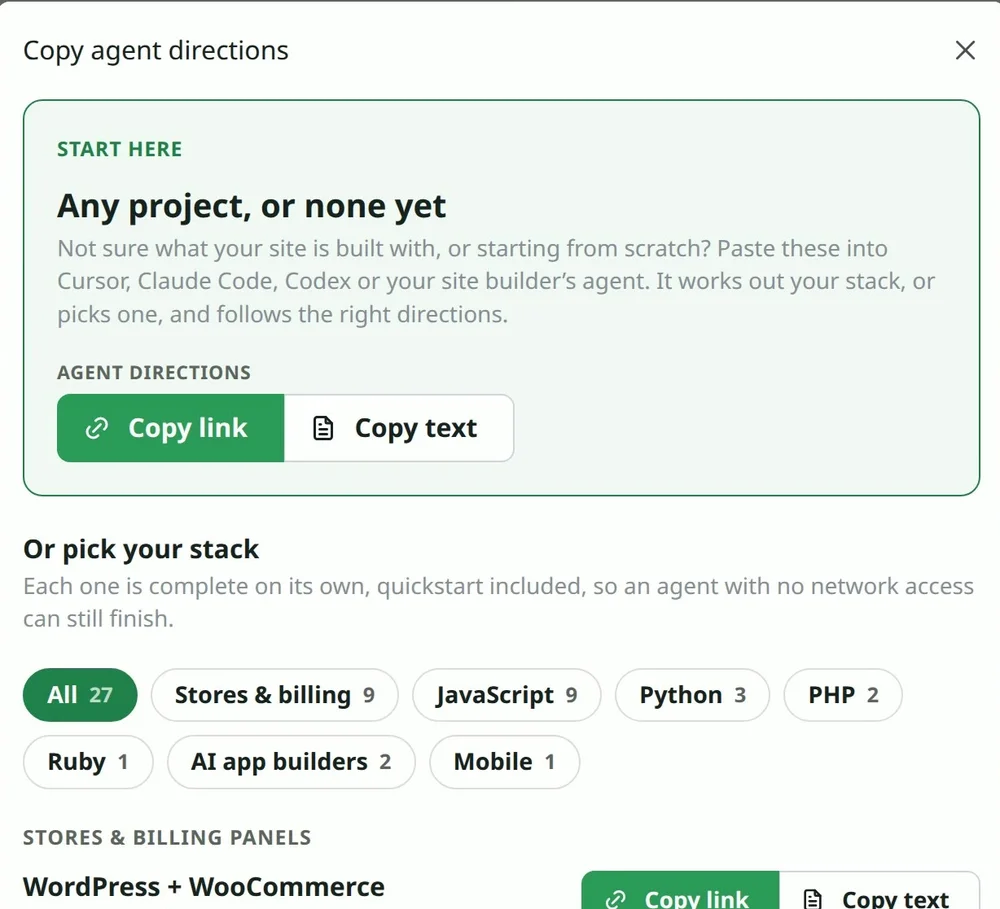
All you need to do is copy the agent directions into your coding agent.
- On openreceive.org, click Copy agent directions.
- Paste them into your coding agent (Claude Code, Cursor, Codex or similar) in your website's project.
- It asks for two codes, one at a time, and stores them for you.
The two codes:
- A receive-only code from your wallet (Nostr Wallet Connect). It can create invoices and read incoming payments, and it can never spend. Rizful is free and quick to set up (where to find the code). Alby Hub is your own Lightning node, and a great choice for merchants.
- A Lightning Swap Connect code, from a provider such as lightning-swap.com. This is what turns USDT on. Without it, your checkout takes Bitcoin only.
On WooCommerce you can do the same with no code at all: install the plugin from WordPress.org and paste the two codes into its settings. The full walkthrough, with a real payment, is in How to Accept Crypto Payments in WooCommerce.
What the Customer Sees
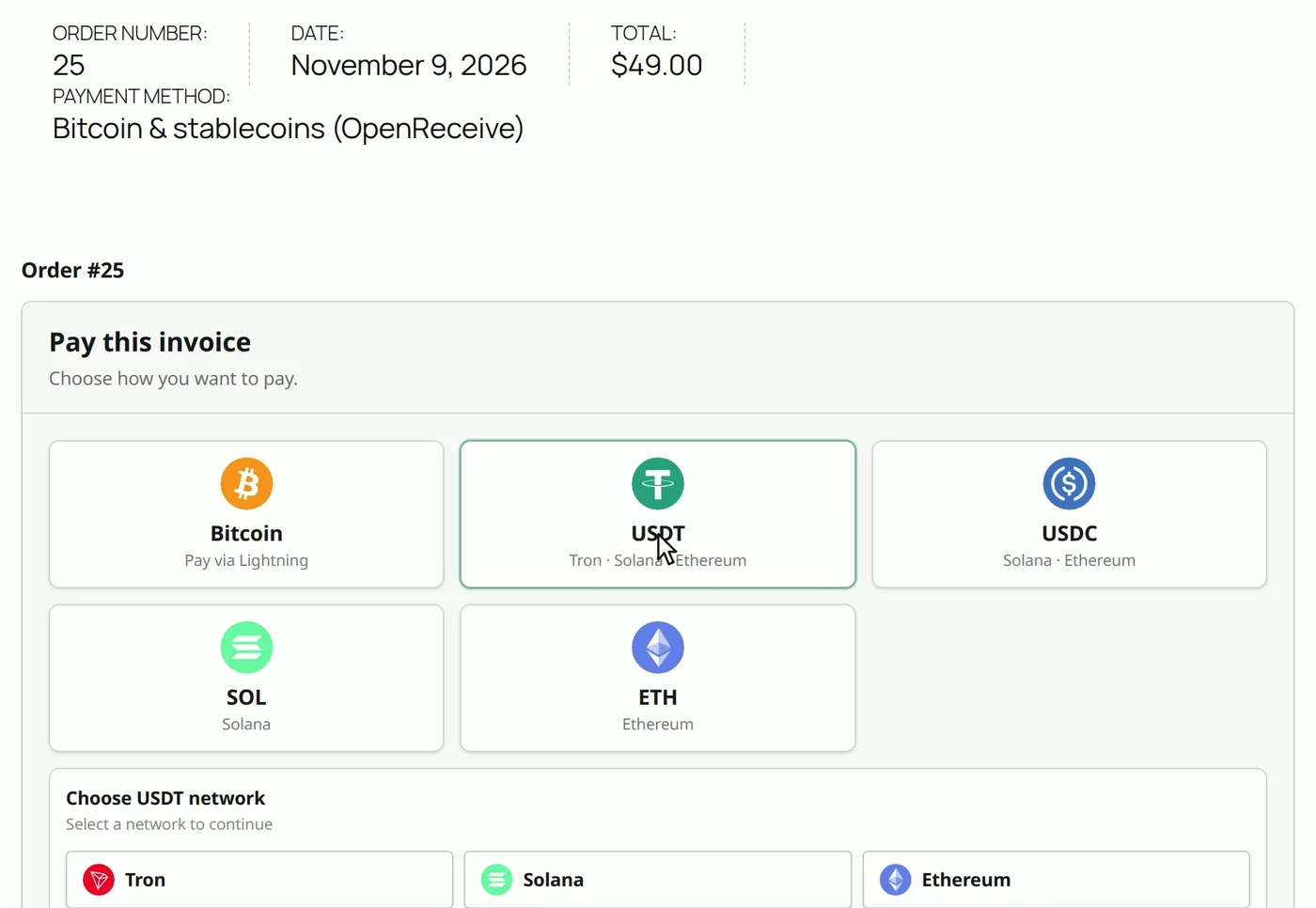
This is a real WooCommerce store running OpenReceive 0.4.33, on November 9, 2026, set up by a coding agent from those directions. We took a $49.00 order up to its real quote and didn't send the USDT.
At checkout, the customer picks USDT, then a network:
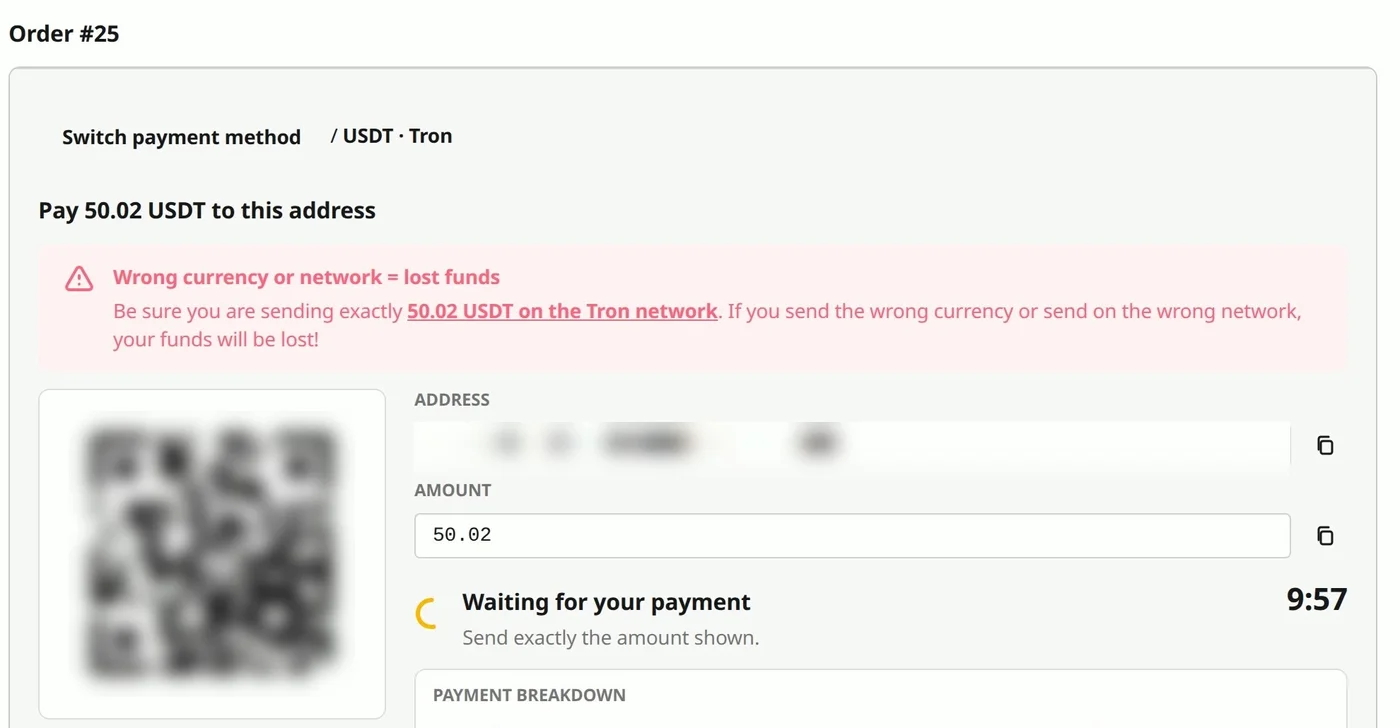
They get a deposit address and an exact amount, and about ten minutes to send it. The page warns them to send exactly that amount on that network, because USDT sent on the wrong network is lost:
What It Costs
OpenReceive takes nothing. The customer pays the swap and network fees on top of your price, and you receive the full order amount. These are real quotes from November 9, 2026:
| Order | Network | Customer sends | Swap + network fees |
|---|---|---|---|
| $49.00 | Tron | 50.02 USDT | 1.02 USDT (2.1%) |
| $49.00 | Solana | 50.04 USDT | 1.04 USDT (2.1%) |
| $49.00 | Ethereum | 50.04 USDT | 1.04 USDT (2.1%) |
| $7.00 | Solana | 7.48 USDT | 0.48 USDT (6.9%) |
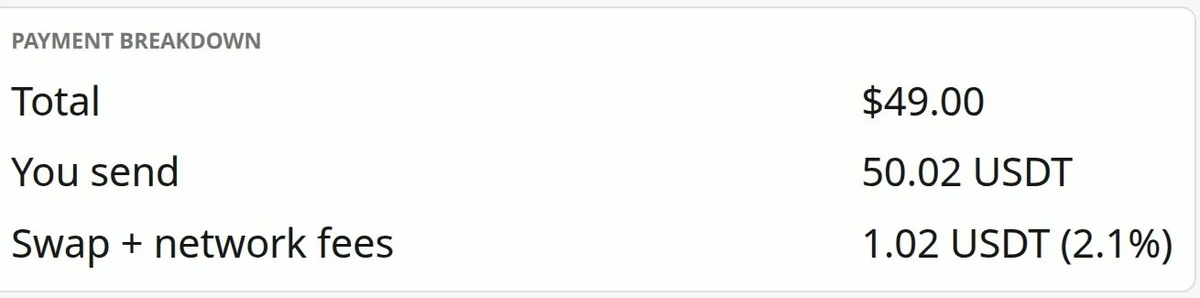
The fee weighs more on small orders, and it moves with the market. Lightning Swap's pricing page says between 1.1% and 5% depending on market conditions, fixed into each quote, plus estimated Lightning routing fees.
Each network also has a minimum order. On our $7.00 order that day, Tron needed $8.89 and Ethereum $18.76, so only Solana was offered for USDT. If your orders are small, Bitcoin over Lightning is the better deal for your customers, and it's right beside USDT at the same checkout.
If a Deposit Arrives Short or Late
A Lightning payment either arrives or it doesn't. A USDT deposit can arrive short or late, and then the provider can't convert it. It becomes refundable: the customer gets the whole deposit back by giving an address on their own network, the order stays unpaid, and they can pay again. OpenReceive's swap refunds guide has the details.
Your code is receive-only, so it can't send money. To refund a payment that did arrive, you send it from your wallet yourself.
If You Want to Keep the USDT
OpenReceive always pays you in bitcoin, so if you want USDT in an account, or dollars in a bank, you want a payment company instead. You open an account with them, they review your business, and they take a percentage of each sale.
NOWPayments, for example, lists USDT among its coins and says it charges a 1% service fee (its pricing page, November 2026). Check any gateway's own list of coins and networks before you choose it: not every "stablecoin" gateway takes USDT.