Free, Open-Source Crypto Payment Gateway (Self-Hosted, Straight to Your Wallet)
Looking for a free, open-source crypto payment gateway you can host yourself? OpenReceive is one: it runs inside your own website, takes bitcoin, USDT and USDC, and pays straight into your own wallet. Below: what "open source" means for it, how it compares with the other self-hosted gateways (BTCPay Server, SHKeeper and Bitcart, each in its own words), and a real payment on our own self-hosted store, start to finish. Everything here was checked on November 20, 2026.
Go to openreceive.org, click Copy agent directions, and paste them into your coding agent (Cursor, Claude Code, Codex or your site builder's agent). It works out how your site is built and sets it up. You'll need a wallet that gives you a receive-only code, such as a free Rizful account or Alby Hub. No approval necessary.
Open Source, for Real
OpenReceive's code is on GitHub at github.com/OpenReceive/openreceive, under the MIT license: you may "use, copy, modify, merge, publish, distribute, sublicense, and/or sell copies", free of charge. Every library in the repository is MIT-licensed; the one exception is the WordPress plugin, which is GPL-2.0-or-later, as WordPress.org requires of every plugin it hosts.
It isn't one plugin. There are plugins for stores and billing panels (WooCommerce, Easy Digital Downloads, PrestaShop, Odoo, Medusa, Vendure, Paymenter, FOSSBilling, and BTCPay Server itself) and packages for the frameworks you build on: Express, Fastify, Next.js, NestJS, SvelteKit, Nuxt, Astro, Django, FastAPI, Flask, Laravel, plain PHP and Rails, among others. The full list is on openreceive.org.
The Other Self-Hosted Gateways
Three open-source gateways come up first when you search for a self-hosted one. Each describes itself, on its own homepage, as a self-hosted, open-source cryptocurrency payment processor, and each is a payment server of its own that you install and keep running:
| Gateway | In its own words | What you run |
|---|---|---|
| BTCPay Server | "a self-hosted, open-source cryptocurrency payment processor. It's secure, private, censorship-resistant, and free"; "0% Fees & No Third-party" | Its own server. Its docs suggest, as a starting point for a small Bitcoin-only deployment, 4 GB of RAM, 2 virtual cores and 50 GB of SSD: "A low-cost VPS around or below $20 USD per month can usually satisfy this profile." |
| SHKeeper | "a self-hosted and open-source cryptocurrency payment processor" that accepts "payments in multiple cryptocurrencies without fees and intermediaries" | Its own server (its knowledge base covers server requirements and installing it on a server) |
| Bitcart | "Self-hosted, open-source cryptocurrency payment processor", 50+ coins, "0% Fees" | Its own server (its docs cover Docker, manual and Raspberry Pi deployments) |
BTCPay Server is the best known, and if you want a payment server of your own, it's a fine choice. For Lightning, its own guide lists several ways to connect one; if you run your own Lightning node beside it, "you need to manage payment channels" and "you need to manage liquidity". OpenReceive even has a plugin for BTCPay Server, so a BTCPay store can take Lightning through a receive-only wallet. For a longer comparison, see our BTCPay Server alternative guide.
No Server of Its Own
OpenReceive works differently: it isn't a server. It runs inside the site you already have, as a plugin or a package, and keeps its payments in that site's own database. In the words of its README: "OpenReceive tracks payment attempts in your existing database and verifies receipt in your wallet", and it "never requires a separate database, Redis, or migration runner".
The money goes to a wallet you already have, through a receive-only code: a code that lets your site create invoices in your wallet and see that they were paid, but never spend from it. In Rizful, it's in the menu, under NWC Codes:

Want the wallet self-hosted too? Alby Hub runs your own Lightning node (with Megalith as its default channel partner). There, you add a connection under Connections and set it to Read Only ("Receive payments and view history"):
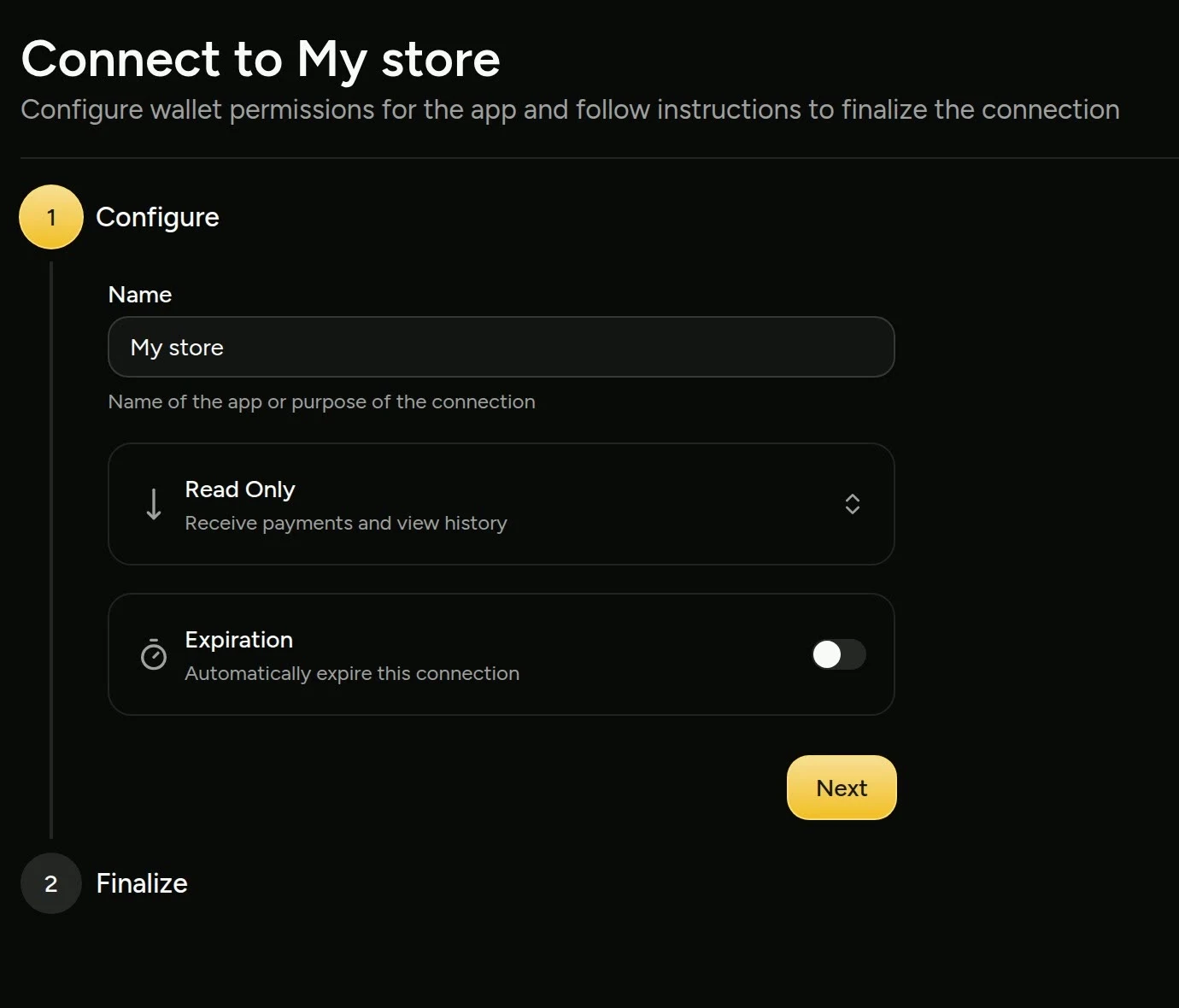
So there's no application to a payment company, and no one to approve your store: no approval necessary. It needs a site that runs server code (WordPress with WooCommerce, or any of the frameworks above); a purely static site can't take payments with it.
We Tried It
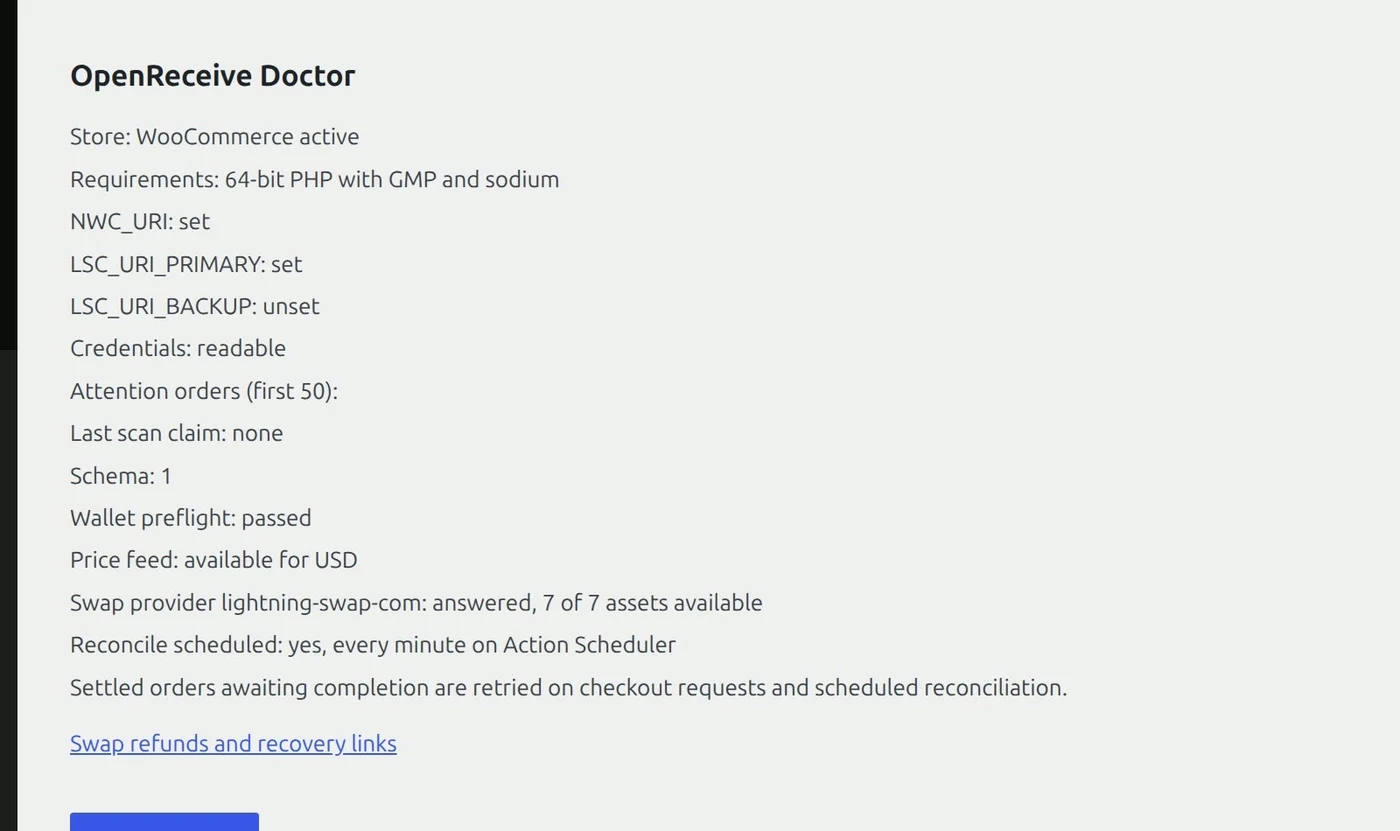
On November 20, 2026 we gave a coding agent our own self-hosted WooCommerce store (WordPress in Docker on our own machine) and pasted the homepage's "Start here" directions, word for word. It found the stack on its own: "Your site is a WordPress store with WooCommerce (running in Docker), so I'll follow OpenReceive's WordPress + WooCommerce directions." It asked for the wallet's receive-only code, then the swap code, installed OpenReceive 0.5.0 from WordPress.org, saved both codes ("Settings saved; wallet preflight passed.") and switched it on. The plugin's own check passed:
A Real Payment
Then a real order: a customer bought one Nub for $1.00 and picked Bitcoin. The store showed a Lightning invoice made by its own wallet, for 1,716 sats. (Sat is short for satoshi, which is the smallest unit of bitcoin. There are a hundred million satoshis in a bitcoin.)
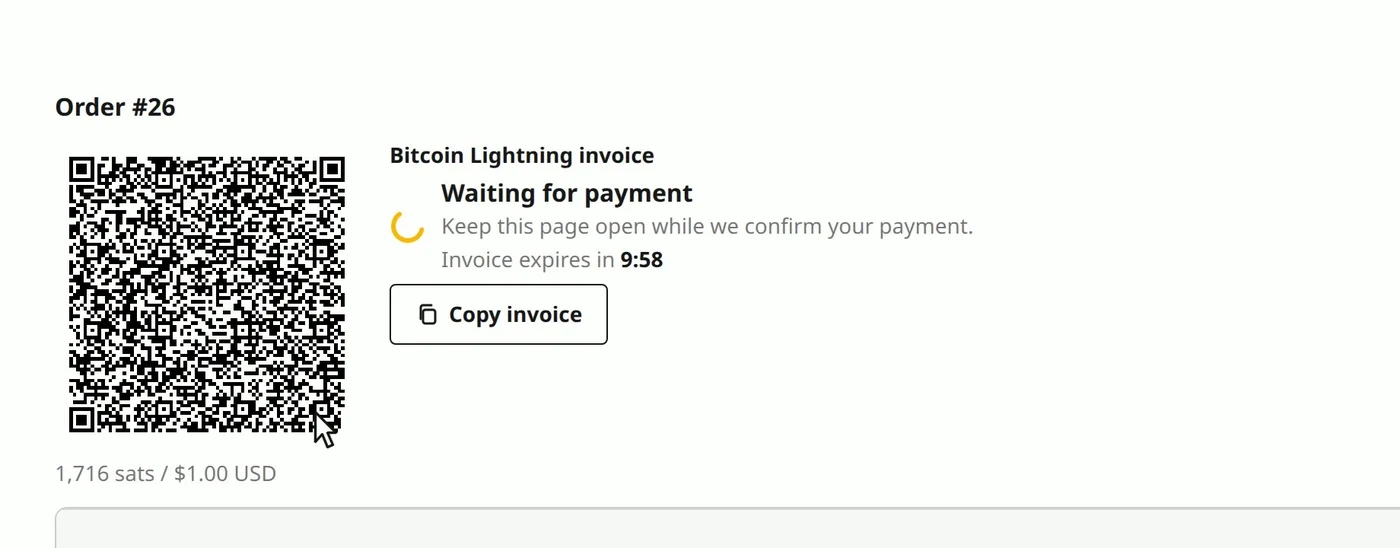
We paid it from Alby Hub. It landed in the store's Rizful wallet in seconds (2,411 sats before, 4,127 after), and the store saw it paid:
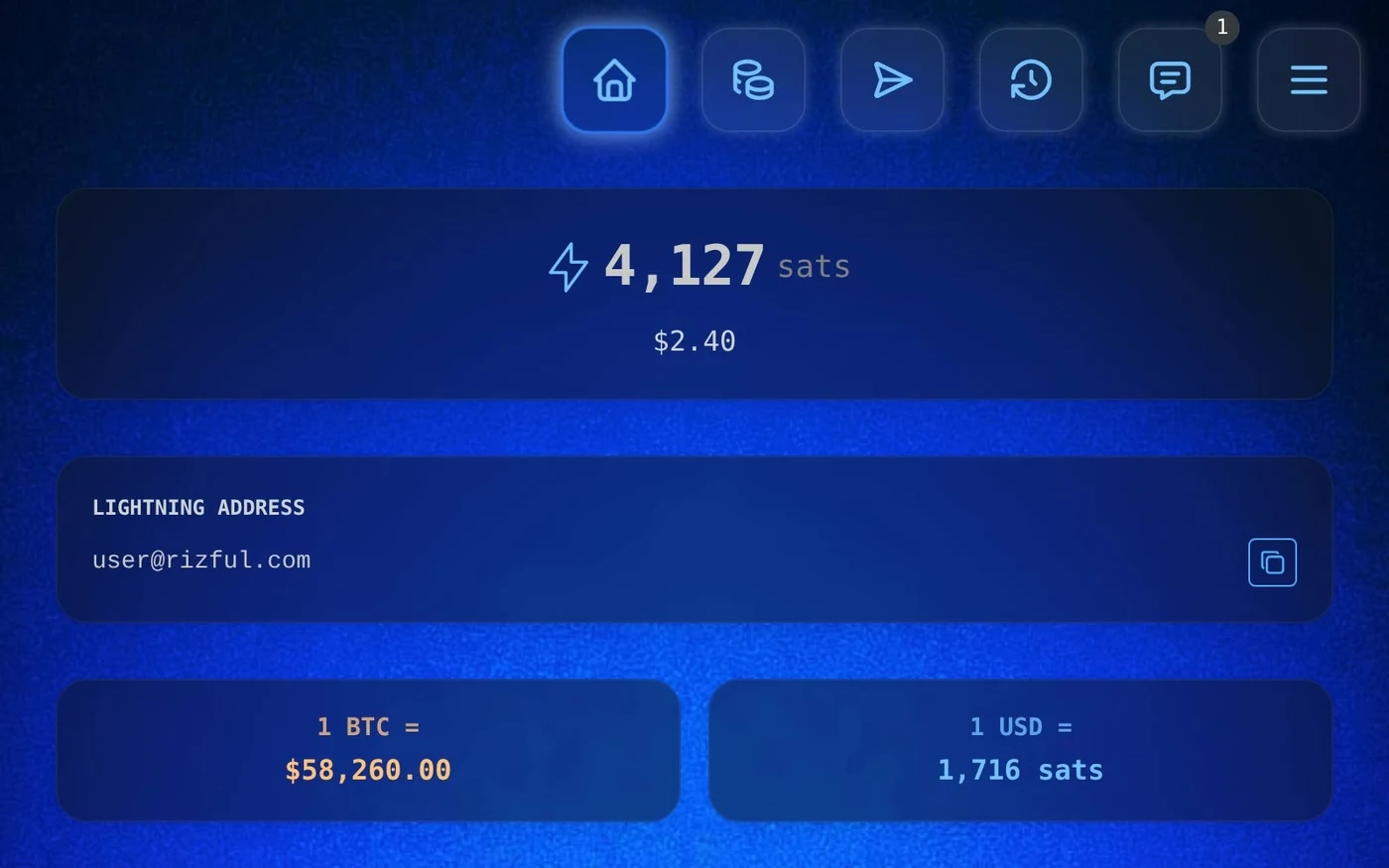

No payment company in between: the invoice came from the store's own wallet, and the payment went straight into it.
Stablecoins
Customers can pay in USDT or USDC instead (and ETH or SOL), and you still get bitcoin: a swap provider takes the stablecoin and pays a Lightning invoice from your wallet. It charges its own fee, fixed into each quote. Lightning Swap, for one, says "Fees between 1.1% and 5% depending on market conditions. Fixed into each quote." Your customer pays it, on top of the price. Our Stripe alternatives guide has a real quote, step by step.
What It Costs
- OpenReceive: nothing. Its WordPress.org FAQ: "OpenReceive is free software and takes no cut."
- Receiving into Rizful: free. Rizful's FAQ: "Receiving payments into your account is free."
- The server: none extra. It runs on the one your site already runs on. A self-hosted payment server is a second server to pay for, update and back up (BTCPay's docs suggest a VPS of around $20 a month as a starting point).
- Lightning routing: the payer's wallet pays it (6 sats on our $1 order).
Under the Hood
Your server shows the invoice, checks that it was paid, and approves the order. In OpenReceive's words: "Your server issues a QR code. The payer pays the QR code, and your server approves delivery of the purchase." The code it holds can't spend: "Deposit-only by design. Even if your server is compromised, nobody can spend your funds."
In your own app, it starts with one install, such as npm install @openreceive/express @openreceive/react for Express and React (or gem "openreceive-rails" on Rails), and the agent writes the rest from the directions.
Set It Up
Go to openreceive.org and click Copy agent directions. For the wallet, a free Rizful account takes a minute; Alby Hub gives you your own node.
Our step-by-step guides for OpenReceive:
- How to Accept Crypto Payments on Your Website: any website, with a coding agent and OpenReceive's agent directions.
- How to Accept Crypto Payments in WooCommerce: the WordPress plugin, from wp-admin.
- How to Accept USDT Payments on Your Website: stablecoins in, bitcoin out.
- What Is a Crypto Payment Processor? (And How to Get Paid Without One): BitPay, Stripe, CoinGate and CoinPayments, and what they charge.
- BTCPay Server Alternative: Lightning payments without running a node.