High-Risk Payment Processing: Get Paid Without a Merchant Account
Card processors call some businesses high-risk, and then turn them away, or hold back part of every sale for months. Below is what "high-risk" means in Stripe's own words, what a high-risk merchant account costs from two companies that offer them, each from its own website as of November 20, 2026, and one way to get paid that needs no approval at all.
Go to openreceive.org, click Copy agent directions, and paste them into your coding agent (Cursor, Claude Code, Codex or your site builder's agent). It works out how your site is built and sets it up. You'll need a wallet that gives you a receive-only code, such as a free Rizful account or Alby Hub. No approval necessary.
What Makes a Business High-Risk
Stripe's own guide, High-risk merchant accounts explained (last updated May 12, 2026), puts it this way: a high-risk merchant account is "designed for businesses considered to be at a higher risk of issues such as chargebacks and fraud." A chargeback is when a customer disputes a card payment with their bank and the money is taken back: in Stripe's docs, the card issuer "creates a formal dispute on the card network, which immediately reverses the payment."
Stripe's list of common high-risk industries includes, among others, "travel agencies, tour operators, and airline ticketing businesses", "stores that sell dietary supplements", and online shops selling electronics or jewelry, "subscription box services, and dropshipping". It isn't only about what you sell: "New businesses and startups without a proven track record or established financial history are also often categorized as high risk."
Stripe's own list of prohibited and restricted businesses (last updated September 22, 2026) says that for businesses in its restricted categories, "Stripe might not be able to grant approval for your business to use our products", and that an approval "may be modified or revoked by Stripe at any time".
High-Risk Merchant Accounts
The usual answer is a high-risk merchant account, from a company that specializes in them. Two of them, each as its own pages stated it on November 20, 2026:
| SoarPay | Durango Merchant Services | |
|---|---|---|
| Who it takes | "Many mainstream payment providers — like Square, Stripe, and PayPal — only support low-risk merchants." It provides merchant accounts "for US-based businesses" | US accounts, and "International and multi-currency accounts in Canada, Europe and Panama" |
| Applying | "Complete our online application in under 10 minutes"; "Expert underwriting, typically completed in 24 to 72 hours"; "Many applications are approved within 48-72 hours" | "Most accounts take 1–3 business days; complex accounts 3–5" |
| Price | Interchange-plus, "customized based on your industry, processing history, monthly volume, and average transaction size" | 1.95%–4.95%, "Plus $0.15–$0.25 per authorization. Chargeback fees $15–$25." ("Ranges, not quotes.") |
| Rolling reserve | "Typically 5 to 10% of your processing volume is held while your account matures", reviewed "every 60 to 90 days" (FAQ) | "5%–10% typical", "Held 90–180 days. Higher after a shutdown or termination." |
| Minimum | Not stated | "$5,000 / month" for US accounts, "$50,000 for international accounts" |
That can be worth it: as Durango puts it, "the account is in your name, so it doesn't disappear when a payment platform changes its rules", and it takes cards. But someone still has to say yes. SoarPay's FAQ lists why a business can be declined "even if you work with my industry": a credit score below 600, a chargeback ratio too high in earlier processing, a business owner on the MATCH list, among others.
Stripe's own guide names one more option: "cryptocurrency payments, which eliminate chargebacks but come with volatility concerns."
OpenReceive: No Approval Necessary
We build OpenReceive, the safe way to receive bitcoin and stablecoin payments for websites and apps. It's free, open-source payment software that runs on your own site, so there's no application, no reserve held back, and no one to approve your store: no approval necessary.
It's for legal businesses. It doesn't change what's legal where you sell; it changes who has to say yes. In OpenReceive's own words: "Following the law where you sell is up to you, as it is with any payment method."
Here's what it takes, plainly:
- It isn't cards. Your customers pay in bitcoin over Lightning, or in stablecoins like USDT and USDC (and ETH or SOL), and you get bitcoin.
- A payment is final. "A Lightning payment is final once it settles. Refunds are up to you: you send the customer a payment from your wallet." So there are no chargebacks.
- A wallet that gives you a receive-only code, such as Rizful (a free account) or Alby Hub (your own node, with Megalith as its default channel partner). The code lets your site create invoices in your wallet, but never spend from it.
- A site that runs server code. WordPress with WooCommerce, and about 25 frameworks (Next.js, Laravel, Django, Rails and more). A purely static site can't take payments with it, and hosted builders such as Shopify, Wix, Squarespace and Webflow have no OpenReceive plugin.
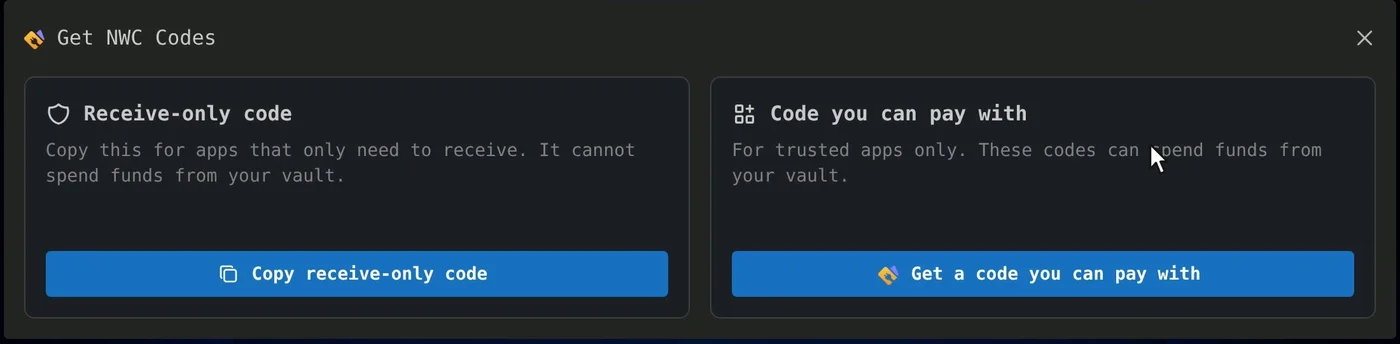
In Rizful, the receive-only code is in the menu, under NWC Codes:
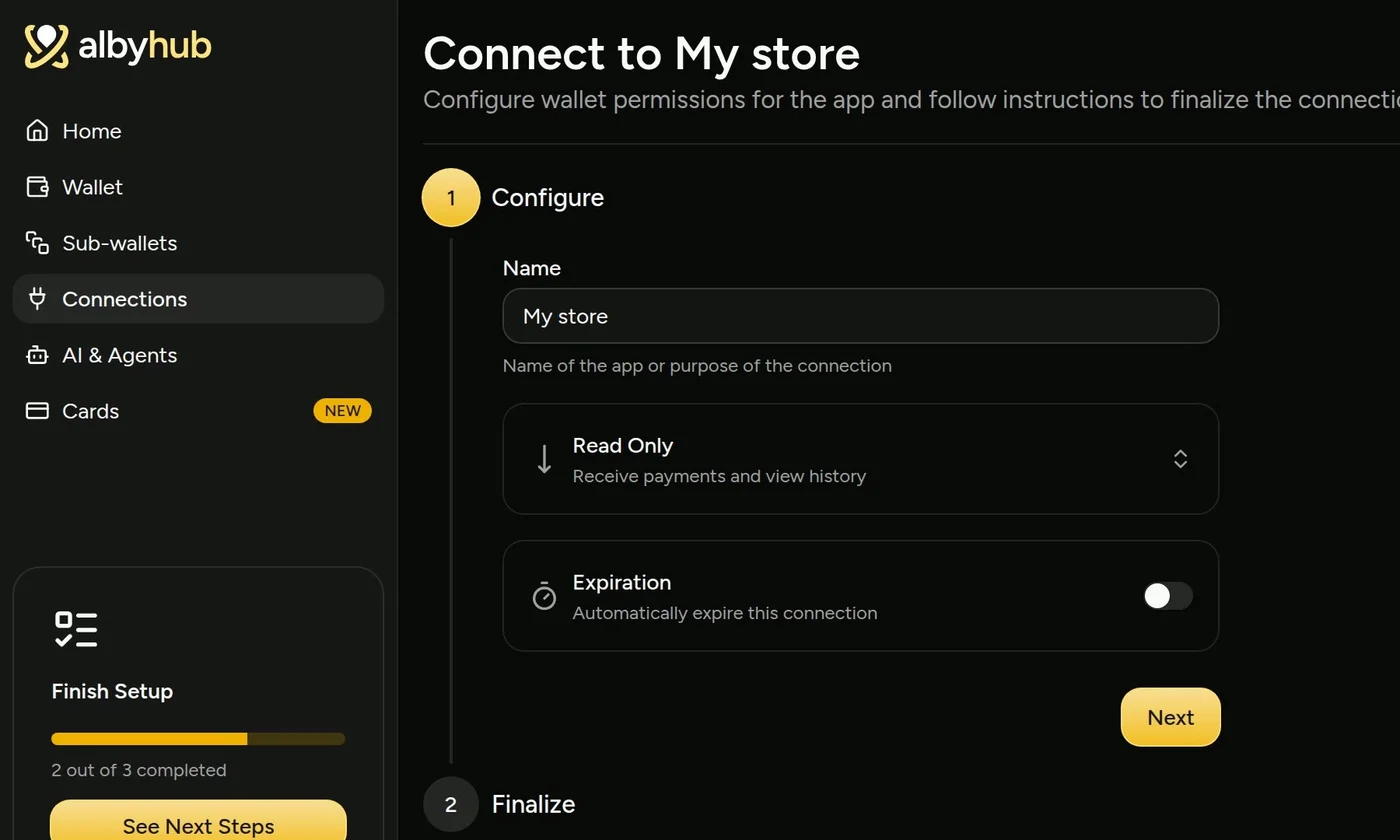
In Alby Hub, you add a connection under Connections and set it to Read Only ("Receive payments and view history"):
Then all you need to do is click Copy agent directions on openreceive.org and paste them into your coding agent. In OpenReceive's words: "It works out your stack, or picks one, and follows the right directions."
We Tried It
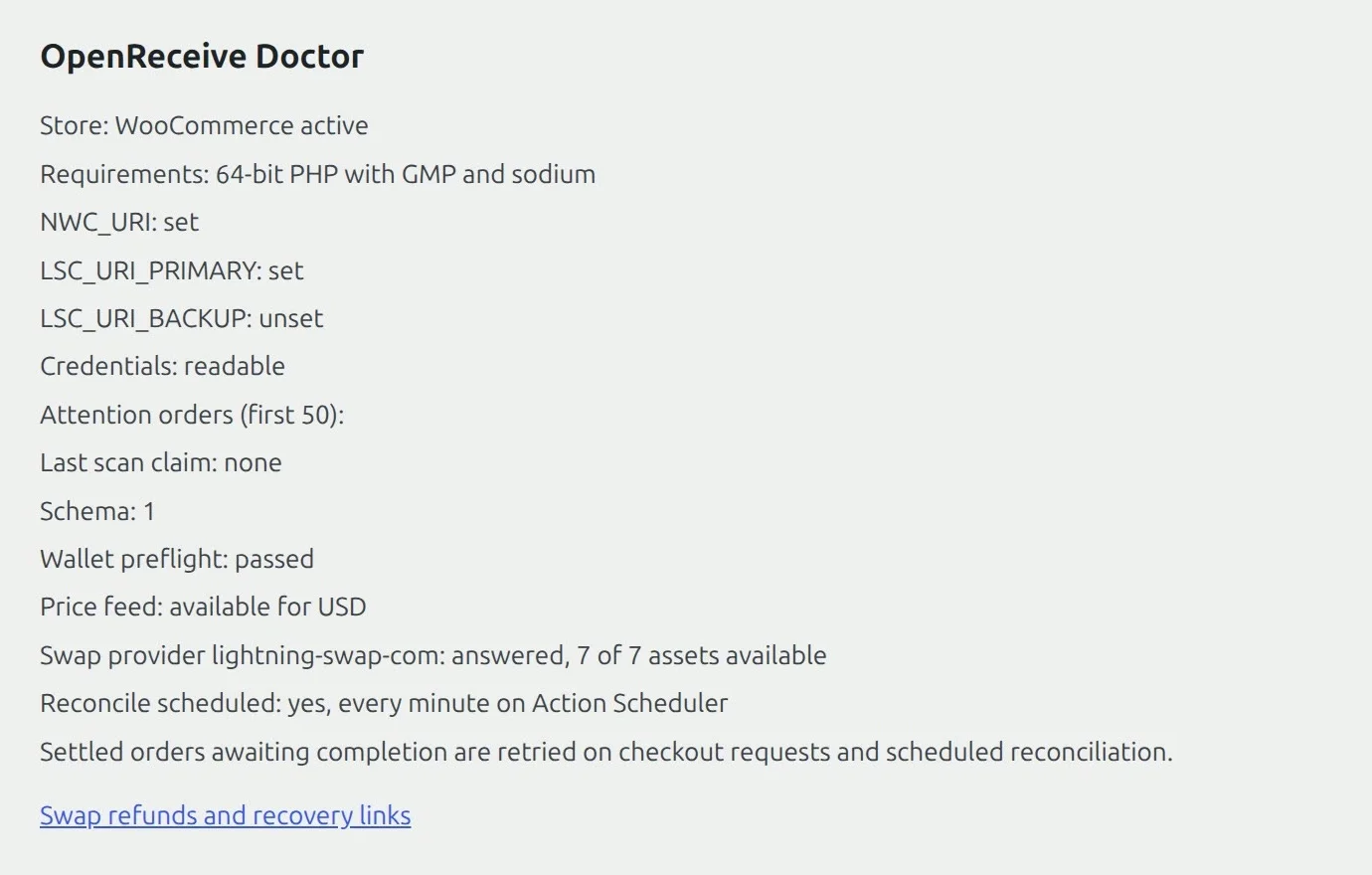
On November 20, 2026 we gave a fresh coding agent our own WooCommerce store and pasted the homepage's "Start here" directions, word for word. It found the stack on its own: "Your site is a WordPress store with WooCommerce ..., so I'll follow OpenReceive's WooCommerce directions." It asked for the wallet's receive-only code, then the swap code, installed OpenReceive 0.5.0 from WordPress.org, saved both codes ("Settings saved; wallet preflight passed.") and switched it on. The plugin's own check passed:
A Real Payment
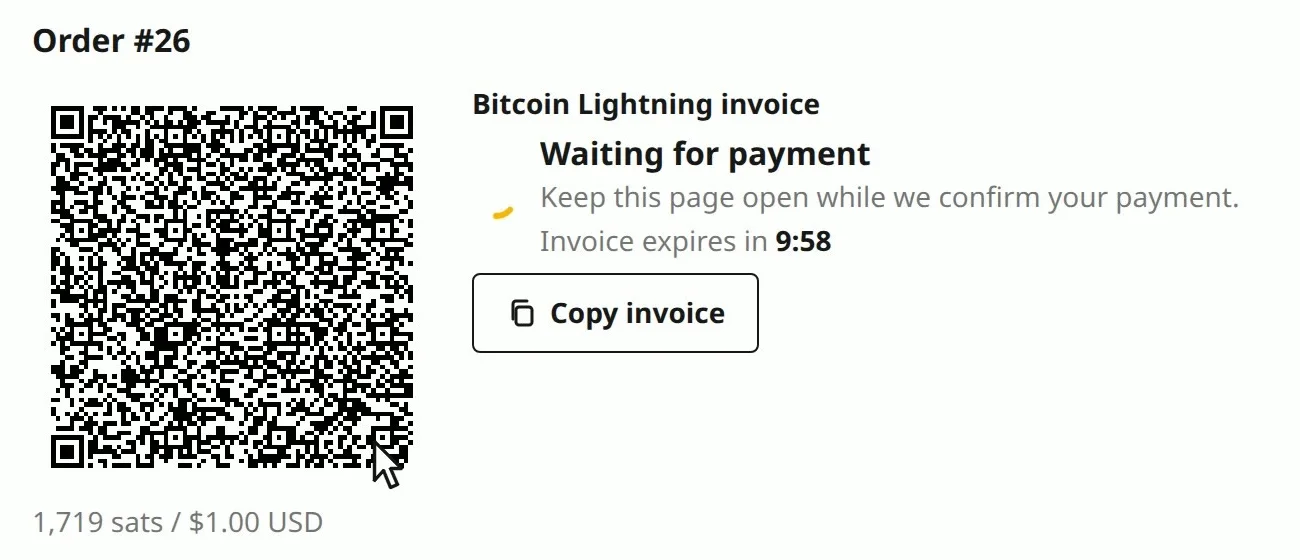
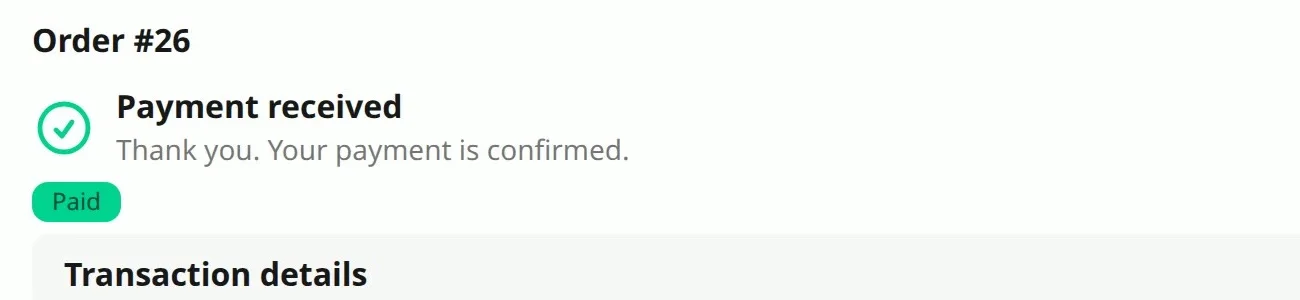
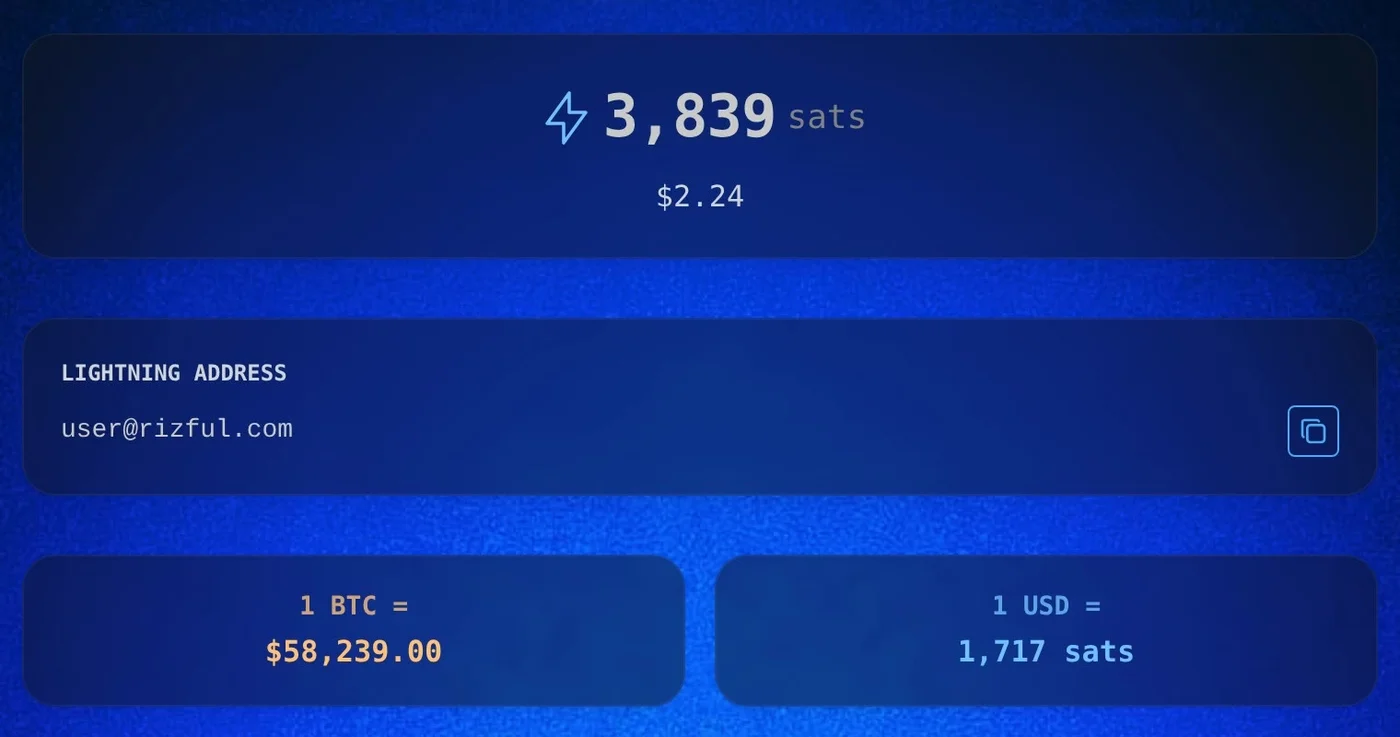
Then a real order: a customer bought one Nub for $1.00 and picked Bitcoin. The store showed a Lightning invoice made by its own wallet, for 1,719 sats. (Sat is short for satoshi, which is the smallest unit of bitcoin. There are a hundred million satoshis in a bitcoin.)
We paid it from Alby Hub. The store saw it paid, and it landed in the store's Rizful wallet in seconds, all of it: 2,120 sats before, 3,839 after. Nothing was held back in reserve.
No payment company in between, and no OpenReceive fee: its WordPress.org FAQ says "OpenReceive is free software and takes no cut." Rizful's FAQ: "Receiving payments into your account is free."
What It Costs
On a $100 sale, as each page stated it on November 20, 2026:
| How you get paid | The fee | Held back |
|---|---|---|
| A card, through a Durango high-risk merchant account (1.95%–4.95% + $0.15–$0.25) | $2.10 to $5.20, and $15–$25 for each chargeback | $5–$10 in a rolling reserve, for 90–180 days |
| Bitcoin over Lightning, with OpenReceive into Rizful | None from OpenReceive; receiving into Rizful is free | Nothing |
| USDT or USDC, with OpenReceive and a swap provider | The swap provider's fee, which your customer pays on top of the price (Lightning Swap: "Fees between 1.1% and 5% depending on market conditions. Fixed into each quote.") | Nothing |
The Trade-offs
- Most customers still pay by card. OpenReceive's own advice is to use crypto alongside cards: "Most customers still pay by card, so crypto rarely replaces your card account. It keeps you selling when the card account is under review or gone."
- You receive bitcoin, and its price moves. That's the "volatility concerns" Stripe's guide points to. You can hold it, pay suppliers with it, or sell it.
- Refunds are yours to send, from your wallet, since there's no chargeback.
- Your wallet and any swap provider have terms of their own. Read them.
Set It Up
Go to openreceive.org and click Copy agent directions. For the wallet, a free Rizful account takes a minute; Alby Hub gives you your own node.
Our step-by-step guides for OpenReceive:
- Stripe Alternatives: How to Get Paid When Stripe Says No: Paddle, Square, GoCardless, and OpenReceive.
- What Is a Crypto Payment Processor? (And How to Get Paid Without One): BitPay, Stripe, CoinGate and CoinPayments, and what they charge.
- BTCPay Server Alternative: Lightning payments without running a node.
- How to Accept Crypto Payments on Your Website: any website, with a coding agent and OpenReceive's agent directions.
- How to Accept Crypto Payments in WooCommerce: the WordPress plugin, from wp-admin.
- How to Accept USDT Payments on Your Website: stablecoins in, bitcoin out.