6 Best Bitcoin Lightning Wallets
A Bitcoin Lightning wallet sends and receives bitcoin over the Lightning Network: payments arrive in seconds and cost a small fraction of what an on-chain transaction does, so they work for tips, zaps and everyday amounts.
We tested Lightning wallets on a real Android phone with real bitcoin on 3 November 2026: we set each one up, sent it its first sats, and wrote down what it charged. These are the six we'd use:
| # | Wallet | Best for | Its first payment cost us | Sending |
|---|---|---|---|---|
| 1 | Rizful | Starting in a minute, in any browser | Nothing (receiving is free) | 0.1% + routing |
| 2 | Alby Hub | Your own node on a computer; merchants | 18,507 sats for a 1,000,000-sat channel | Your channel partner's fee |
| 3 | Zeus | A node on your phone | 6,750 sats for a 100,000-sat channel | Routing only |
| 4 | Phoenix | A simple phone wallet with its own channels | 1,642 of 30,000 sats | 0.4% + 4 sats |
| 5 | Lexe | A node that's always online, run for you | 50 of 10,000 sats (0.5%) | 0.5% |
| 6 | Cash App | US Cash App users | No Lightning fee | None from your bitcoin balance; 0.9% from your cash balance |
Then: why Wallet of Satoshi and the other Spark wallets aren't on our list, an honorable mention, what to look for and the full comparison.
Rizful is made by the team behind these docs, and Megalith (our Lightning node) is one of the channel partners built into Alby Hub. Wallets change often: check the fees in the app before you rely on them.
1. Rizful: the quickest start
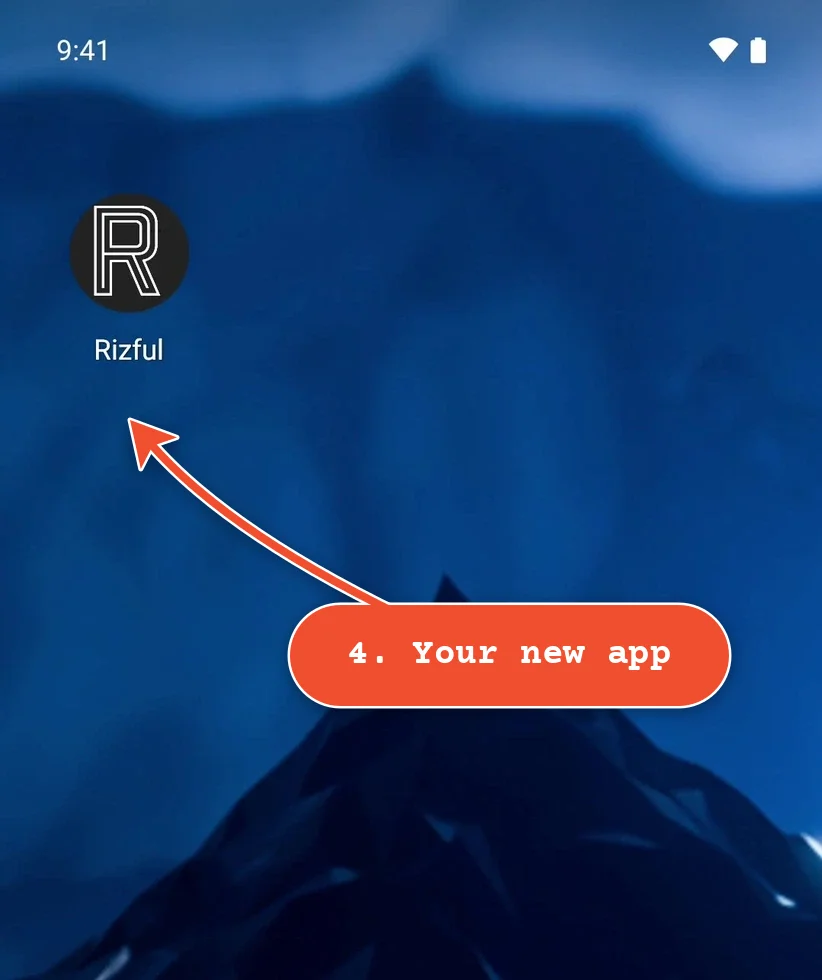
Rizful is a free Lightning wallet that runs in your web browser, on a phone, a tablet or a computer, with nothing to download from an app store. On a phone, you can install it on your home screen, and it opens like any other app. Every account comes with a Lightning Address, yourname@rizful.com.
Install it on your phone (Chrome on Android): go to rizful.com, open Chrome's menu (⋮) and tap Install and create shortcut at the foot of it, then Install, and Install again. On an iPhone, it's Safari's share button, then Add to Home Screen (more on that).
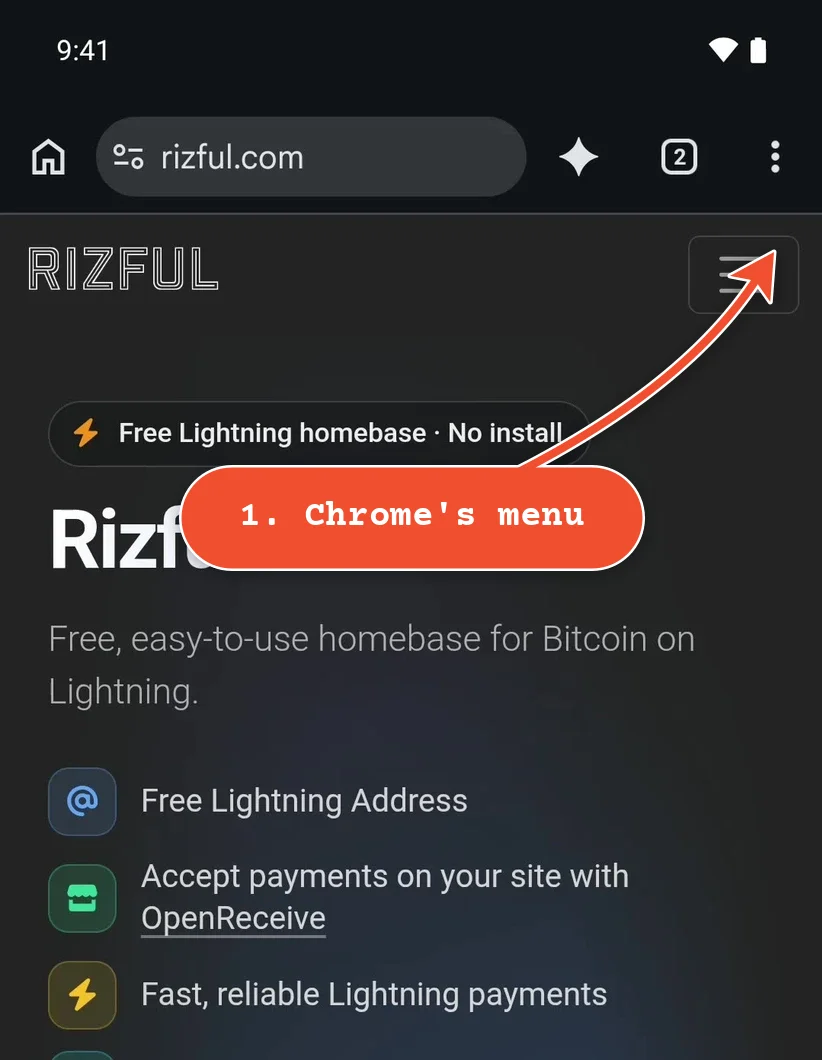
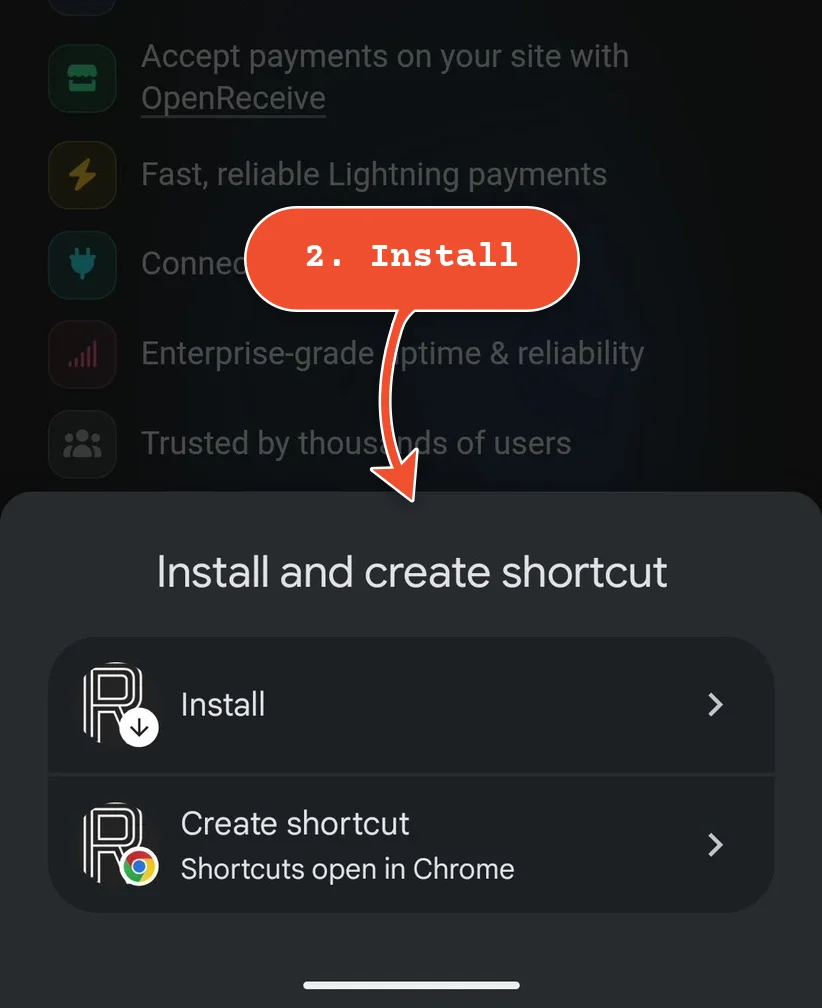
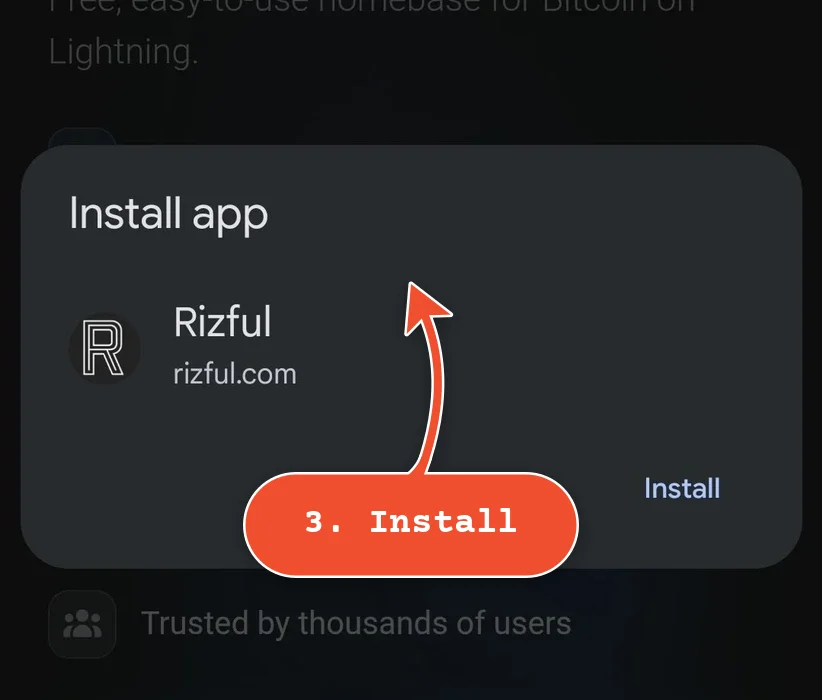
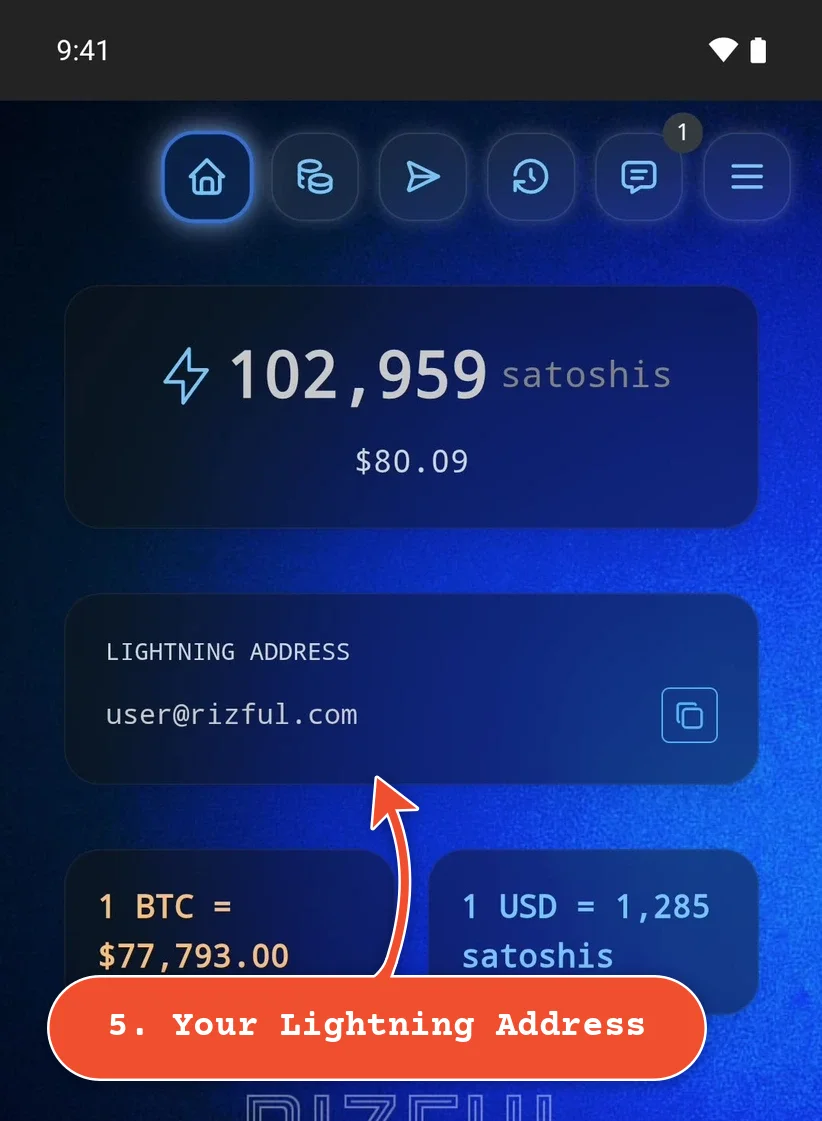
- Fees: receiving is free; sending costs 0.1% plus Lightning routing fees in normal network conditions (Rizful's homepage). In our test, sending 30,000 sats cost 125 sats in all.
- Apps: receive-only NWC codes for websites and apps that only take payments, like OpenReceive (bitcoin and stablecoin payments; a receive-only code can't spend), and send-and-receive codes for Nostr clients and wallets like Alby Go.
- Vaults: one account can hold several vaults, each with its own Lightning Address (Menu > Switch Vault, or New Vault).
- On-chain: deposit bitcoin from an exchange (free, credited after confirmation), or send to any Bitcoin address (0.5% plus the network fee).
- Sign-up: an email address and a password; no ID. Turn on two-factor authentication before you keep a larger balance there.
Every other wallet on this page got its first sats from Rizful.
2. Alby Hub: your own Lightning node
Alby Hub is your own Lightning node with a friendly wallet on top. You run it on your computer (Windows, macOS or Linux), on a home node like Umbrel or Start9, or on a cloud server, and use it in a web browser, or from your phone with Alby Go. It's a strong choice for merchants.
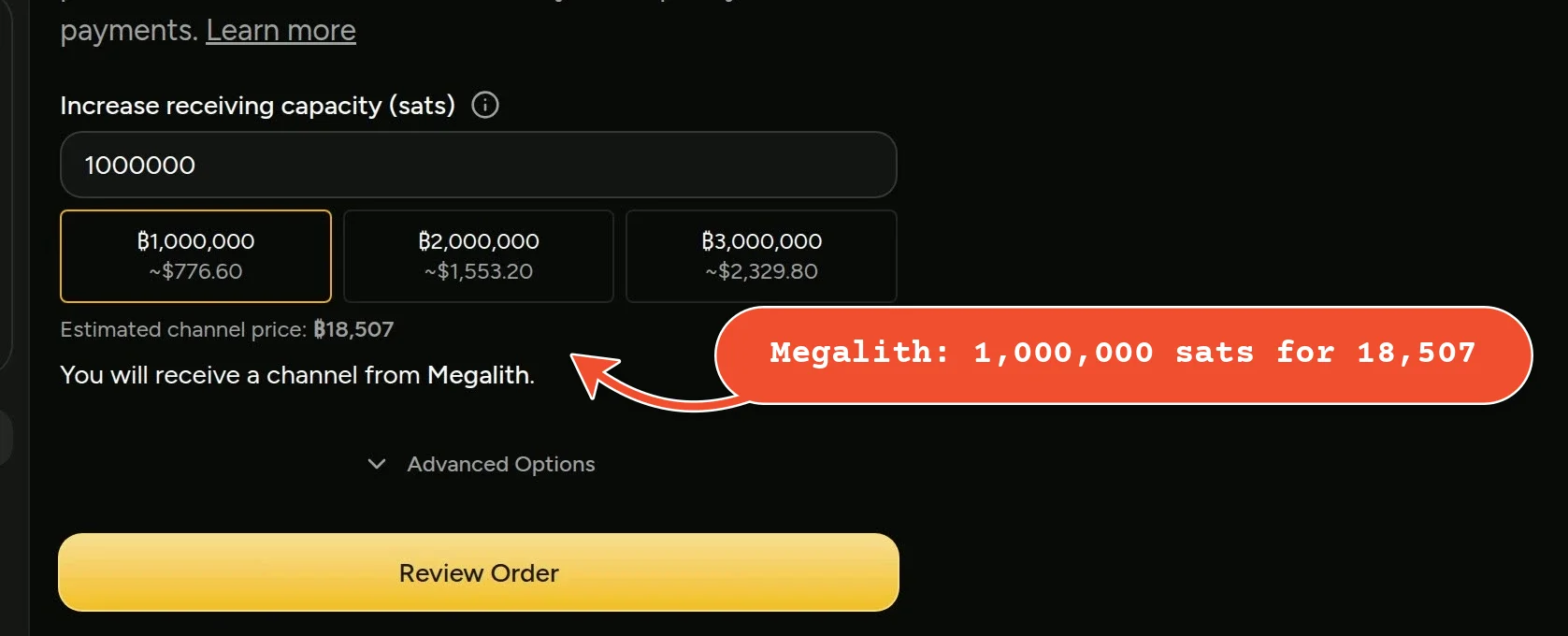
- Channels: you open your own. The easiest way is to buy one from a channel partner (an LSP) right in Alby Hub: it suggests Megalith by default, and you can choose Olympus, LNServer, Magma, FlashSats or another under Advanced Options. We bought a 1,000,000-sat channel from Megalith for 18,507 sats, paid from Rizful, and it opened in about two seconds. You can also open a channel to a node of your choice with your own on-chain bitcoin.
- Fees: Alby Hub is free and adds no fees (Alby's pricing). Sending pays your channel partner's fee (Megalith: 0.1% + 1 sat, from Alby's channel guide) plus routing fees; receiving is free. Alby Pro ($3.90 a month) adds a custom Lightning Address, encrypted remote backups and unlimited sub-wallets.
- Apps: Alby created Nostr Wallet Connect, and Alby Hub connects to apps with a spending budget per app, plus up to three sub-wallets with their own balances on the free plan.
- For merchants: payments land in your own node's channels, and you can buy as much receiving capacity as your sales need (Megalith sells channels up to 16,000,000 sats through Alby Hub). Its app store has a Merchant Tools shelf, from BTCPay Server to BuzzPay PoS, a point of sale you can share with your staff that can only receive. Give OpenReceive (any website) or BLFS (Shopify) a receive-only connection from your Hub.
- Keep it online: your Hub sends and receives only while it's running, and channel partners close channels that go unused or offline for long. Megalith's terms: it "will do its best to keep your channel open for at least 3 months", and the channel stays open indefinitely if you use it regularly and keep your Hub online.
Start with Alby Hub below. If you run your own node already, Megalith also sells inbound channels directly: see How to Get an Inbound Channel From Megalith LSP.
3. Zeus: a Lightning node on your phone
Zeus runs a real Lightning node right on your phone (or works as a remote control for your own node). It's for people who like to see how things work: you get your channels, apps over Nostr Wallet Connect, and a @zeuspay.com Lightning Address.
- Setting it up: tap Get Started, then Zeus' recommended settings. Its recommended wallet type is Cashu ecash; for a Lightning node, tap Wallet type and choose Control, then Create wallet.
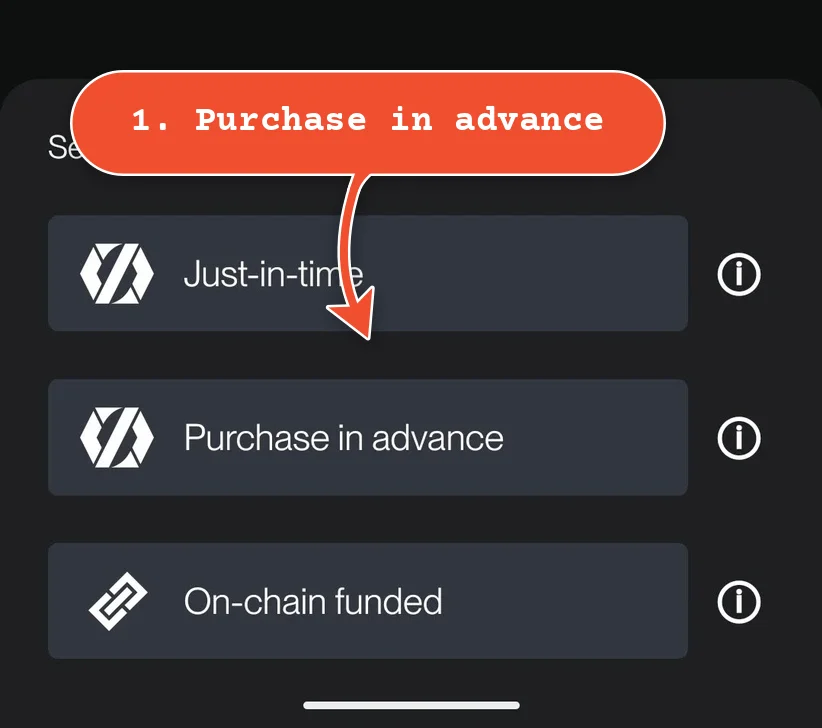
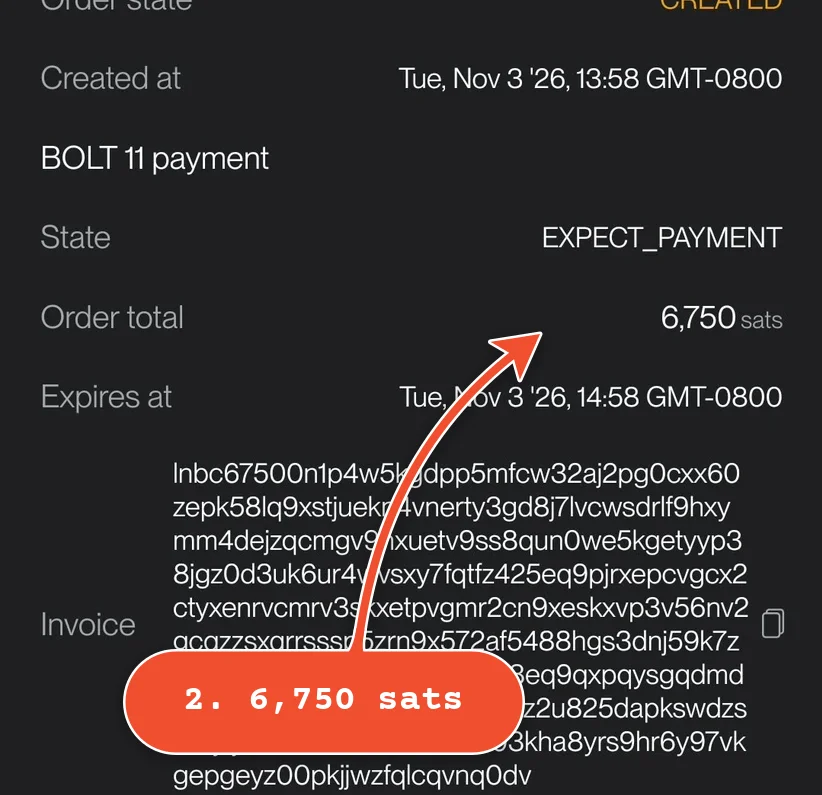
- The first channel: a node needs a channel before it can receive. On 3 November 2026, Zeus's own provider, Olympus, had paused its just-in-time channels ("Channel opens are currently disabled for the just-in-time service"), so we bought one in advance: the Channels tab, +, Purchase in advance. 100,000 sats of receiving capacity for three months cost 6,750 sats (one month wasn't offered). We paid from Rizful and the channel opened in moments.
- Keep the node running while a channel opens: turn on Settings > Embedded node > Persistent LDK Node. Our first order failed while Zeus was in the background (Olympus refunded the payment).
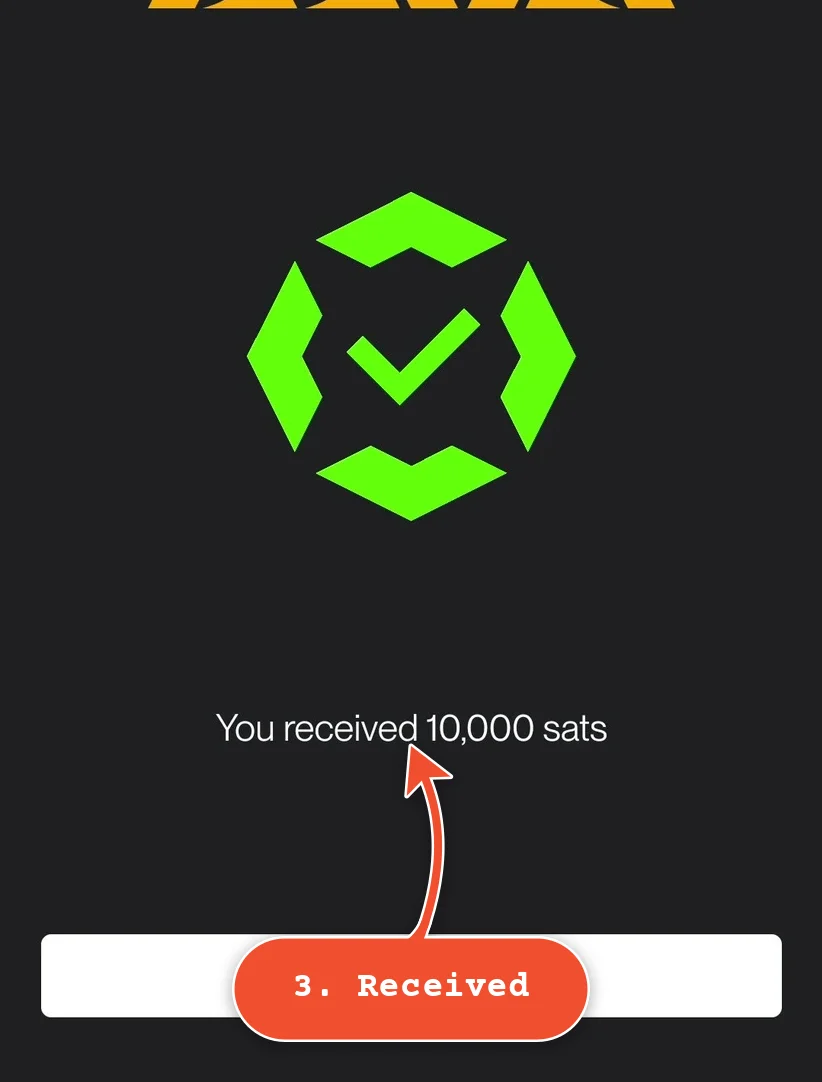
- Receiving: with the channel open, Rizful sent Zeus 10,000 sats and they arrived in a second.
4. Phoenix
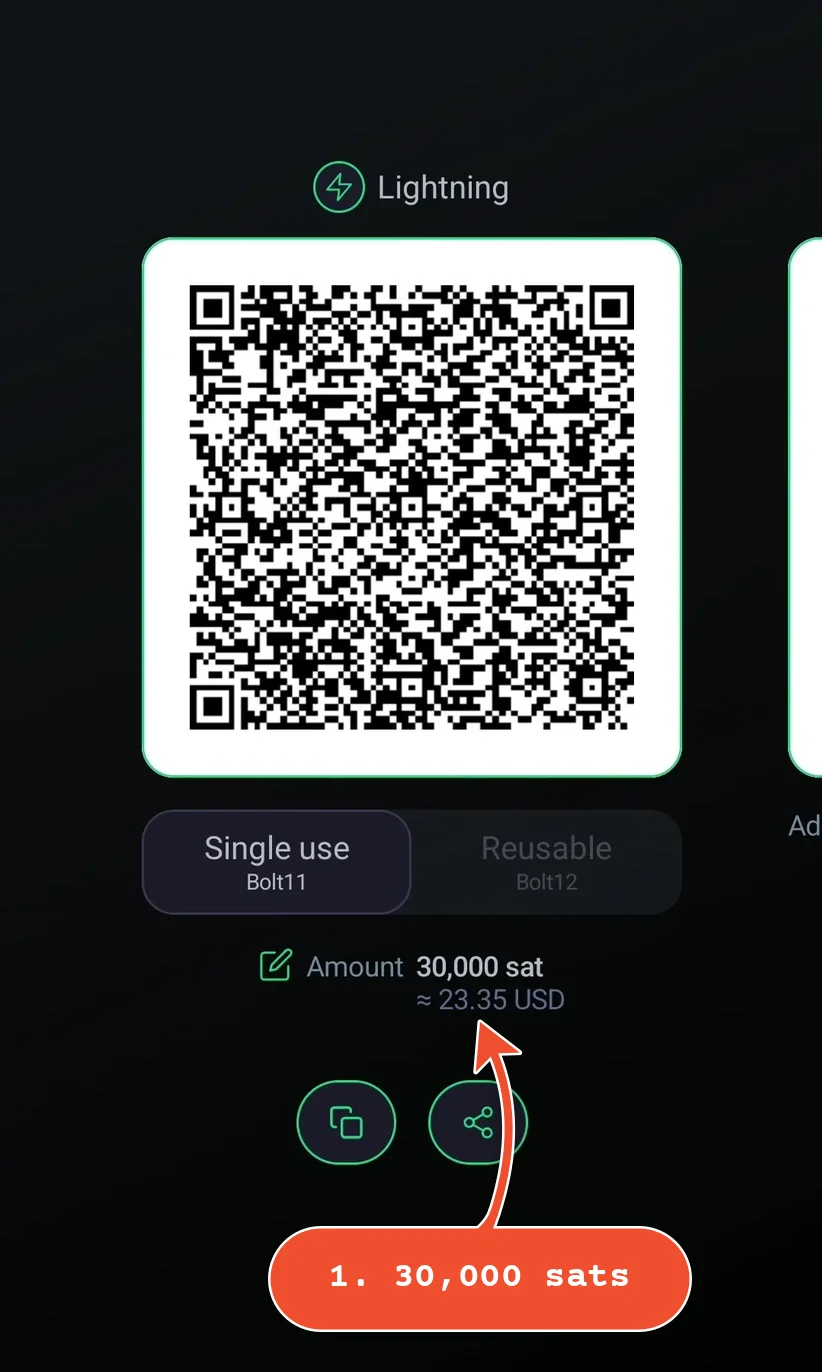
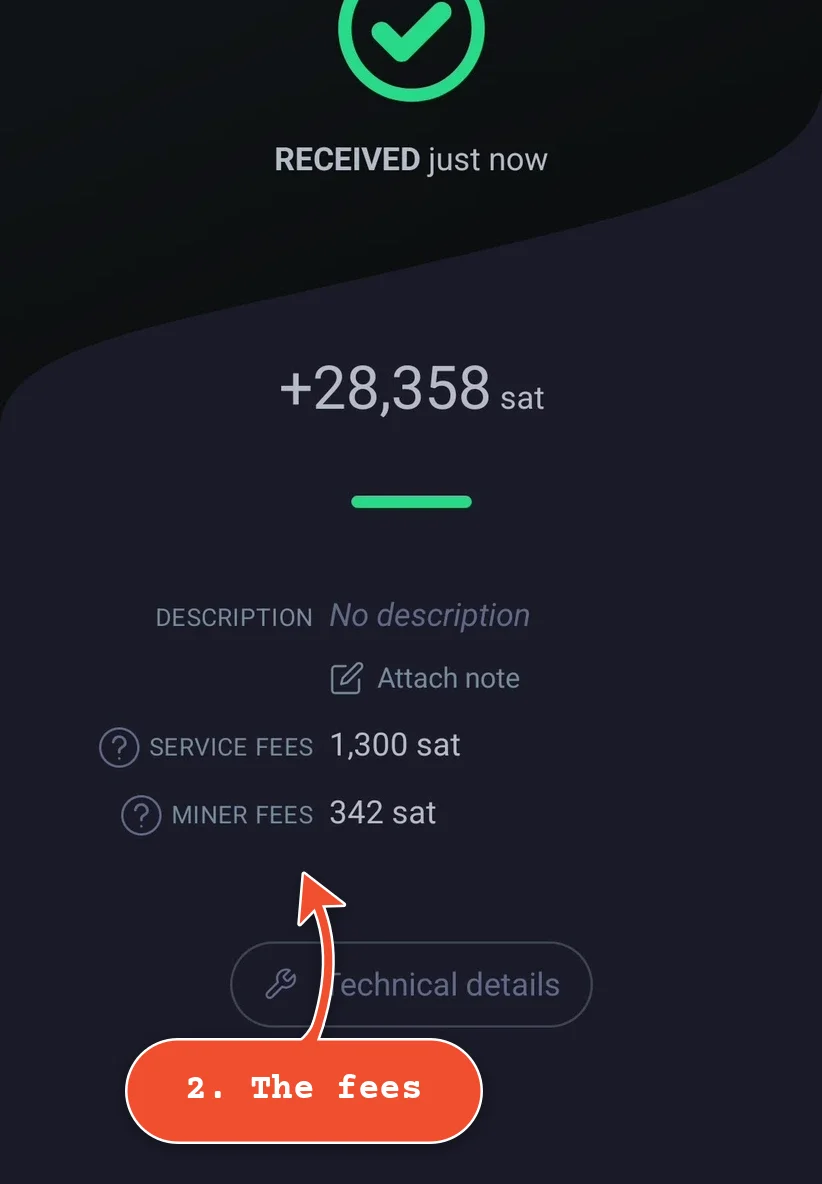
Phoenix, from ACINQ (one of the teams that builds Lightning itself), is ready to receive as soon as it's installed. Its first payment pays for your first channel: we sent it 30,000 sats from Rizful, and it kept 1,642 of them: a service fee of 1,300 sats (1% plus 1,000 sats for the new channel) and 342 sats of mining fees. 28,358 sats arrived.
After that, sending costs 0.4% + 4 sats: we sent 10,000 sats back to Rizful and Phoenix's fee was 44 sats, exactly that. A payment larger than your channel can take pays the same 1% plus mining fees to add capacity (Phoenix's FAQ, "What are the fees?": "Receiving via Lightning with insufficient liquidity: 1% + mining fees", "Channel creation: 1000 sat", "Sending via Lightning: 0.4 % + 4 sat"). You can also buy receiving room ahead of time: Request liquidity quoted us 100,000 sats for a year at 1,248 sats (a 1,000-sat service fee, 1%, and 248 sats of mining fees, on 4 November 2026). On-chain deposits and withdrawals go in and out of the same balance. Its Lightning Address is an experimental BIP353 address on phoenixwallet.me, which not every wallet can pay yet.
5. Lexe: a node that runs for you
Lexe (iOS and Android) runs your Lightning node for you, in the cloud, so it's online and can receive payments around the clock, even when your phone is off. Node hosting is free; Lexe takes 0.5% of each payment you send or receive, with a minimum of ₿0.1, and sending to someone outside Lexe adds the network's routing fee (Lexe's pricing). Your wallet comes with a human Bitcoin address of its own (ours was ₿suited-doberman@lexe.app), and its Channels page shows what you can send and receive. Sending 5,000 sats back to Rizful cost 37 sats, shown on the confirm screen before we paid: Lexe's 0.5% plus the routing fee.
- Setting it up: Create wallet, then choose how to back up your recovery data (your Google Drive, or the seed phrase only) and write down the seed phrase.
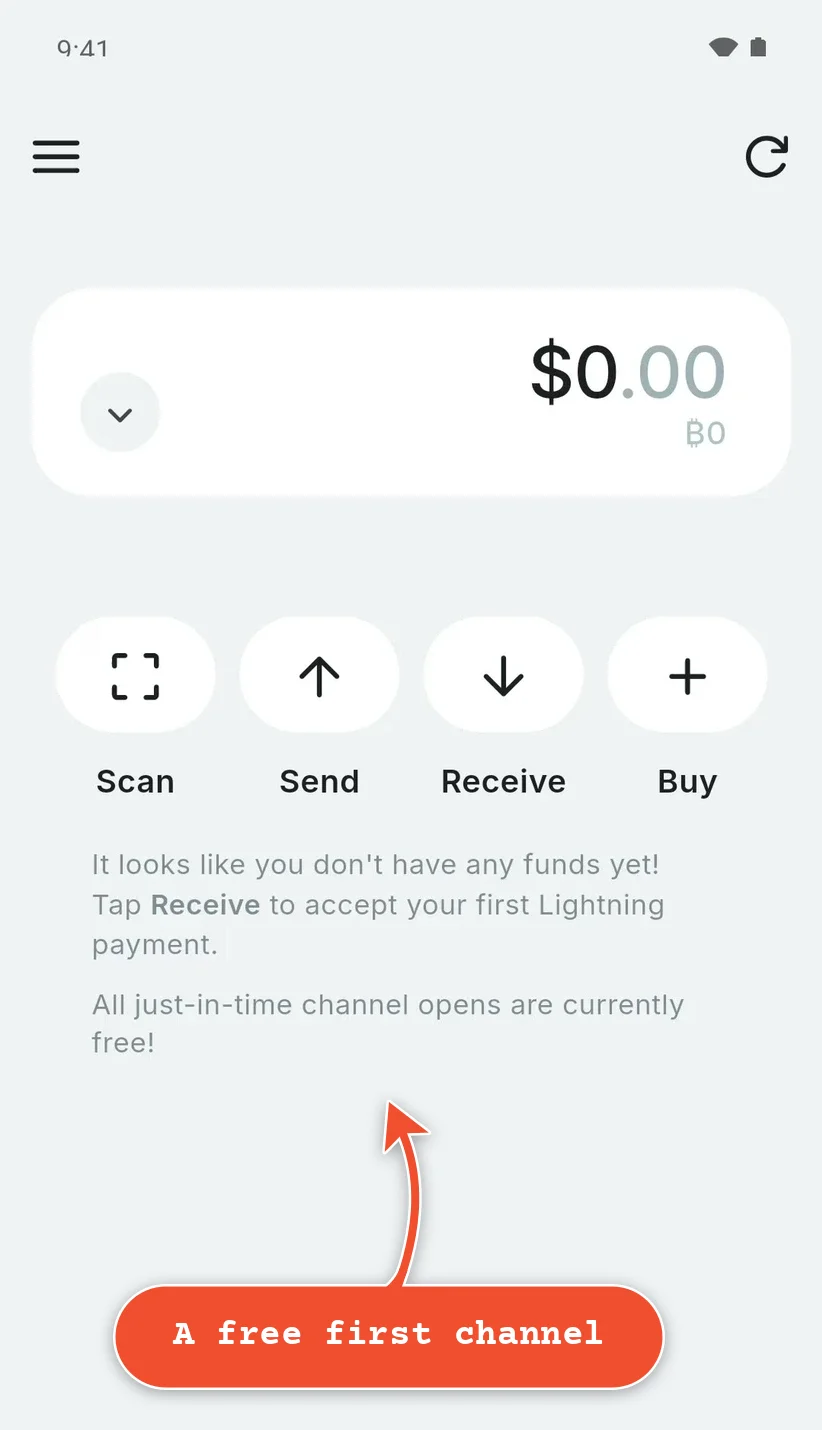
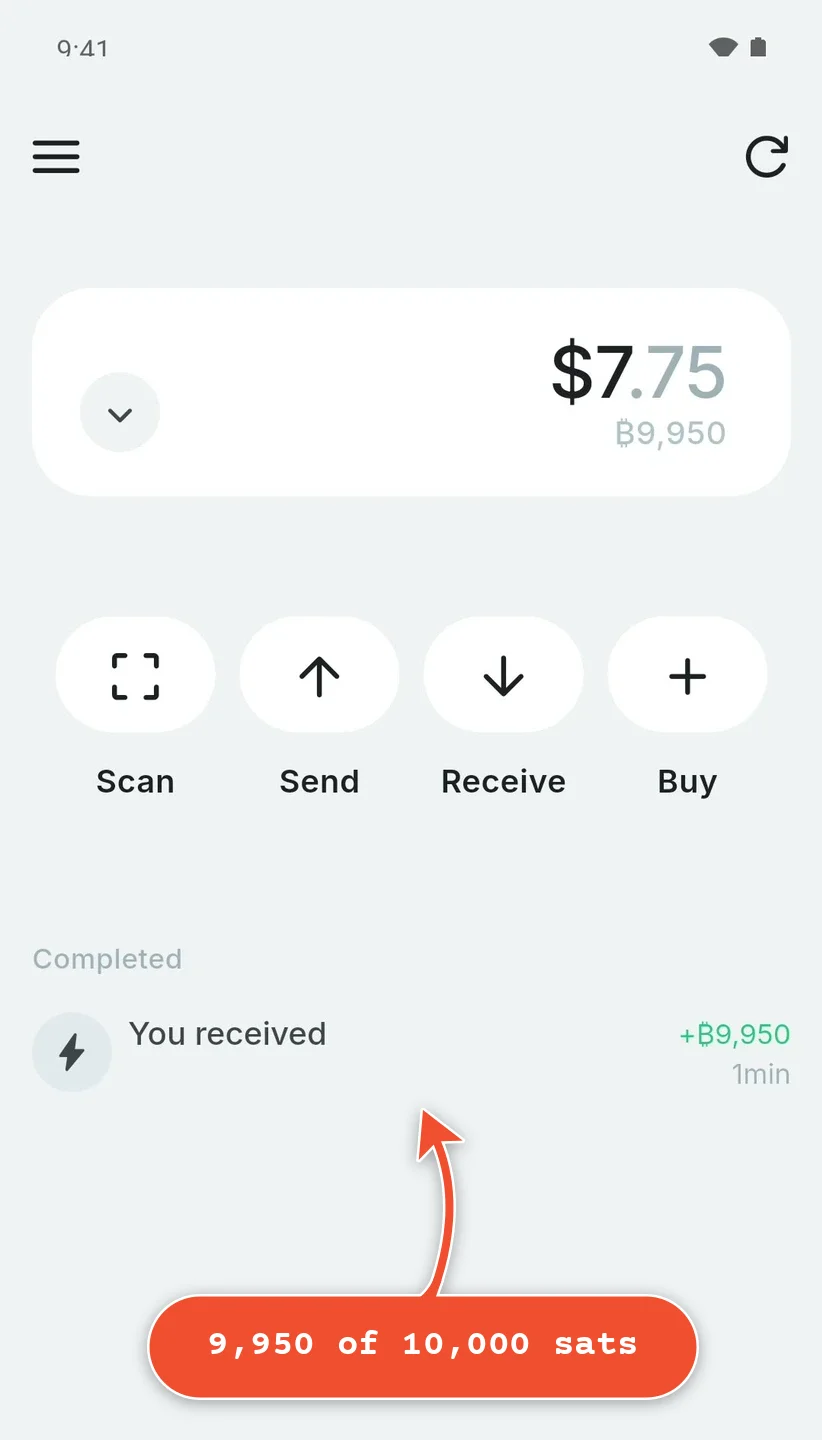
- The first channel: on 3 November 2026 the app said "All just-in-time channel opens are currently free!", and Lexe's pricing page says "Currently, channel fees are waived" (liquidity fees too; both may come back later). We sent it 10,000 sats from Rizful and 9,950 arrived: its 0.5%, and nothing for the channel.
6. Cash App, if you're in the US
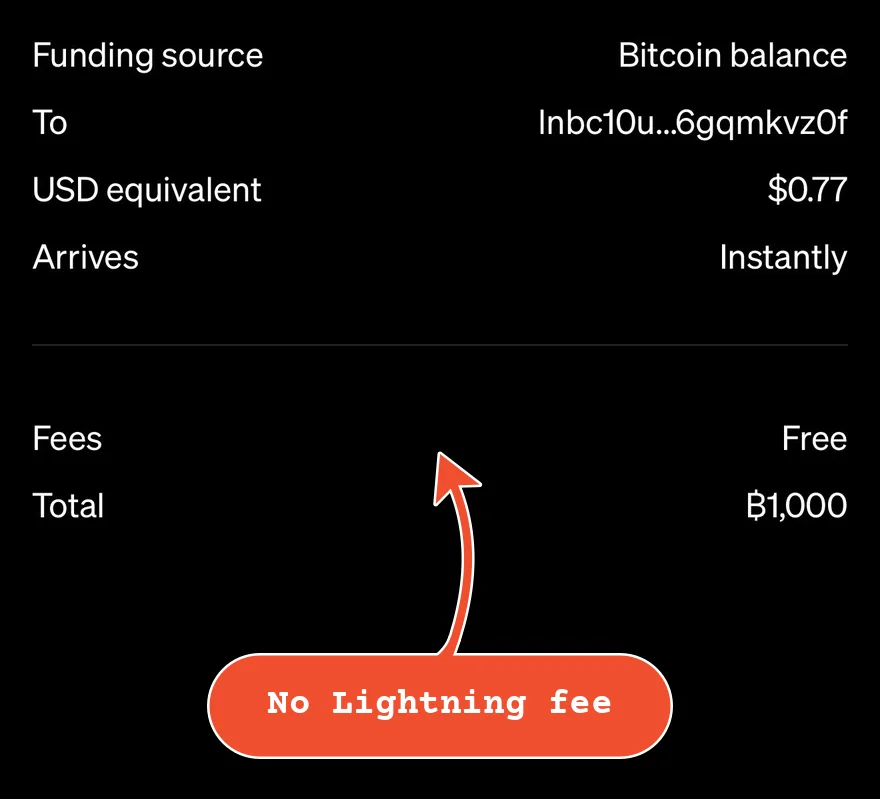
If you're in the US and already use Cash App, it sends and receives Lightning: it pays Lightning Addresses and invoices, and your $cashtag@cash.app is a Lightning Address of its own. Paid from your bitcoin balance, a Lightning payment has no fee; paid from your cash (dollar) balance, Cash App adds a 0.9% processing fee (Cash App's bitcoin pricing). You can send or receive up to $999 in bitcoin every 7 days over Lightning, and Lightning isn't available to customers in New York (Cash App's Lightning help).
Why Wallet of Satoshi isn't on our list
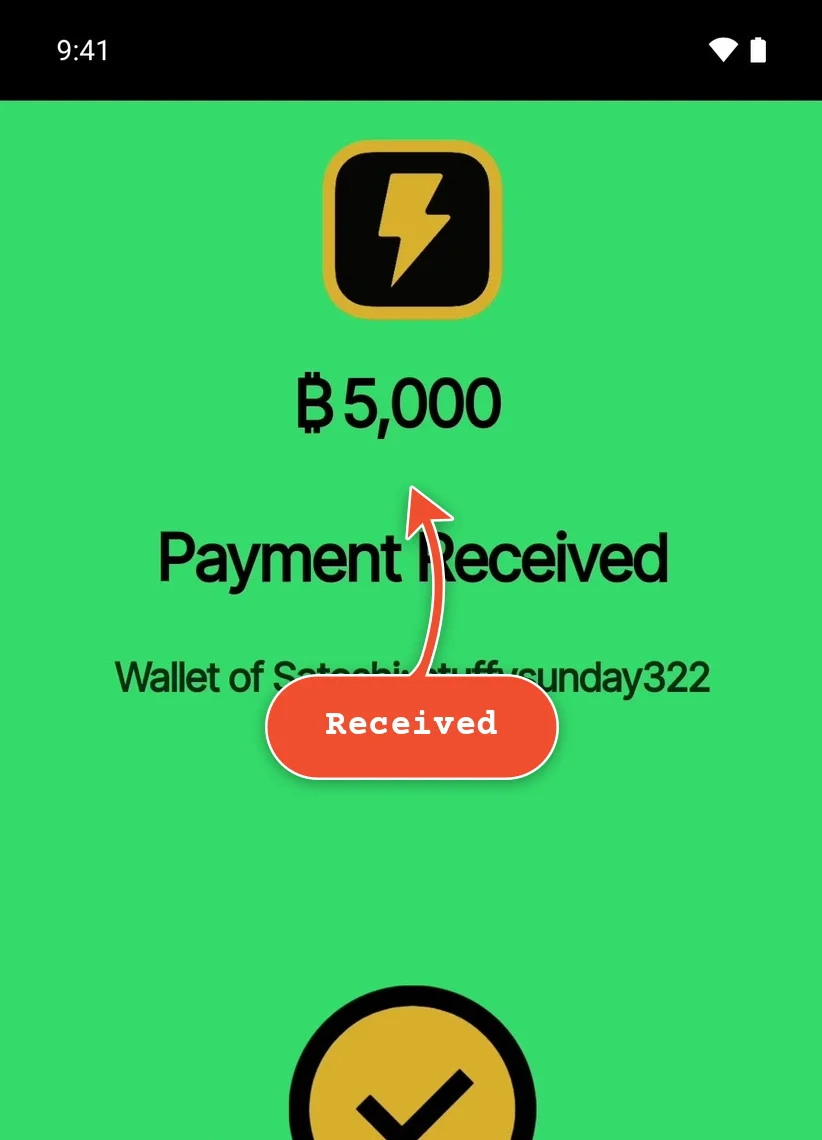
Wallet of Satoshi is the best known name in Lightning, and it's simple: we set it up, and 5,000 sats from Rizful arrived in seconds. New wallets now run on Spark, a network built by Lightspark, and that is why it isn't on our list.
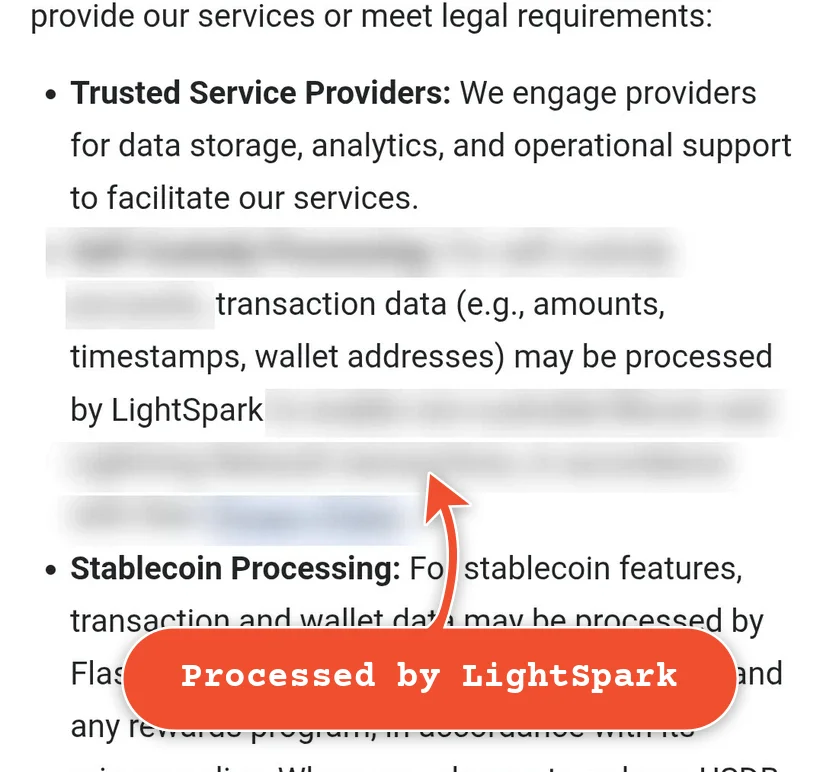
- Lightspark sees your transactions. Wallet of Satoshi's own privacy policy says "transaction data (e.g., amounts, timestamps, wallet addresses) may be processed by LightSpark". A Spark wallet talks to Spark's servers, which see your IP address and your payments (the discussion with Spark's developers, September 2025).
- Who runs it. Lightspark was founded in 2022 by David Marcus, who was president of PayPal, then ran Facebook Messenger, then led Libra (later Diem), Facebook's own currency, which was abandoned in 2022 after regulators pushed back. Diem's co-creator Christian Catalini is Lightspark's co-founder; Andreessen Horowitz and Paradigm led its first round (The Block).
- Who runs the servers. Spark's servers (its "operators") are Lightspark, Flashnet and Breez; the set is "permissioned and run by Lightspark and partners" (Spark's docs). Joining it takes Lightspark's approval.
Other wallets on Spark: Cake Wallet's Lightning (since March 2026, through the Breez SDK), Breez's Glow, Stacked, Blink (a Spark mode since June 2026) and Primal (since its old wallet closed on 30 April 2026). Really, these are all the same wallet, with the same tradeoffs, so we don't review them one by one.
Honorable mention: Strike
Strike is a bitcoin app and exchange account in 98 countries and all 50 US states, New York included. It has a @strike.me Lightning Address and passes the Lightning network fee through with no extra charge; there's a 1% spread when you pay from, or get paid into, your cash balance. ID is required.
What to Look For in a Lightning Wallet
- What the first payment costs. A wallet that runs its own node (Phoenix, Zeus, Alby Hub) needs a channel, and the first one costs something: a share of the first payment, or a channel bought in advance. Lexe's were free when we tested; Rizful and Cash App have none to pay for.
- A Lightning Address. An address like
you@rizful.comthat anyone can pay, again and again, without asking you for an invoice each time; see What Is a Lightning Address?. - Fees. Receiving should be free. Sending usually costs a small percentage plus the Lightning routing fee, which goes to the nodes that carry your payment.
- Apps. Nostr Wallet Connect (NWC) lets Nostr clients, websites and other apps use your wallet, with limits you set. It's what you need for zaps from apps like Damus or Amethyst, or to accept payments on your website.
- On-chain in and out. A way to deposit ordinary bitcoin from an exchange, and to send your balance to any Bitcoin address.
- Who sees your payments. Every Spark wallet shares your payment data with Lightspark (see above).
- Where it's available. Some wallets aren't offered in every country or US state, and some ask for ID.
The Comparison
| Wallet | Runs on | Lightning Address | NWC | On-chain | Sending fee | ID |
|---|---|---|---|---|---|---|
| Rizful | Any browser (installs on your home screen) | @rizful.com | Yes | Yes | 0.1% + routing | No |
| Alby Hub | Computer, server | @getalby.com | Yes | Yes | Your LSP's | No |
| Zeus | iOS, Android | @zeuspay.com | Yes | Yes | Routing only | No |
| Phoenix | iOS, Android | Experimental | No | Yes | 0.4% + 4 sats | No |
| Lexe | iOS, Android | A BIP353 address | No | Yes | 0.5% (+ routing outside Lexe) | No |
| Cash App | iOS, Android (US) | $cashtag@cash.app | No | Yes | None from bitcoin balance; 0.9% from cash | Yes |
| Strike | iOS, Android, web | @strike.me | No | Yes | Network fee only | Yes |
| Wallet of Satoshi (Spark) | iOS, Android | @walletofsatoshi.com | No | Yes | In the app | No |
NWC is Nostr Wallet Connect. No means we found no support for it in the wallet's own help pages or app on 3 November 2026. LSP is the channel partner that opens your node's channels.
Others we looked at
- Bitkit runs a Lightning node on your phone, but its channel partner doesn't offer Lightning in the US: "Bitkit does not currently provide Lightning services in your country" (3 November 2026, from a US connection).
- Aqua receives Lightning by swapping it to Liquid bitcoin (L-BTC), for "a processing fee"; amounts from 1,000 to 750,000 sats.
- Electrum, the desktop Bitcoin wallet, has Lightning channels of its own and an NWC plugin; for experienced users.
Wallets Older Lists Still Recommend
Many "best Lightning wallet" lists were written in 2023 to 2025. Some of their picks have changed:
- BlueWallet no longer has Lightning built in: its hosted Lightning ended in 2023, and since 2026 the Lightning option only shows if you connect a server of your own.
- Breez: the original app is gone from the app stores, and Breez says Misty Breez can't make Lightning payments any more; it points users to Glow (a Spark wallet).
- Muun can't pay Lightning Addresses (only invoices) and has no Lightning Address to receive.
- Wallet of Satoshi now runs on Spark (see above).
Lightning Wallet vs Bitcoin Wallet
| Lightning wallet | Bitcoin (on-chain) wallet | |
|---|---|---|
| A payment arrives | In seconds | After a block, about 10 minutes or more |
| Fee for a small payment | A few sats | The network fee, the same for $1 or $10,000, and sometimes more than a small payment is worth |
| Best for | Spending, tips, zaps, small payments | Larger amounts and long-term savings |
| Pay to | A Lightning invoice or Lightning Address | A Bitcoin address (bc1...) |
Most Lightning wallets do both: they send and receive on-chain too, so you can move bitcoin in from an exchange and out to a hardware wallet. Keep savings in a wallet made for savings, and spending money in your Lightning wallet.
Start in a Minute With Rizful
- Create a free Rizful account with an email address and a password.
- On a phone, install it on your home screen (see above).
- Your account already has a Lightning Address. Tap the copy button next to it, or choose a better name.
- Share it with whoever is paying you, or pay yourself from another wallet: the payment shows up in seconds.
- To pay someone, tap Send, paste their Lightning Address or invoice, type the amount and send.
The first steps guide covers the rest, from two-factor authentication to Nostr.
Start With Alby Hub
- Download Alby Hub for your computer, or install it from the Umbrel or Start9 app store.
- Connect a free Alby Account (for your Lightning Address), and choose a password for your Hub.
- Open your first channel: under Node, open a channel. Alby Hub suggests Megalith; pick how much receiving capacity you want and pay the channel's invoice from any Lightning wallet (Rizful works).
- Once the channel is open, receive your first payment, and connect apps under Connections, or your phone with Alby Go.
Questions
Is there a free Lightning wallet?
Yes. Rizful, Alby Hub, Zeus, Phoenix and Lexe are all free to download or sign up for. What you pay is a small fee when you send, and with a node of your own (Phoenix, Zeus, Alby Hub), the cost of opening channels.
Do I need to run my own Lightning node?
No. Rizful and Cash App work without one, and Lexe runs one for you. Run your own node, with Alby Hub or Zeus, if you want to choose your own channels and channel partners.
Which Lightning wallets work in the US?
All six of ours, with a few limits: Cash App's Lightning isn't available in New York. Bitkit's Lightning isn't offered in the US.
Which wallet is best for Nostr zaps?
One with a Lightning Address for receiving zaps and Nostr Wallet Connect for sending them: Rizful, Alby Hub or Zeus. The Using Rizful guides show how to set it up in Damus, Primal, Amethyst and other clients.
What is Spark, and why does it matter?
Spark is a network built by Lightspark that many new wallets use instead of running Lightning channels of their own: Wallet of Satoshi, Cake Wallet's Lightning, Glow, Stacked, Blink and Primal. Spark's servers, run by Lightspark and the partners it approves, see your payments and your IP address. See why Wallet of Satoshi isn't on our list.
Can I pay a Lightning Address from any wallet?
From nearly all of them. Muun is the main exception. Test an address before you share it with the free Lightning Address Tester.