What Is a Crypto Payment Processor?
A crypto payment processor is a company that takes crypto payments from your customers for you, and pays you out, for a fee. It shows your customer an invoice, watches for the payment, often converts it to dollars or euros, and sends you the money on its own schedule. BitPay, Stripe, CoinGate and CoinPayments are four of the best known.
If you want dollars in your bank account, a processor is the right tool. If you'd rather be paid in bitcoin, you don't need one: your store can take the payment straight into your own wallet. Both are below, with real pages and a real payment.
What a Crypto Payment Processor Does
CoinPayments describes the job in its own FAQ: a crypto payment gateway "lets a business accept payments in Bitcoin, Ethereum, USDT and other cryptocurrencies from customers", then converts them or settles them to a bank account.
In practice, that's five things:
- It shows your customer an invoice, usually with a timer. BitPay's checkout shows the amount due and the time left.
- It watches for the payment. CoinPayments: "Your payment is confirmed within minutes, and the relevant parties are notified automatically."
- It often converts it. CoinGate offers "Instant conversion to EUR / GBP / USD / stablecoins".
- It pays you out on its own schedule. BitPay offers "Daily fiat settlements, direct to your bank account".
- It charges a fee on each payment.
What They Charge
Each fee below is as the processor's own page stated it on November 10, 2026. Fees change, so check the page before you choose.
| Processor | Fee, as its page states it | Payouts, in its own words |
|---|---|---|
| BitPay | 2% + 25¢ per payment under $500,000 a month (1.5% + 25¢ up to $1M, 1% + 25¢ above; "Higher fees applicable for high-risk industries") | "Daily fiat settlements, direct to your bank account"; "Get settled in your local currency, cryptocurrency or any combination of the two." |
| Stripe | Stablecoins: 1.5% of the transaction amount in USD | "Completed payments settle in your Stripe balance in your local currency" (Stripe's docs) |
| CoinGate | 1% per transaction (Standard plan) | "Instant conversion to EUR / GBP / USD / stablecoins"; "Fiat withdrawals to your bank account" |
| CoinPayments | 1% payment fee (BTC, USDT, USDC and the other listed coins) | "Keep crypto, convert to stablecoins, or withdraw to your bank in fiat." |
Before any of them takes a payment for you, you open an account. CoinPayments puts it plainly: "Sign up and get verified. Complete business verification online. Most businesses go live in under a week."
When a Processor Makes Sense
If you want dollars, euros or pounds paid out to your bank account, a processor does exactly that. BitPay: "Get settled in fiat direct to your bank account, no crypto handling required." That's what the fee pays for, and for many businesses it's the right choice.
Getting Paid Without One
If you'd rather be paid in bitcoin, you don't need anyone in the middle. We build OpenReceive, the safe way to receive bitcoin and stablecoin payments for websites and apps. It's free and open source (MIT), and it connects your store straight to your own wallet, such as Rizful or Alby Hub. Every payment arrives as bitcoin, over Lightning, and lands in your own wallet in seconds.
Here it is in a real WooCommerce store, on November 10, 2026, running OpenReceive 0.4.33 from WordPress.org. A customer bought a $2.00 Knot and picked Bitcoin. The invoice came from the store's own wallet:
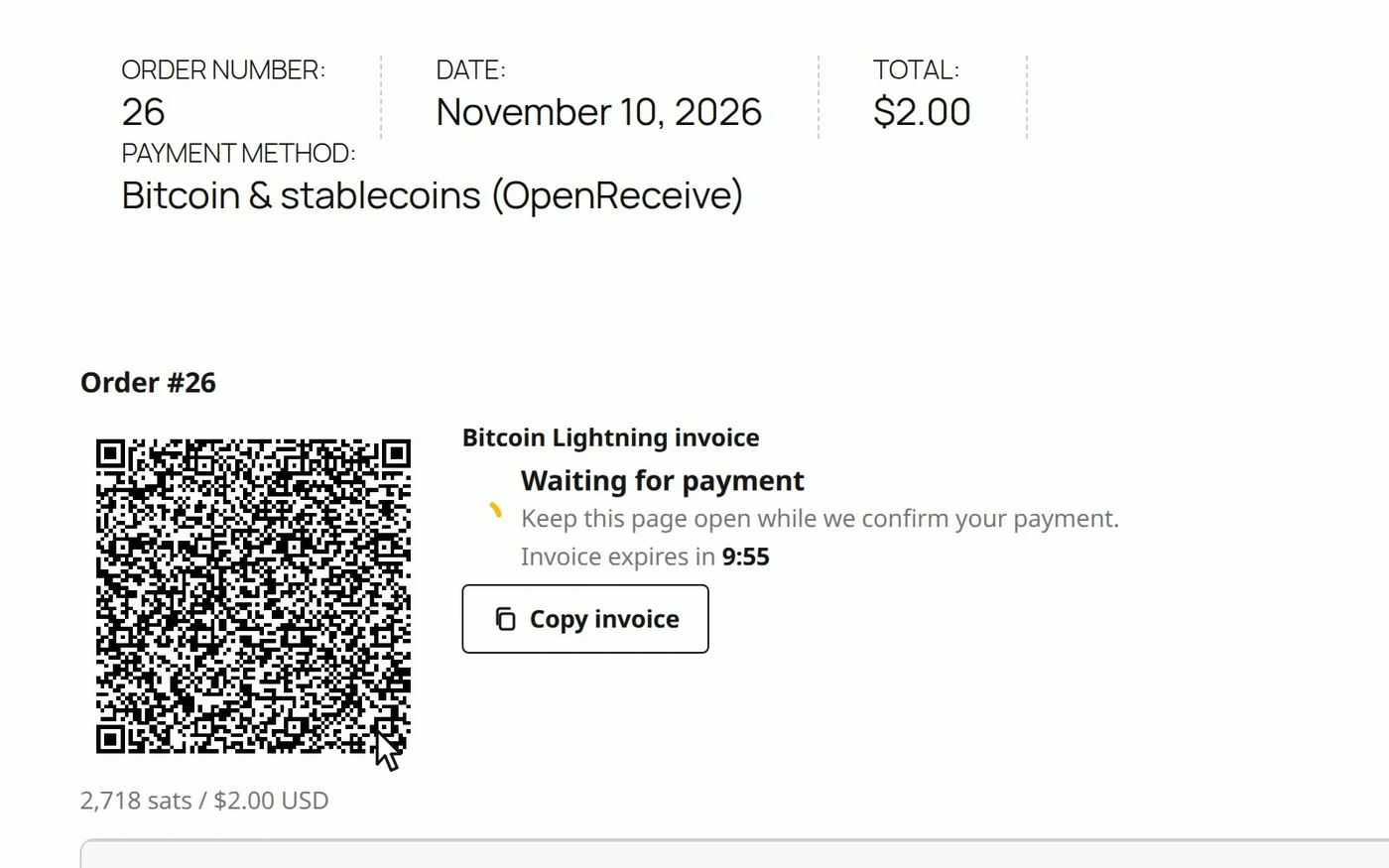
We paid it from Alby Hub. The store saw it paid, and the 2,718 sats landed in the store's wallet a moment later, the Rizful vault the store is connected to (31,289 sats before, 34,007 after):
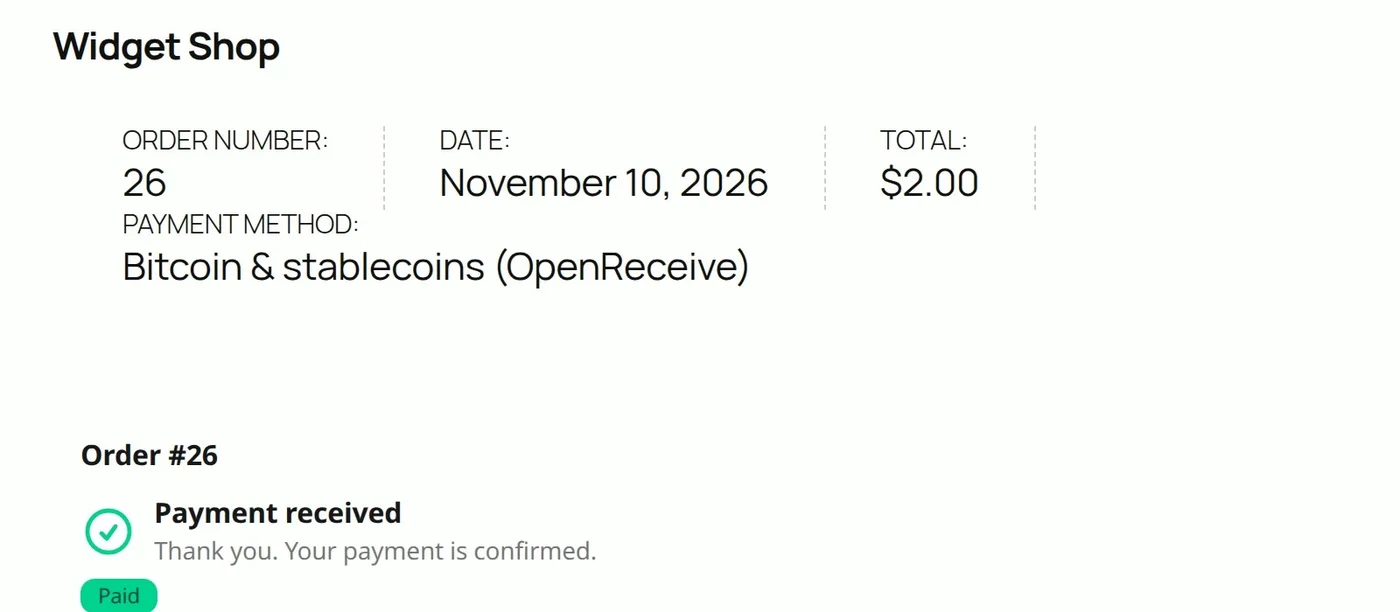
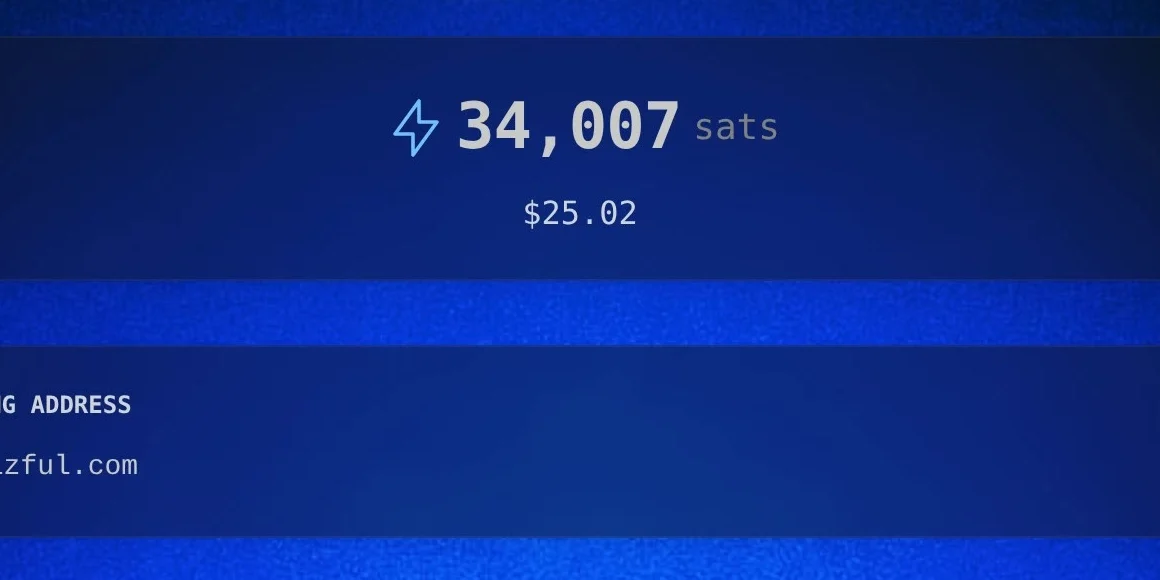
No processor in between, and no OpenReceive fee: its WordPress.org FAQ says "OpenReceive is free software and takes no cut." The payer covers the Lightning routing fee (10 sats on this payment), so the store received the full amount. There's no application to a payment company either: no approval necessary. You do need a wallet, such as Rizful or Alby Hub. For a store, Alby Hub gives you your own Lightning node, with Megalith as its default channel partner.
Stablecoins Too
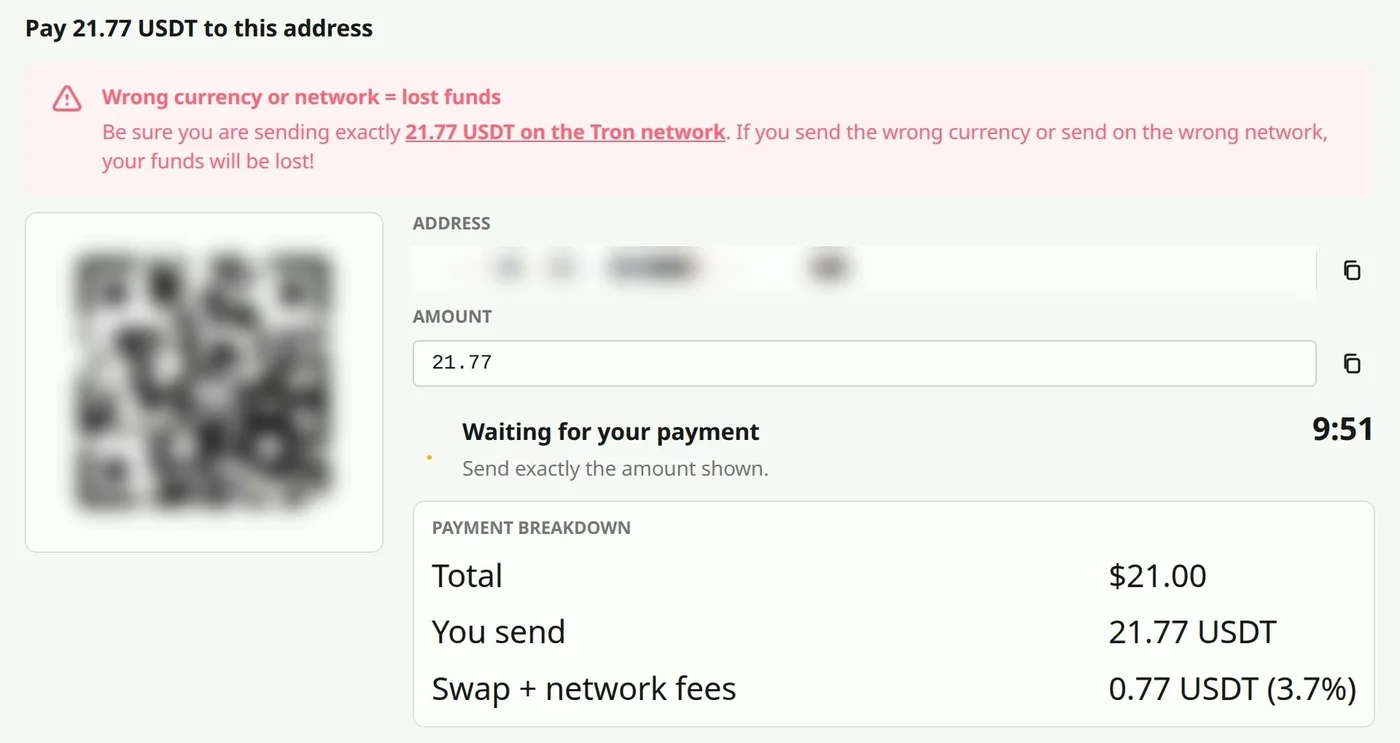
Customers can also pay in USDT or USDC, on Tron, Solana or Ethereum. You still receive bitcoin: a Lightning Swap Connect provider takes the stablecoin and pays a Lightning invoice from your wallet. The provider charges its own fee. Lightning Swap, for one, says "Fees between 1.1% and 5% depending on market conditions. Fixed into each quote."
On a real $21.00 order on Tron, the checkout asked for 21.77 USDT: 0.77 USDT of swap and network fees, 3.7%. We didn't send it.
Processor or No Processor?
| A crypto payment processor | OpenReceive | |
|---|---|---|
| You're paid in | Dollars to your bank, or crypto, on its schedule | Bitcoin, into your own wallet, in seconds |
| Fee | 1% to 2% + 25¢ (the four above, November 2026) | None from OpenReceive; a swap provider's fee on stablecoin payments |
| Before your first payment | Sign up and get verified | Set up a wallet (Rizful or Alby Hub); no approval necessary |
| Best for | You want fiat in the bank | You want to be paid in bitcoin |
Set It Up
Our step-by-step videos and guides for setting up OpenReceive:
- How to Accept Crypto Payments on Your Website: any website, with a coding agent and OpenReceive's agent directions.
- How to Accept Crypto Payments in WooCommerce: the WordPress plugin, from wp-admin.
- Coinbase Commerce Shut Down: How to Keep Accepting Crypto Payments: moving a store off Coinbase Commerce.
- openreceive.org: the directions, guides and every supported platform.