How to Send Bitcoin on Cash App (Instantly, Over Lightning)
To send bitcoin on Cash App, open your bitcoin balance, tap the arrows, tap Send, type the amount, and paste where it's going: a Lightning address, a Lightning invoice or a bitcoin address. Over Lightning it arrives in seconds, and from your bitcoin balance it's free. On the blockchain it can take hours, and a fast withdrawal costs the network fee plus up to a few dollars.
Need somewhere to send it? Get a free Lightning address at rizful.com → Receiving is free.
| As of November 2026 | Over Lightning | On the blockchain (on-chain) |
|---|---|---|
| You send to | a Lightning address (like user@rizful.com) or a Lightning invoice | a bitcoin address (starting with bc1, 3 or 1) |
| How fast | "almost instant" | "could take several hours"; you choose Standard, Rush or Priority |
| Cash App's fee | none from your bitcoin balance; 0.9% from your cash balance | Standard free; Rush or Priority: the network fee plus up to $2 or $3 |
| Limits | up to $999 in bitcoin every 7 days | Standard needs at least 0.001 BTC |
| Source | Cash App: Lightning, Bitcoin Pricing | Bitcoin Pricing, Bitcoin Withdrawals |
Cash App changes its fees and limits from time to time. Everything on this page was read on Cash App's own help pages on November 17, 2026: check them before a big payment.
How bitcoin works on Cash App
On Cash App, bitcoin sits in its own balance, next to your dollars. Tap the Bitcoin tile and you can Buy, Sell, or tap the arrows to send and receive.
- Buying costs a fee. For a market buy, Cash App's pricing page lists 2.0% on a purchase of $1 to $499, 1.5% from $500 to $999, 0.9% from $1,000 to $1,999, and 0% from $2,000, plus a spread on the price that "may be anywhere between 0% and 0.75%". Auto Invest, Round Ups and Paid in Bitcoin have no fee. Cash App shows the fee on the confirmation screen before you buy.
- Cash App counts small amounts in sats. Sat is short for satoshi, which is the smallest unit of bitcoin. There are a hundred million satoshis in a bitcoin. Cash App writes sats with the bitcoin sign, so ₿1,000 on its screen means 1,000 sats, not 1,000 bitcoin. More in What Is a Satoshi?
- You can't send bitcoin to another $cashtag. "As of 12/20/24, we no longer support sending and receiving bitcoin between $cashtags" (Cash App). You send it to an address instead: a Lightning address, a Lightning invoice, or a bitcoin address.
How to send bitcoin from Cash App over Lightning
Lightning is a faster network built on top of Bitcoin. Cash App's own words: "All Lightning transactions are almost instant. All transactions through the blockchain could take several hours to process." It's the way to send everyday amounts.
The easiest place to send it is a Lightning address, which looks like an email address. Rizful gives you one free: sign
up with an email and a password, and your address is yourname@rizful.com. Ours is user@rizful.com.
- In Cash App, open your bitcoin balance (the Bitcoin tile).
- Tap the arrows, then Send.
- Type the amount. Cash App shows it in sats (₿) or dollars.
- In To, type or paste the Lightning address. Cash App finds it and lists it as a Lightning address. Tap it, then Next.
- On the confirm screen, check the Funding source. From your Bitcoin balance there's no fee ("Fees: Free"). From your Cash balance, "Lightning payments funded from your Cash balance include a 0.9% processing fee" (Cash App).
- Tap Confirm and pay.
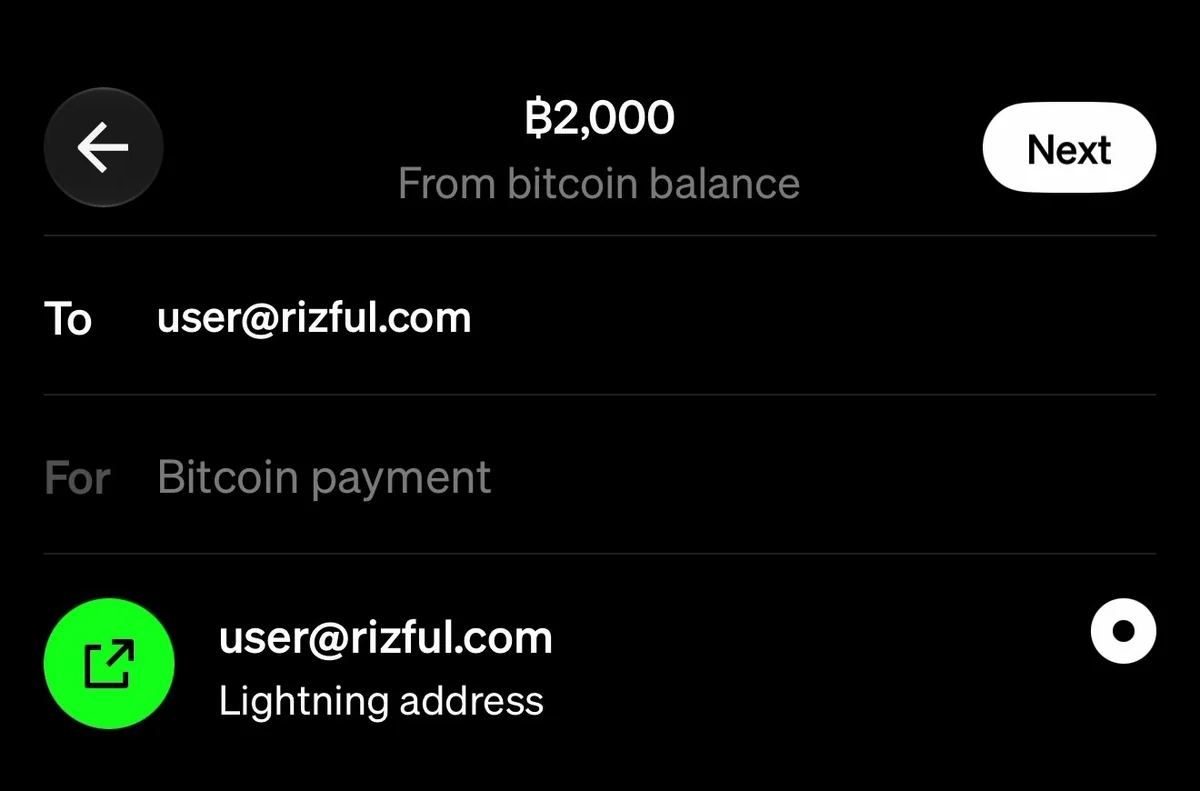
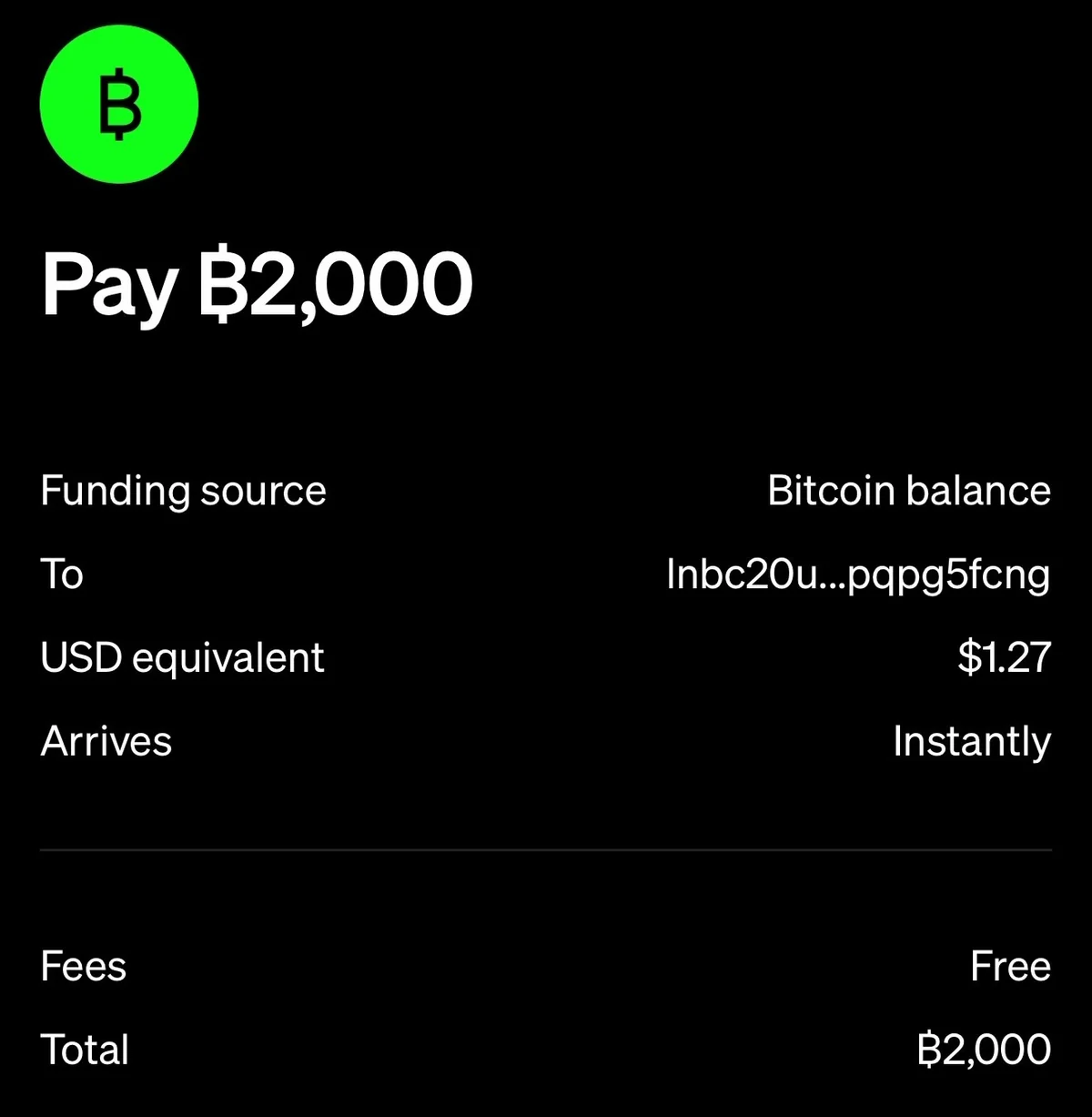
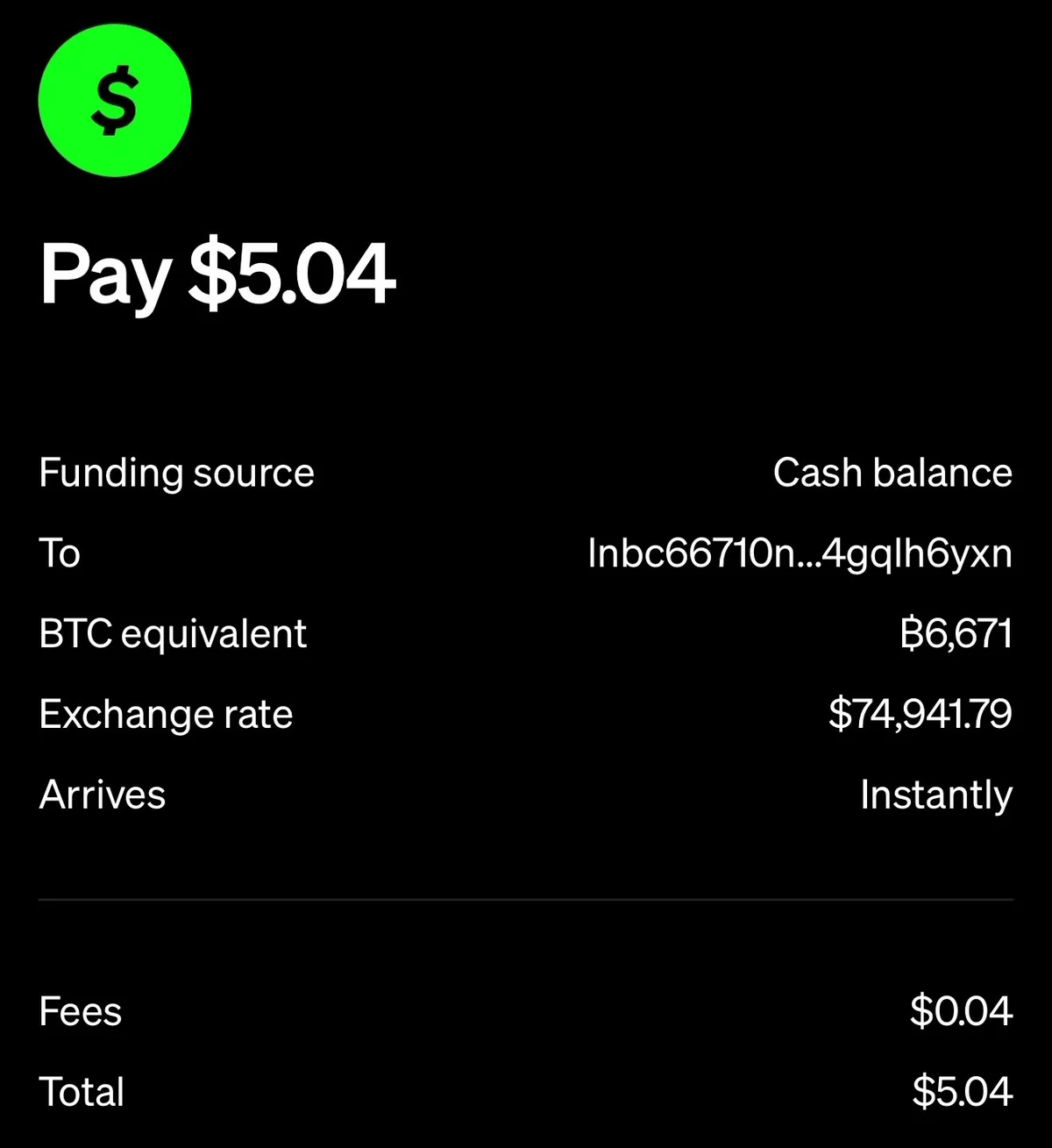
Our real payment (November 17, 2026): 2,000 sats from Cash App's bitcoin balance to user@rizful.com. The confirm screen said "Fees:
Free" and "Arrives: Instantly", Cash App said "You paid ₿2,000", and the 2,000 sats were in the Rizful account's Transactions as received.

The limit: "You can send, or receive payment of up to $999 in bitcoin every 7 days using the Lightning Network" (Cash App). The window rolls, so an amount comes back seven days after you sent it.
Paying a Lightning invoice from Cash App
The same Send screen pays a Lightning invoice (a long code starting lnbc): paste it in To, where the address goes. On a computer's checkout you
can also scan the invoice's QR code with Cash App's scanner. Rizful has a step-by-step guide with screenshots:
How to pay a Lightning invoice with Cash App.
How to send bitcoin from Cash App to a bitcoin address (on-chain)
To withdraw to a bitcoin wallet on the blockchain, paste its bitcoin address in the same To field.
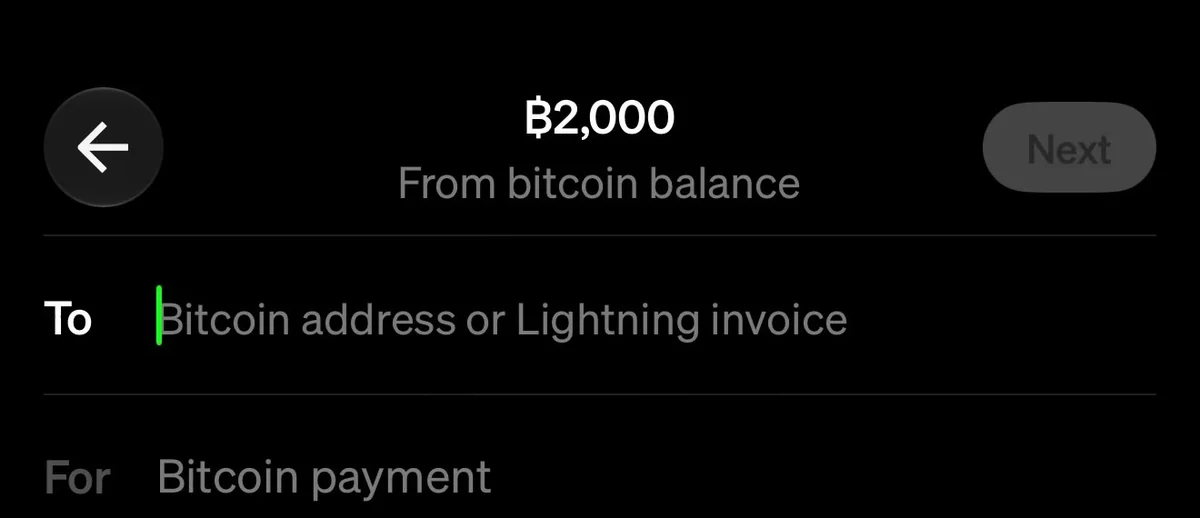
Bitcoin addresses start with bc1, 3
or 1 (Cash App: Bitcoin Addresses). Check every character: "Transactions sent to wallets
outside of Cash App cannot be reversed" (Cash App: Bitcoin Withdrawals).
Then Cash App asks how fast. On November 17, 2026, we typed 5,000 sats (about $3.18) and Cash App's "Select your withdrawal speed" screen said:
| Speed | What Cash App's screen said | Cash App's pricing page (as of November 2026) |
|---|---|---|
| Priority | arrives in ~20 minutes, ₿4,887 ($3.11) fee | "10 minutes or less": the network fee ("Pro Rata fee") plus up to $3 |
| Rush | arrives in ~2 hours, ₿3,263 ($2.08) fee | "2 hours or less": the network fee plus up to $2 |
| Standard | arrives in ~24 hours, free, minimum ₿100,000 | "24 hours or less", free, "minimum withdrawal of ₿100,000" |
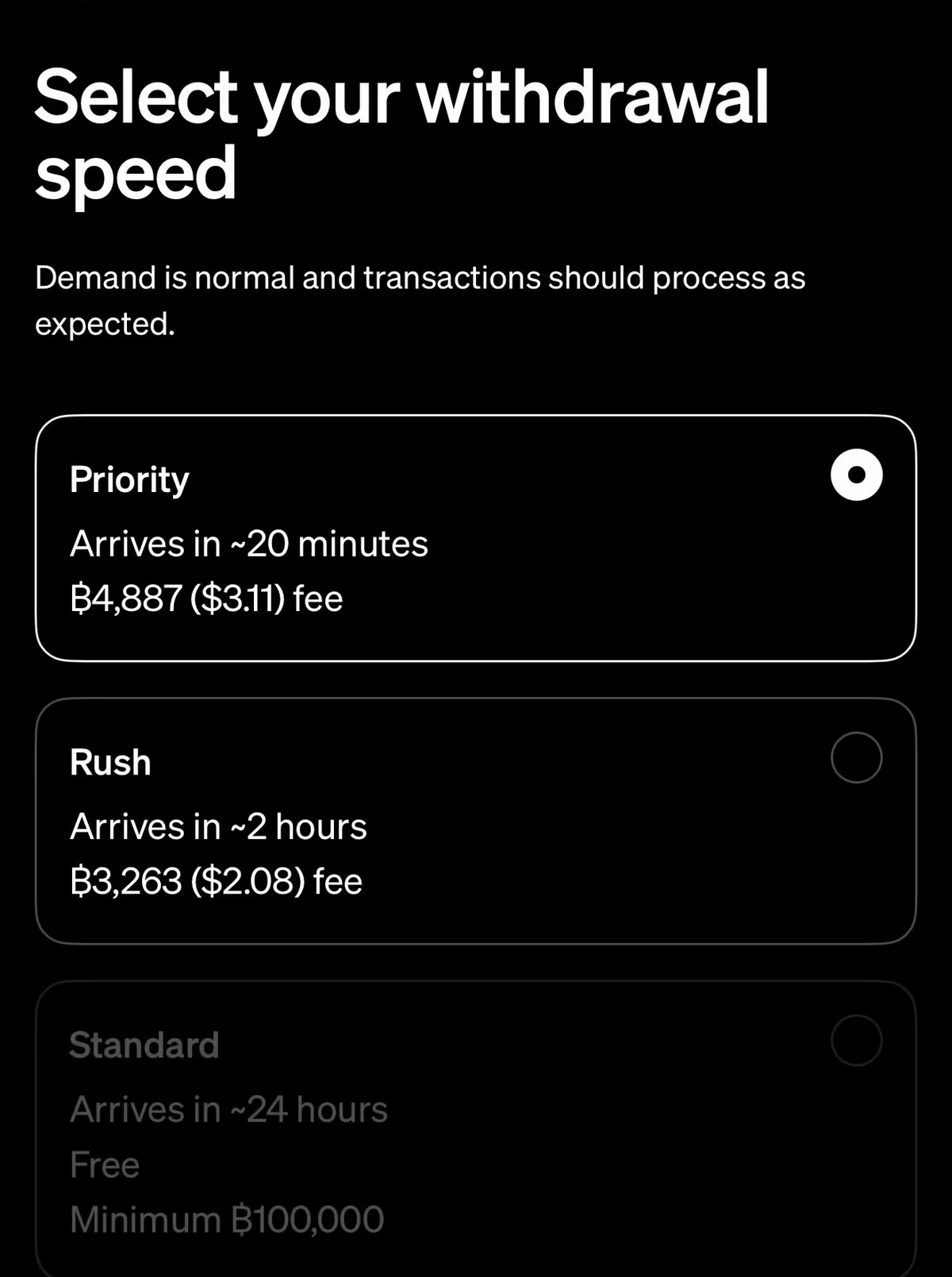
For a 5,000-sat payment, the fast fees were more than half the payment. Rush and Priority need at least 0.00005 bitcoin (5,000 sats), and Cash App shows the exact fee before you send (Bitcoin Pricing); it changes with how busy the network is.
For everyday amounts, Lightning is faster, and from your bitcoin balance it's free. On-chain makes sense for a large amount you're moving to your own long-term wallet.
How to receive bitcoin on Cash App
- Open your bitcoin balance and tap the arrows.
- Tap Receive.
- Cash App shows a QR code for the sender to scan. Tap Add amount to ask for a set amount, then Share it. For deposits on the blockchain,
Cash App says it uses addresses that start with
bc1("P2WPKH Segwit addresses", Cash App: Bitcoin Addresses).
Cash App's help page adds one more way: "Bitcoin sent to cashtag@cash.app will go to the Bitcoin Balance in your app." That's a Lightning address made from your $cashtag. Lightning receiving "is not available to customers in New York" (Cash App: Lightning). If you turn on Receive Lightning as dollars, Cash App converts incoming Lightning payments to dollars for a 0.9% service fee.
Why send it to Rizful?
- A free Lightning address. Sign up at rizful.com with an email and a password.
- Receiving is free. "Sending payments costs 0.1% plus Lightning routing fees" (Rizful's FAQ).
- It works in any browser, on your phone or your computer, with nothing to install, and your sats can pay any Lightning invoice or address.
- Want your own node and channels? Alby Hub runs your own Lightning node, and Megalith is its default channel partner.
Selling online? Your Cash App customers can pay your website the same way, over Lightning. OpenReceive is the safe way to receive bitcoin and stablecoin payments for websites and apps, straight into your own wallet: see How to Receive Lightning Payments From Cash App.
FAQ
Is there a fee to send bitcoin on Cash App?
Over Lightning, none from your bitcoin balance, and 0.9% from your cash balance. On-chain, Standard is free (100,000 sats or more), and Rush and Priority cost the network fee plus up to $2 or $3: $2.08 and $3.11 when we tried on November 17, 2026. Buying the bitcoin first has its own fee (2.0% under $500 for a market buy, plus a spread).
How long does it take to send bitcoin from Cash App?
Over Lightning, seconds: Cash App says "almost instant". On-chain, up to 10 minutes (Priority), 2 hours (Rush) or 24 hours (Standard).
What is the limit for sending bitcoin on Cash App?
Over Lightning, $999 in bitcoin every 7 days, on a rolling window. Your own limits are in the app under your profile, Limits.
Can I send bitcoin to another Cash App user?
Not $cashtag to $cashtag: Cash App stopped that on December 20, 2024. Send it to their bitcoin address or a Lightning address instead.
Where is my bitcoin address on Cash App?
Open your bitcoin balance, tap the arrows, then Receive: Cash App shows your QR code to scan or share. Cash App's deposit addresses start
with bc1.
Can Cash App pay a Lightning invoice?
Yes. Paste it in the Send screen's To field, or scan its QR code. See Rizful's Cash App guide.