How to Receive Lightning Payments From Cash App
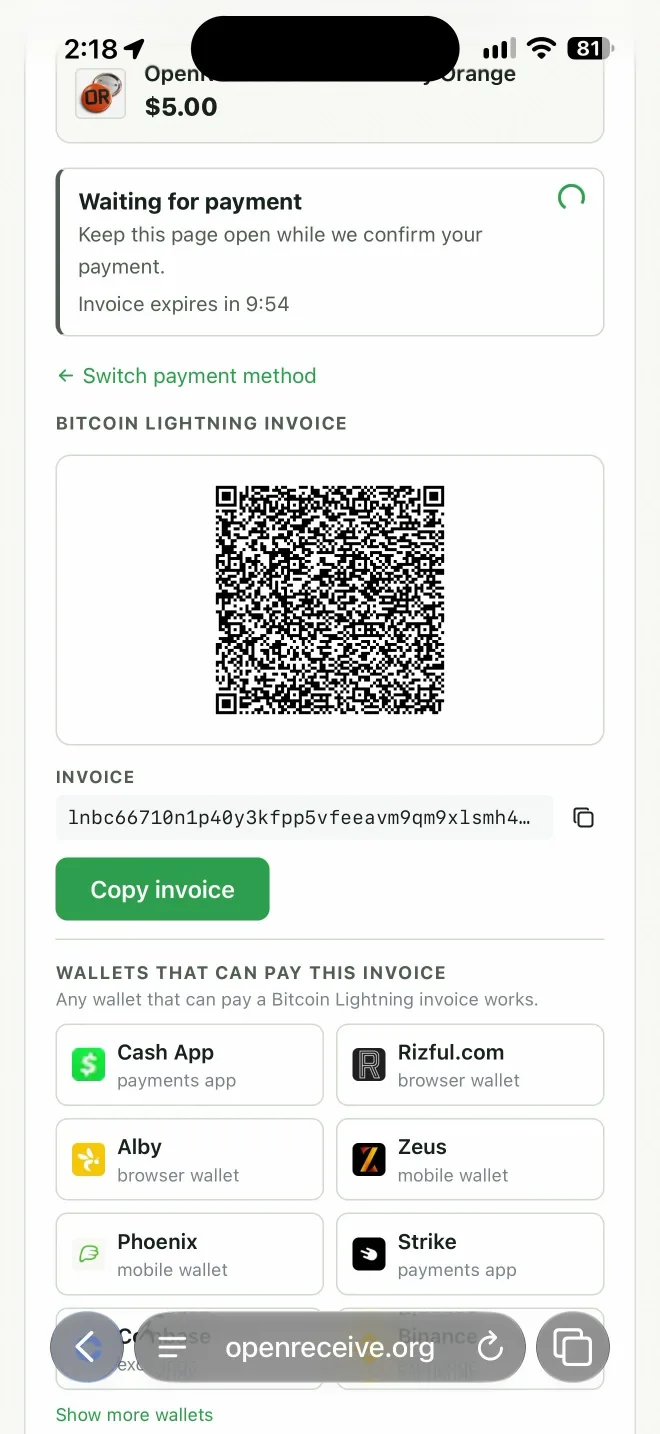
Your customers can pay your Lightning invoice from Cash App, from their bitcoin balance or their dollar balance. Wallet links aren't reliable with Cash App, so show a QR code and a Copy button. On a computer, the customer scans the QR code. On a phone, they copy the invoice, switch to Cash App and paste it. You receive bitcoin.
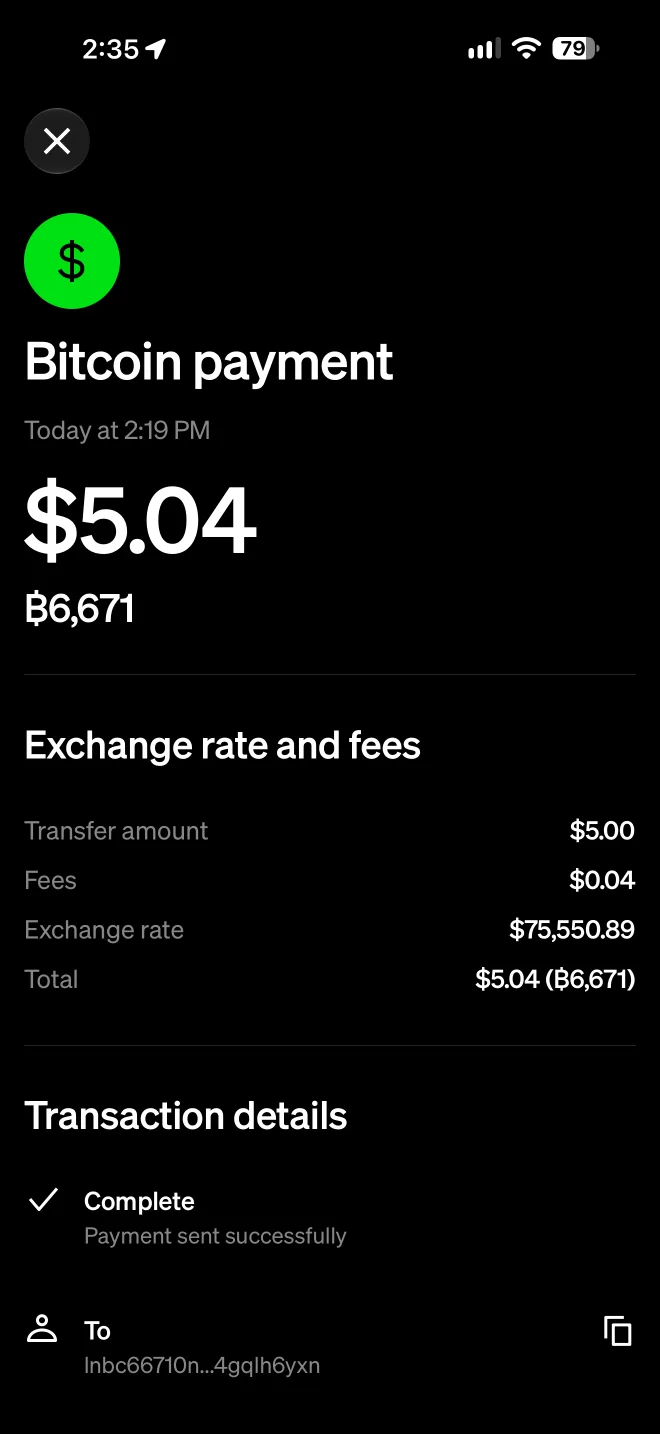
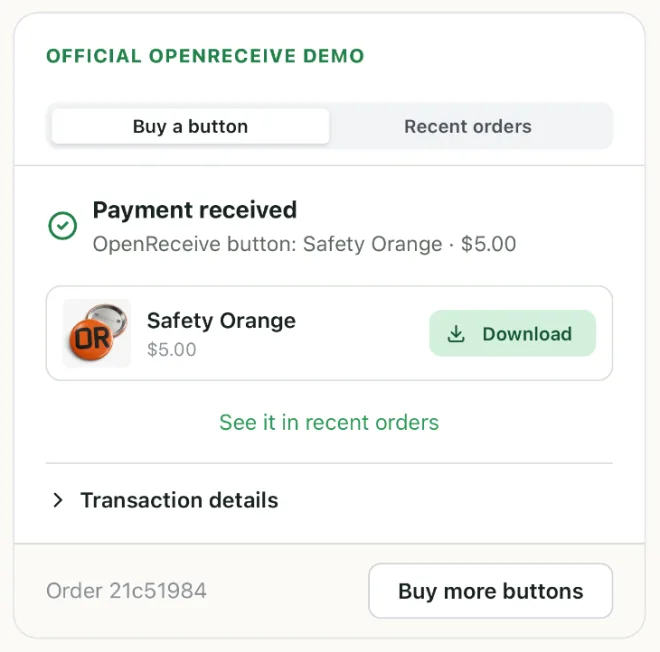
We followed one real payment the whole way: a $5.00 order on OpenReceive's demo shop, paid from Cash App on an iPhone.
What your checkout needs
- A QR code, for a customer on a computer. They open Cash App on their phone and scan it.
- A Copy button, for a customer on a phone. They can't scan their own screen, so they copy the invoice and paste it into Cash App.
- The steps for Cash App customers, close to the QR code. Most people have never paid a Lightning invoice before.
How a Cash App customer pays
- On your checkout, tap Copy invoice.
- Open Cash App and tap your balance at the bottom left. It shows an amount, such as $1.9K.
- Tap Bitcoin.
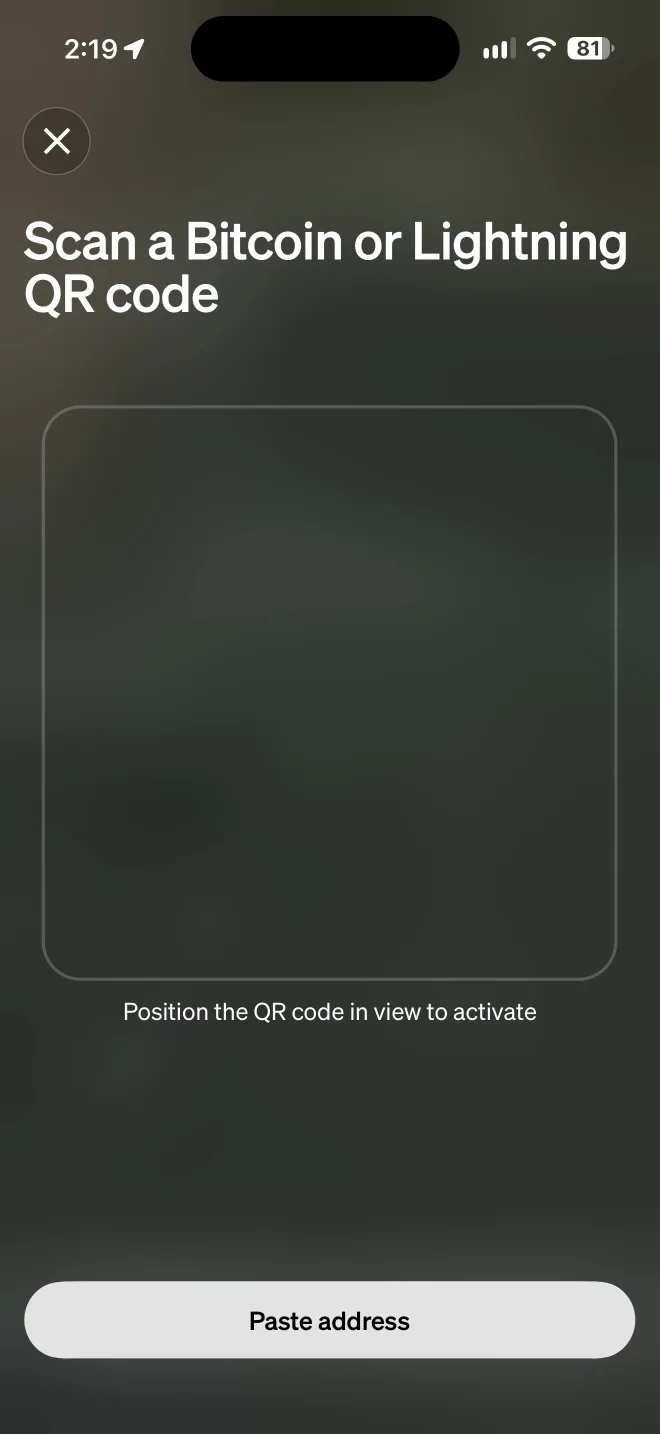
- Tap the QR button at the top right.
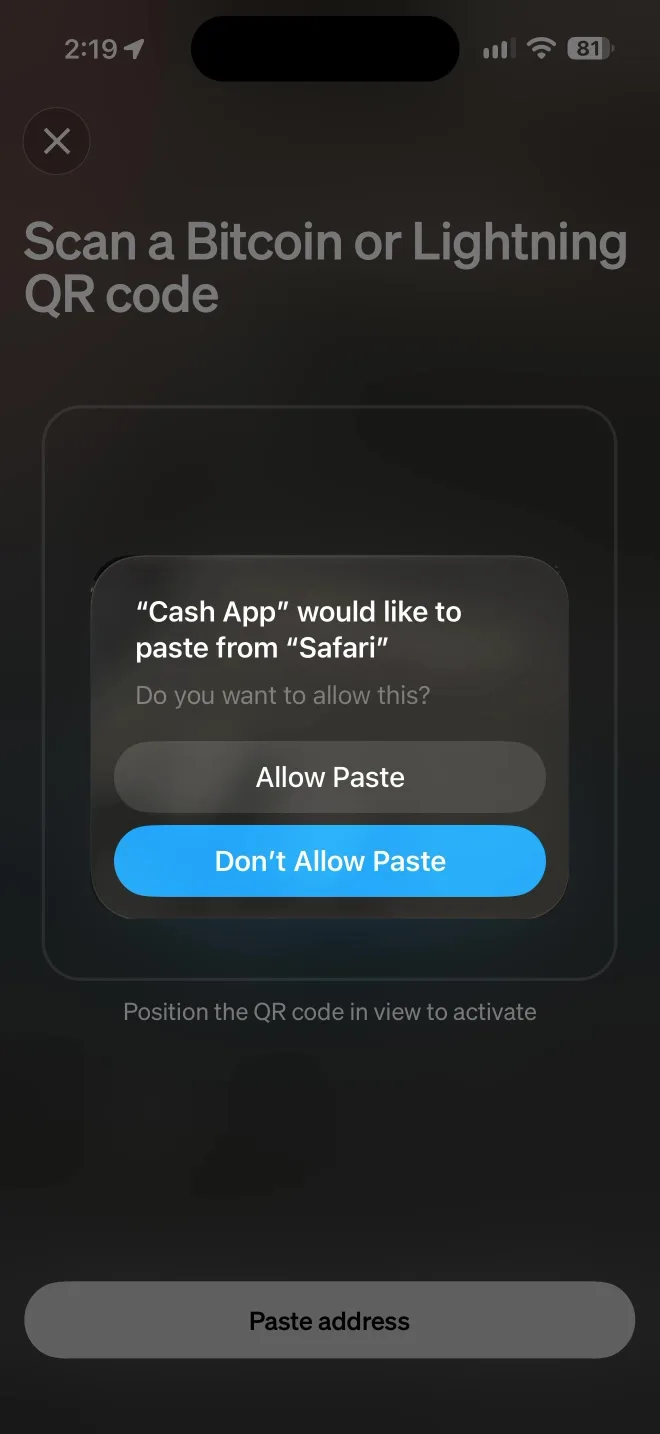
- Tap Paste address. On an iPhone, tap Allow Paste.
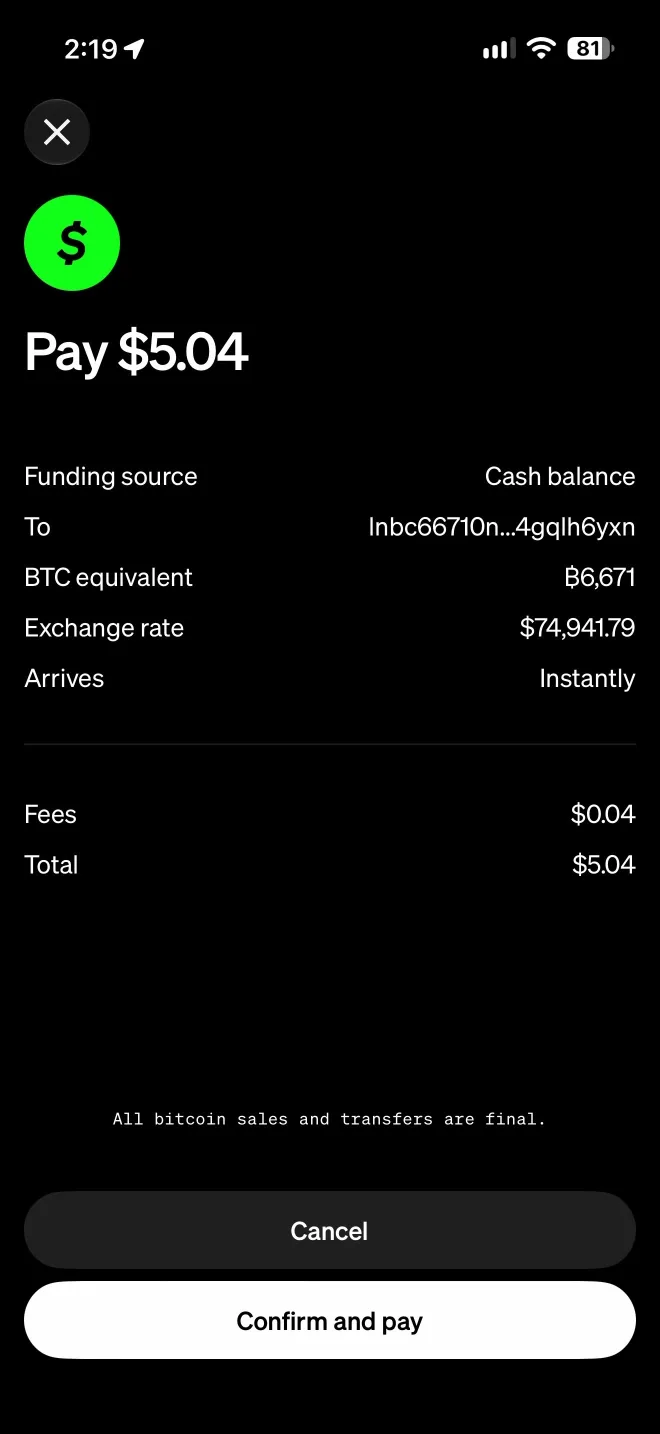
- Check the amount and tap Confirm and pay.
On a computer, the customer starts at step 2 and, at step 5, points the camera at your QR code instead of pasting.
Show your customers how to pay
Do one of these, or both.
Link to the steps. Rizful has a free walkthrough with pictures. Put this under your QR code. It opens in a new tab, so your checkout stays open and keeps waiting for the payment.
<a href="https://rizful.com/pay_lightning_invoice/cashapp" target="_blank" rel="noopener">Paying from Cash App? See how</a>
Put the steps on your own site. Download the kit: the pictures, the steps as plain text, and a block of HTML to paste into your page. It's dated November 2026. Cash App moves its buttons now and then, so try it yourself once in a while.
The easy way: OpenReceive
OpenReceive is free, open-source payment software that runs inside your own website or app. Its checkout has the QR code and the Copy button, puts Cash App first in its list of wallets, and has the steps built in. Every payment goes to your own wallet, and there's no approval necessary: no application, and nobody to approve your store.
All you need to do is go to openreceive.org, click Copy agent directions, and paste them into your coding agent, such as Cursor, Claude Code or Codex.
We tried exactly that, on a small coffee shop with no payments in it. The agent read the directions and added the checkout. It needed one thing: a receive-only code from a wallet. That code can take payments into your wallet, but it can never spend them. Rizful is a quick way to start, and Alby Hub gives a merchant their own Lightning node and channels. Then a real $2.00 order, 2,663 sats, went through the shop and into our wallet.
More in Accept Bitcoin, USDT, USDC Payments on Your Website with OpenReceive.
What Cash App allows
- A limit. A customer can send "up to $999 in bitcoin every 7 days" over Lightning, on a rolling window, so this suits everyday orders, not big ones (Cash App: Lightning).
- A fee on dollars. "Lightning payments funded from your Cash balance include a 0.9% processing fee." From the Bitcoin balance they can avoid it (Cash App: Bitcoin pricing).
- You receive bitcoin, whichever balance the customer pays from.
- New York. On receiving with Lightning, Cash App's help page says: "This feature is not available to customers in New York."
FAQ
Is this Cash App Pay?
No. Cash App Pay is a separate checkout product for dollars. Here your customer pays a Lightning invoice from Cash App, and you receive bitcoin.
Do I need a Cash App account?
No. You receive into your own Lightning wallet. Only your customer uses Cash App.
How long does the customer have?
Until the invoice expires. OpenReceive's invoices last ten minutes, and its checkout shows the countdown.
Can I receive into Cash App myself?
Yes. Cash App gives you a Lightning Address, cashtag@cash.app, and the
bitcoin goes to your Bitcoin balance.