Get Browser Notifications from Rizful
If you're using an iPhone or iPad, first add Rizful to your home screen
Add Rizful to Your Home Screen
1
Tap the share button (iOS) or the ⋮ menu → Add to Home screen (Android)
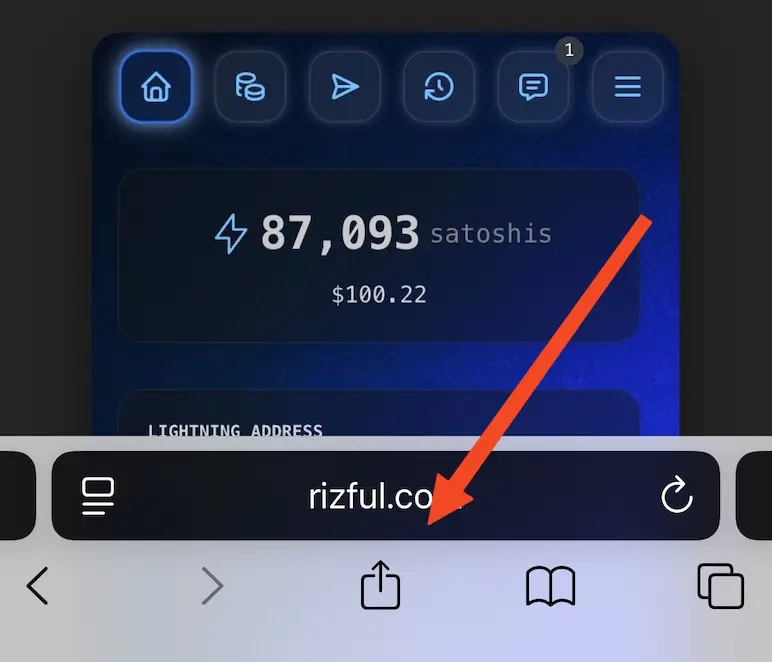
2
Tap 'Add to Home Screen'
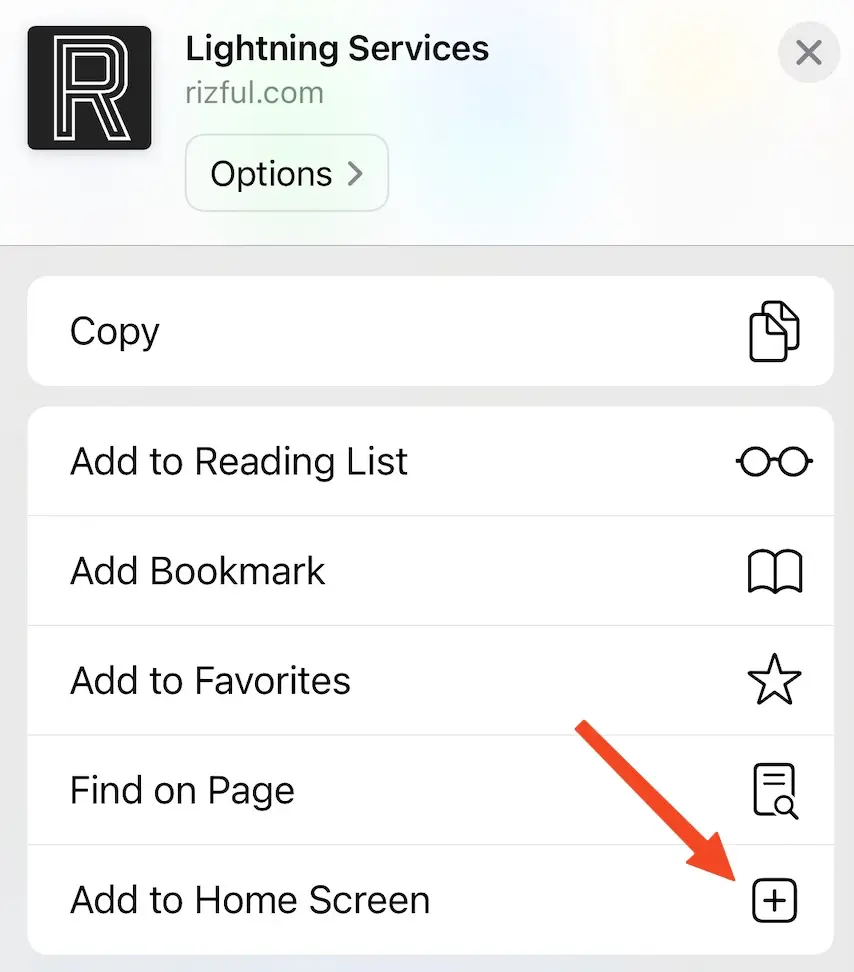
3
Rizful is now on your home screen
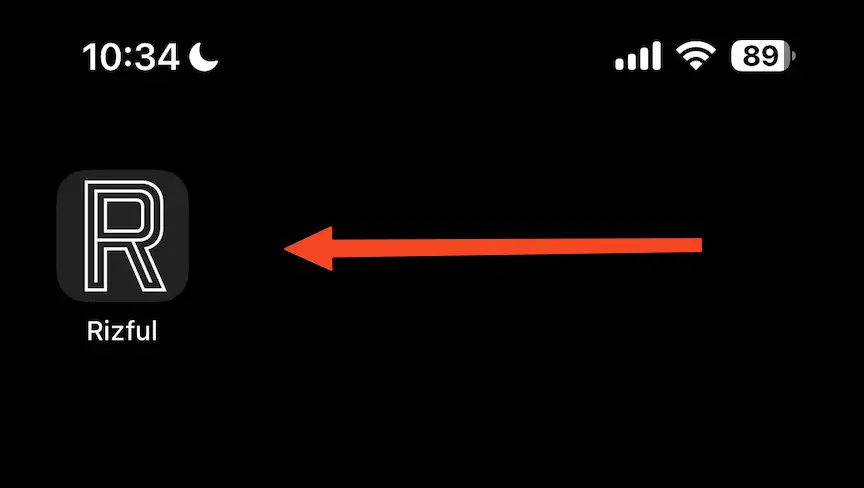
(For some reason Apple requires this if you want to get browser notifications.)
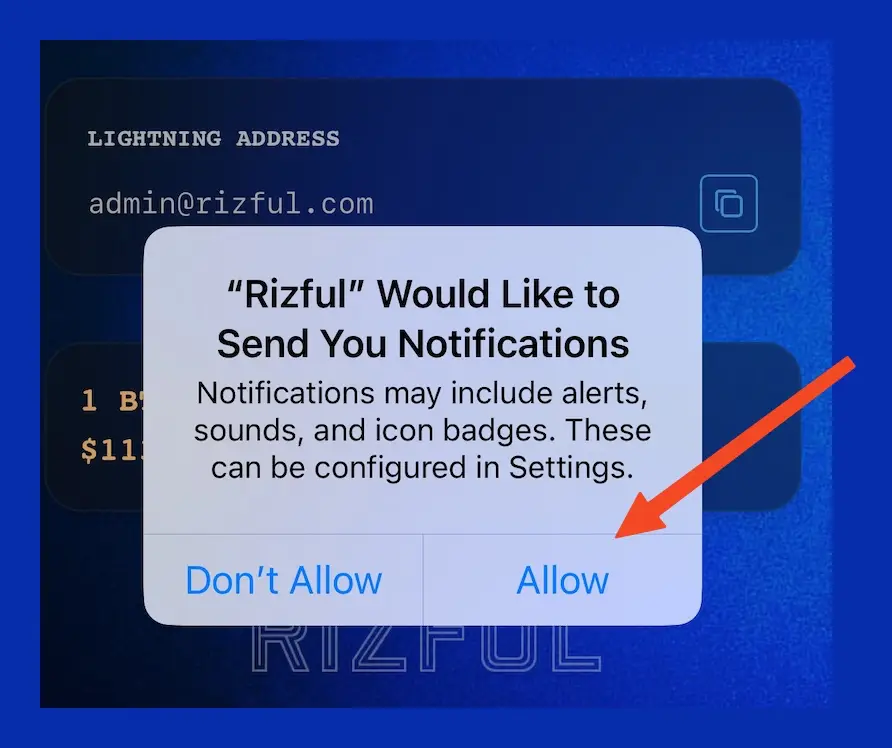
Accept notifications when you first load Rizful
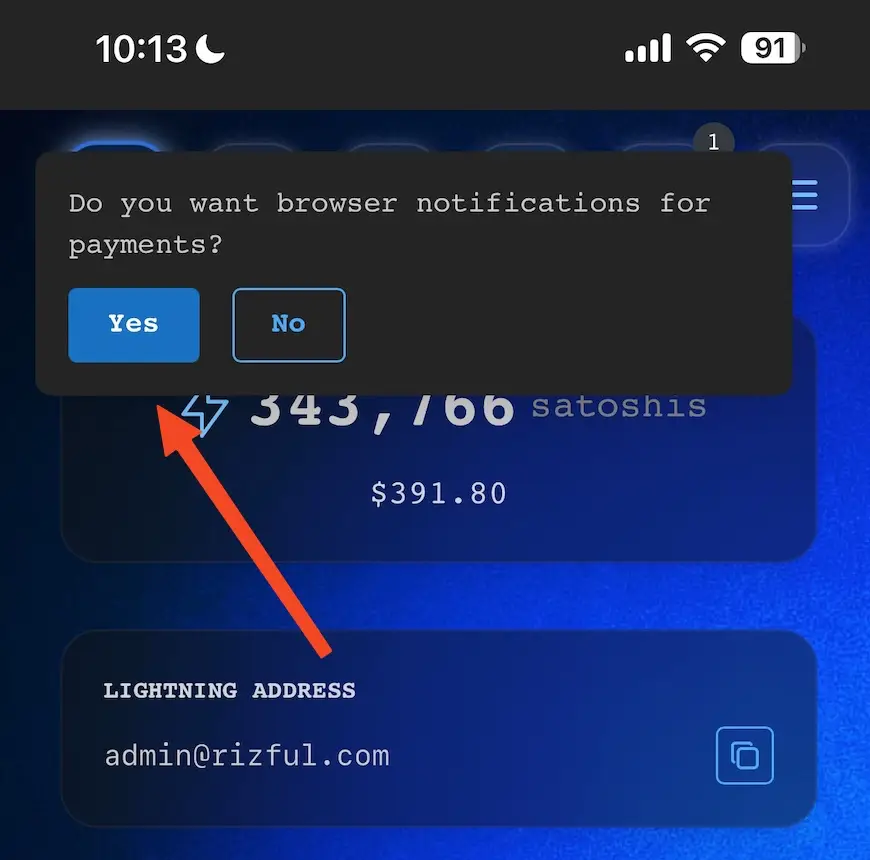
Confirm that you would like to allow notifications
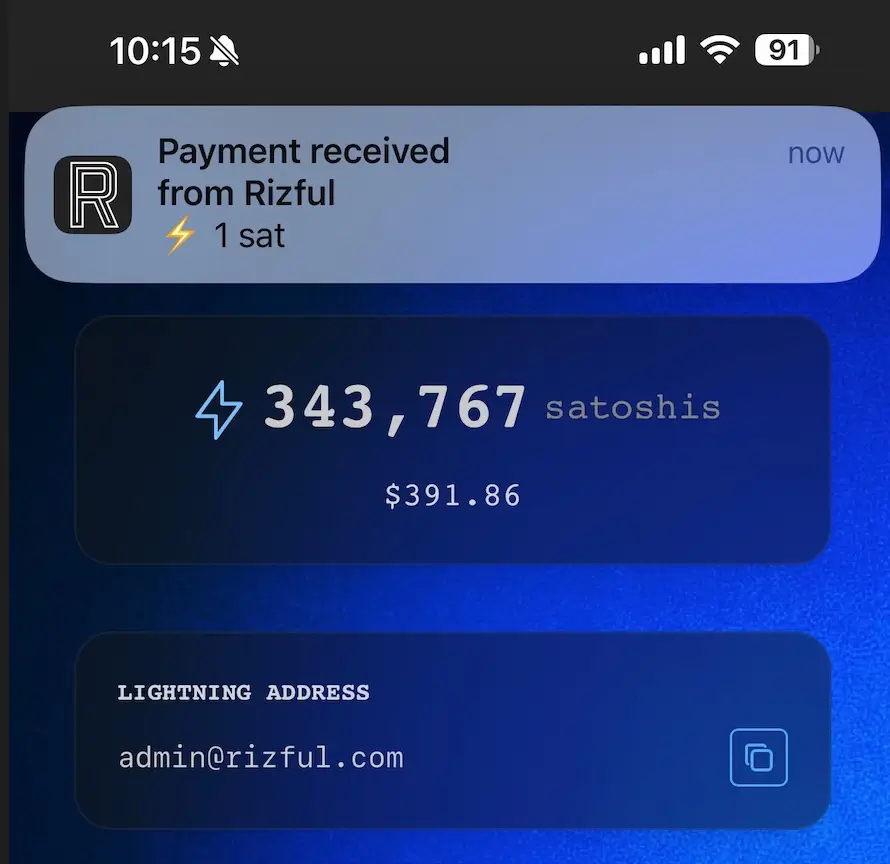
You will now get notifications for successful inbound and outbound payments
Troubleshooting
Rizful keeps asking me to approve notifications
-
Try resetting Rizful's permissions in your browser settings.
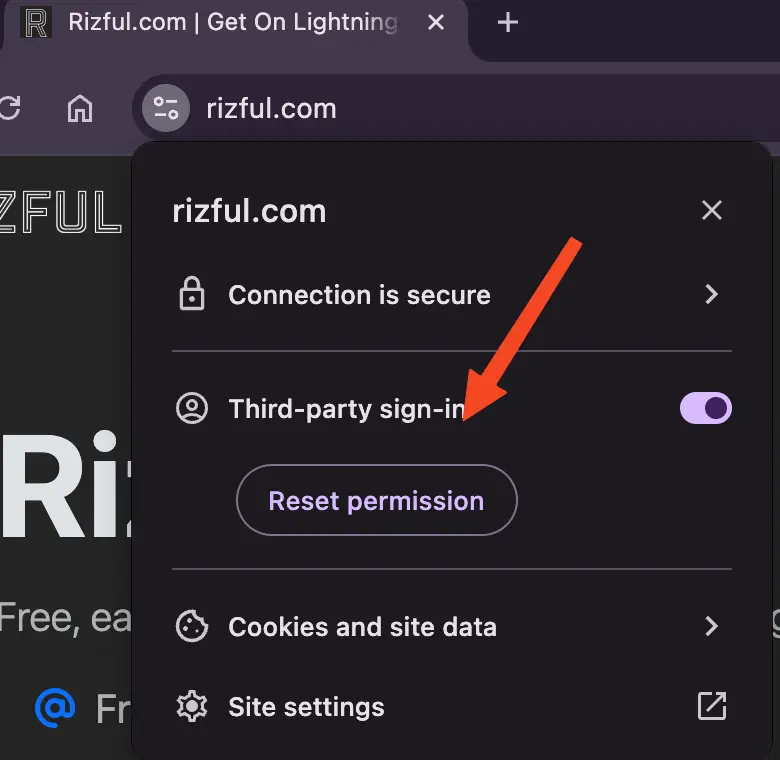
Reset Rizful's permissions in your browser settings -
Reset all browser notifications in Rizful's settings.
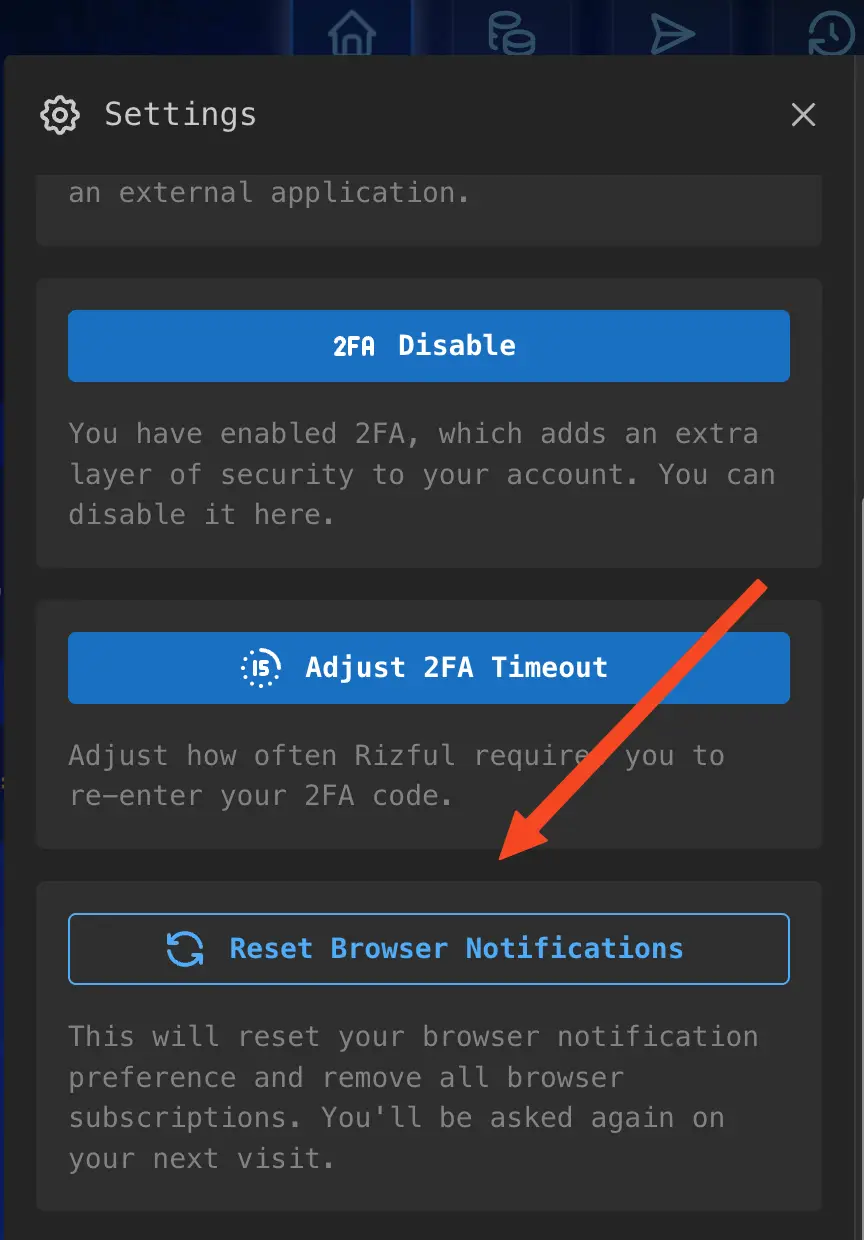
Reset all browser notifications in Rizful's settings
Hm... I tried doing this, but I don't see any notifications!
-
Be sure that your phone or device has "Do Not Disturb" mode turned OFF.
-
Be sure you are able to receive notifications from other websites. Run a test on a site like this.
-
Are you sure you were able to see notifications triggered from that test site? Be sure!
-
Make sure you have added Rizful to your home screen (iPhone/iPad only).
-
Try reloading the Rizful page and accepting notifications again.
-
Try resetting Rizful's permissions in your browser settings.
Reset Rizful's permissions in your browser settings -
Reset all browser notifications in Rizful's settings.
Reset all browser notifications in Rizful's settings -
Again, reload rizful.com and accept notifications.