
Accept or Reject Payments With Rizful Hold Invoices
A normal Lightning invoice is finished the moment it's paid. A hold invoice adds a pause: the payer's sats are locked on the Lightning Network, and nothing lands in your vault until you decide.
- Accept, and the sats are added to your vault.
- Reject, and the payer gets their money back. Their wallet shows the payment as failed.
This is useful when you need to check something before you take the money: an order you might not be able to fill, a booking that might already be taken, or a trade or escrow where both sides have to hold up their end.
Once a payment arrives, you have two (2) hours to accept or reject it. If you do nothing, Rizful rejects it for you and the payer is refunded. Don't wait for the deadline. Decide as soon as you can. (Why only two hours?)
Create a Hold Invoice
-
Tap the stacked coins icon, then select Hold Invoices
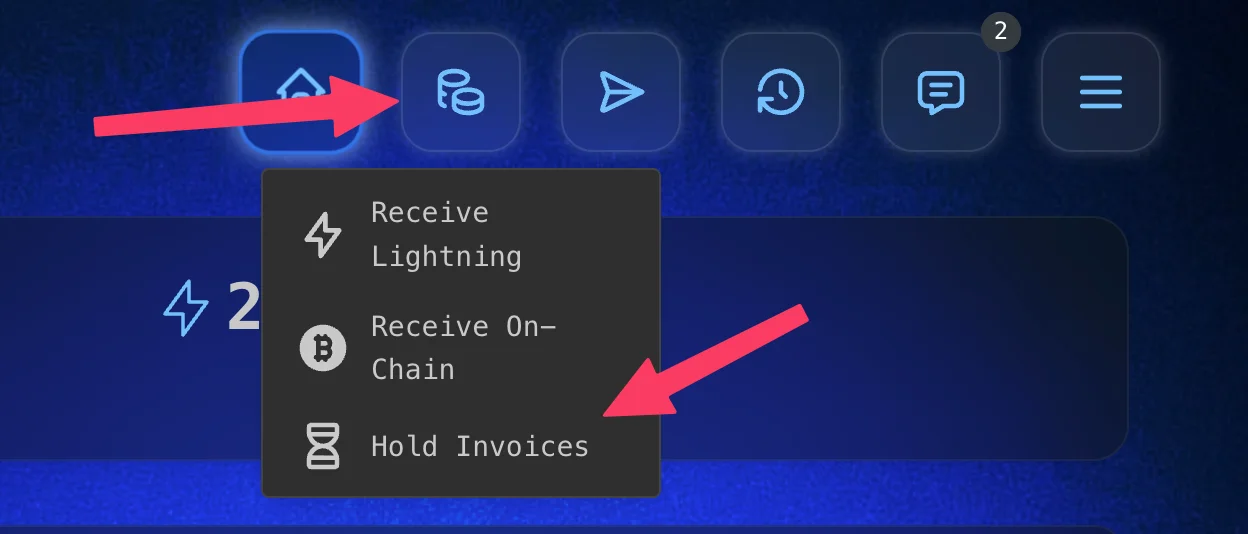
Receive → Hold Invoices -
Tap Create hold invoice
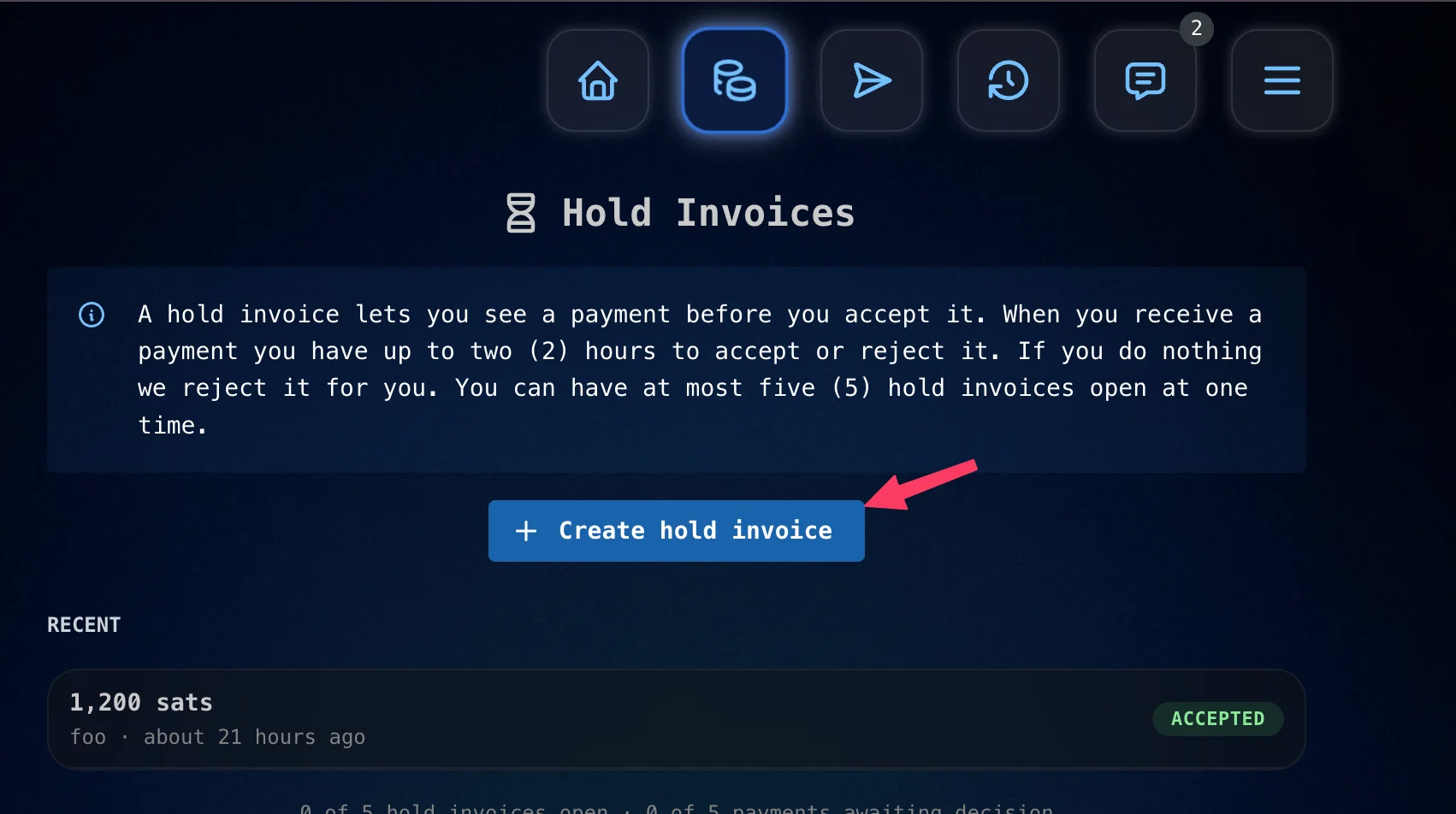
Tap 'Create hold invoice' -
Enter the amount (at least 1,000 sats). You can add a comment, which appears in the invoice's memo, and choose how long the payer has to pay: 1 hour, 6 hours, or 24 hours. Then tap Create hold invoice
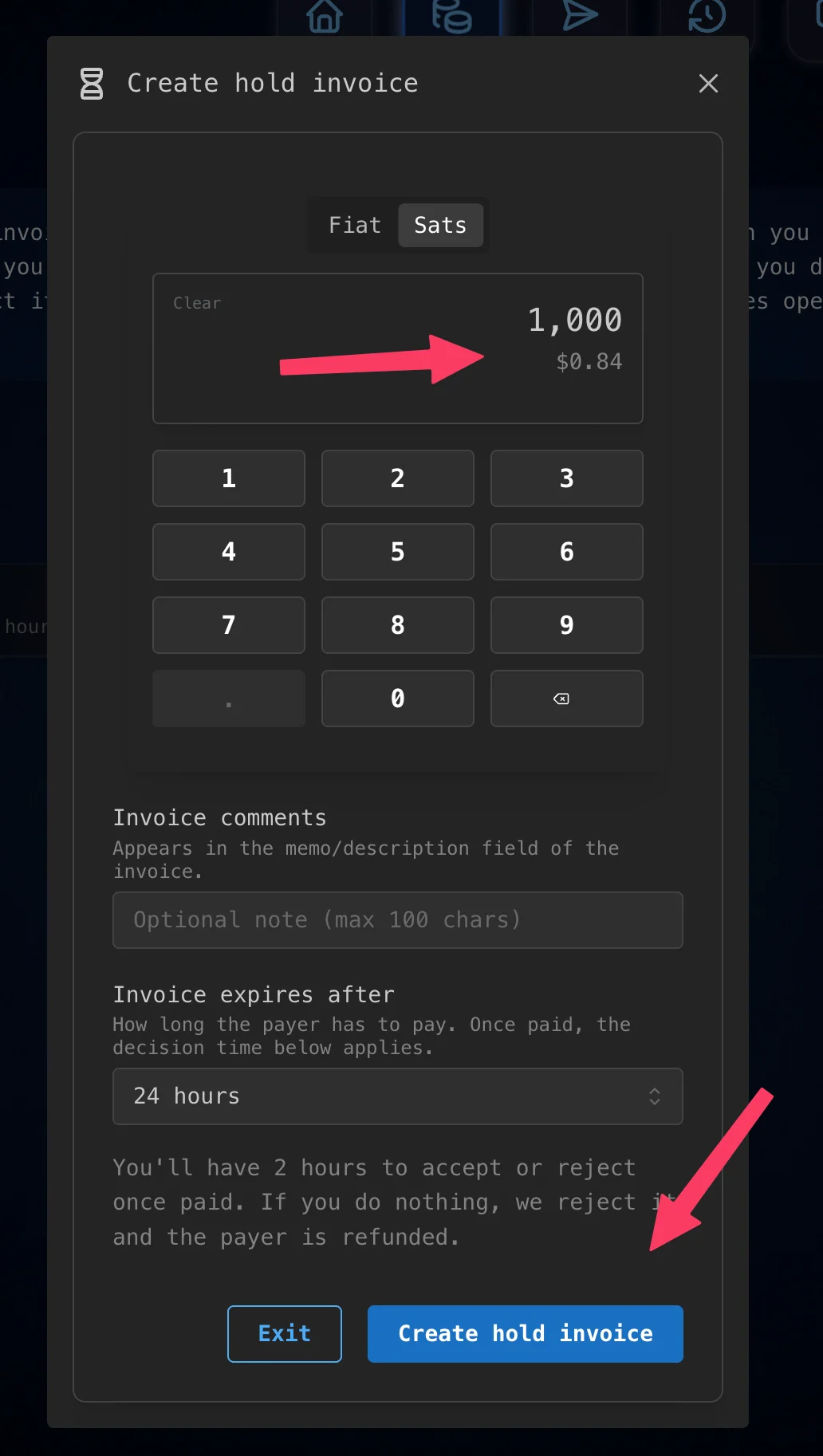
Enter the amount, then tap 'Create hold invoice' -
Share the invoice or QR code with the person paying you. Until they pay, it waits under Waiting for payer on the Hold Invoices page.
Accept or Reject the Payment
When the payer pays, the payment moves to Needs your decision, with a countdown showing how long you have left.
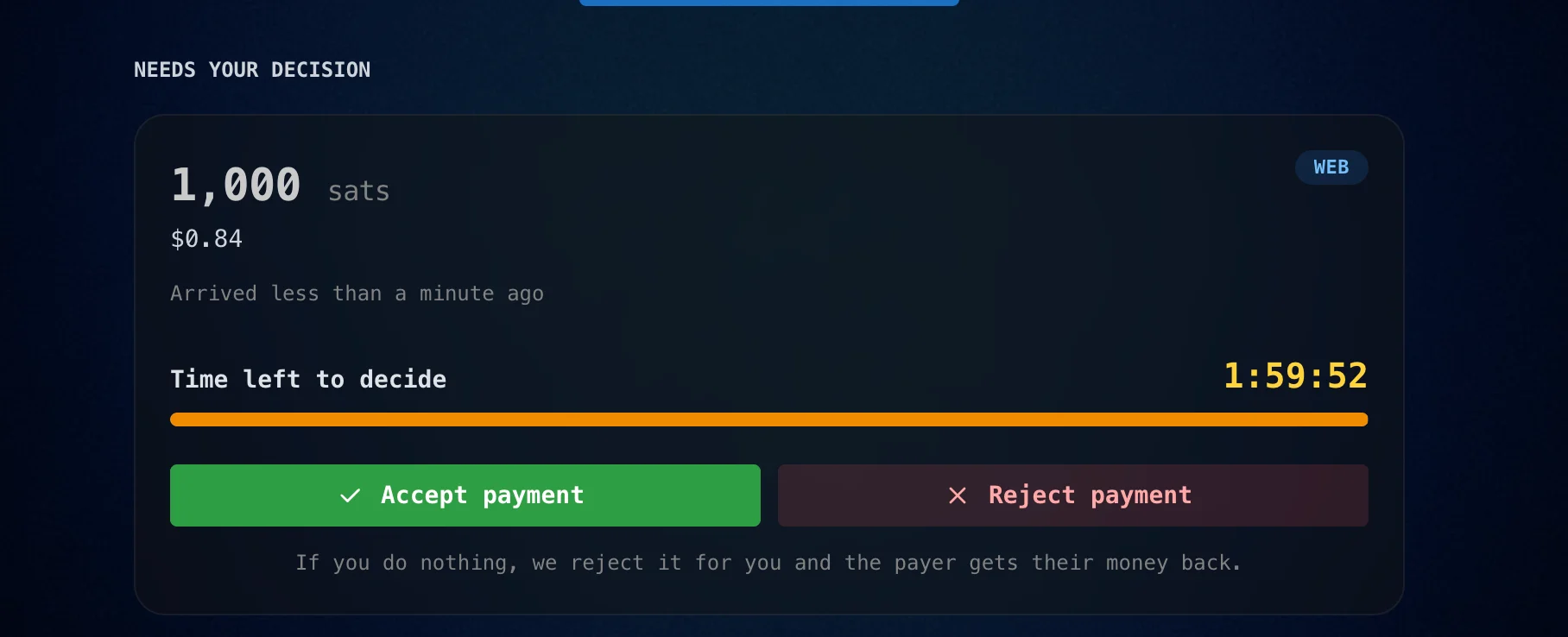
- Tap Accept payment to keep the sats.
- Tap Reject payment, then Yes, reject, to refund the payer.
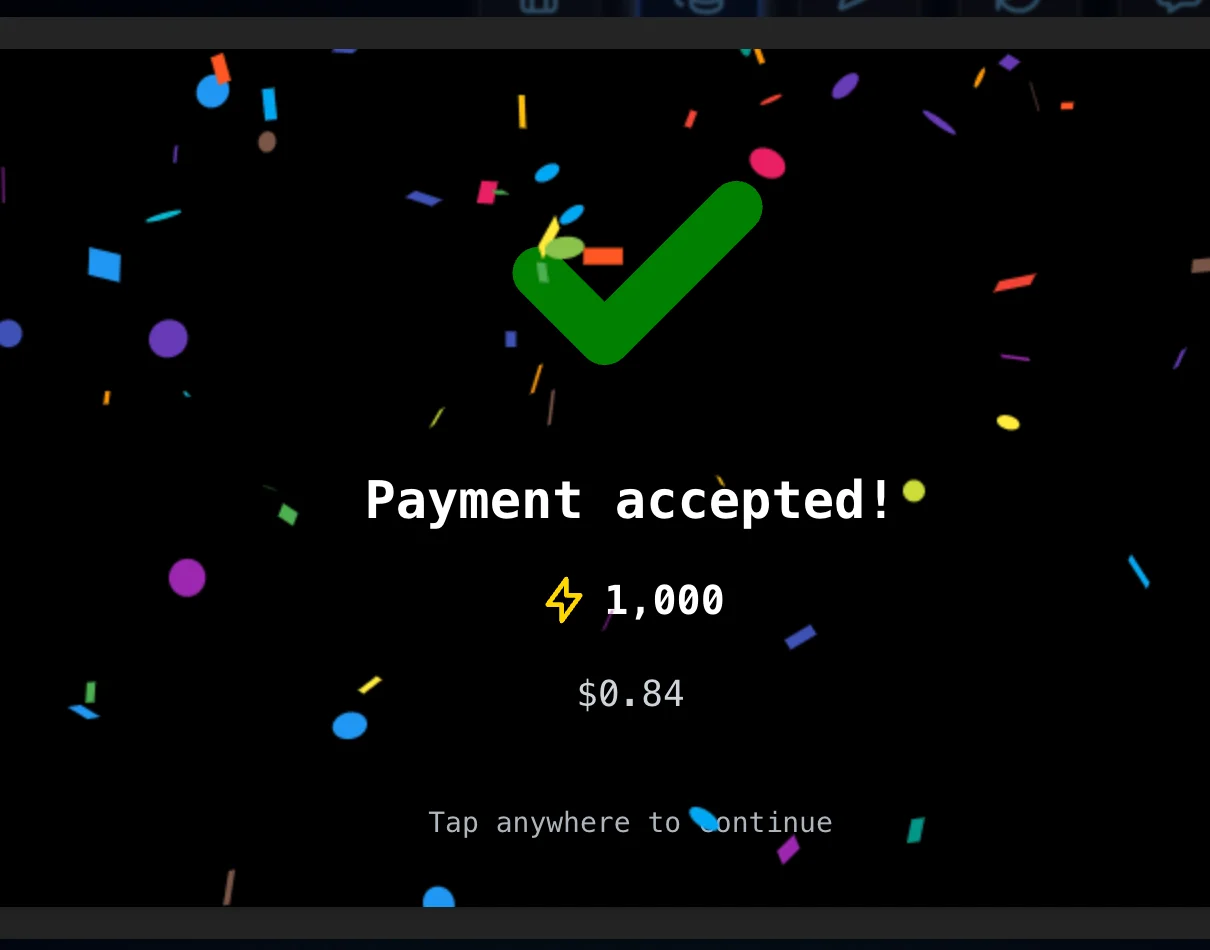
When you accept, the sats are added to your vault.
How Rizful Reminds You
So you don't miss the deadline, Rizful:
- Pops up a Payment waiting for your decision window and shows a banner on every page of the web app until you decide. Decide later closes the pop-up, but the clock keeps running.
- Sends a browser notification when the payment arrives and again 10 minutes before the deadline, if you've turned on notifications.
- Emails you when the payment arrives, 10 minutes before the deadline, and if the payment is refunded because time ran out. You can turn these emails off in Settings by unchecking Email me when a hold invoice payment needs my decision.
Limits
- Minimum amount: 1,000 sats.
- Time to pay: the payer has up to 24 hours, depending on the expiry you choose.
- Time to decide: two hours from when the payment arrives.
- Open at once: at most five (5) hold invoices, across all your vaults. This counts invoices waiting for the payer and payments waiting for your decision.
Why Only Two Hours?
A held payment has a deadline on the Lightning Network. If it's still unresolved close to that deadline, a node along the route may have to close a channel on-chain to protect its funds. And while you decide, the payer is left waiting on their sats.
Two hours keeps every hold invoice far away from that network deadline. It's a security limit, and it's the most you get, not a target. Accept or reject as soon as you know your answer.
Use Hold Invoices Over NWC
Apps can use hold invoices too. Every Rizful NWC code, including a receive-only code, supports the NWC hold invoice methods (NWC-03):
| Method | What it does |
|---|---|
make_hold_invoice | Creates a hold invoice from a payment hash your app provides |
settle_hold_invoice | Accepts the payment. Your app sends the preimage |
cancel_hold_invoice | Rejects the payment and refunds the payer |
hold_invoice_accepted (notification) | Tells your app that a payment has arrived and is waiting |
Your app generates the preimage and sends Rizful only its hash. Rizful can't accept the payment without that preimage, so your app stays in control. None of these methods can spend from your vault: accepting adds sats, and rejecting returns the payer's own sats.
Things to know:
- The two-hour limit applies to apps too. If your app hasn't settled or canceled within two hours of the payment arriving, Rizful cancels it and the payer is refunded. The
hold_invoice_acceptednotification includes this deadline as a unix time inmetadata.rizful_decision_deadline. It also includessettle_deadline, a block height at which the Lightning node cancels on its own. The Rizful deadline almost always comes first. - Only the connection that created a hold invoice can cancel it over NWC. Settling works from any NWC connection to the same vault, because it requires the preimage.
- Limits:
amountis in millisats and must be at least 1,000,000 (1,000 sats).expirycan be 5 minutes to 24 hours and defaults to 24 hours.min_cltv_expiry_deltamust be between 144 and 288. The five-at-once limit counts app-created hold invoices too. - States:
lookup_invoicereports a held payment asacceptedand a canceled one asfailed. - App-created hold invoices show up in the web app, labeled NWC with the connection's name. You can reject them from the web app, but only the app can accept them, since Rizful doesn't have the preimage.
The app gets no notification when you reject its payment from the Rizful web app. If the app is holding the payment for a trade or escrow, rejecting it refunds the payer while the trade may carry on.
Try It With the NWC Tester
The Rizful NWC Tester lets you try the hold invoice methods by hand, in your browser, before you write any code.
- Create a test vault and get a receive-only NWC code for it
- Open rizful.com/nwc_tester, paste the NWC code, and tap Connect
- Under Make hold invoice (NWC-03), enter an amount of at least 1,000 sats and tap Generate preimage and submit. The tester creates the preimage in your browser and sends Rizful only its hash
- Pay the invoice from another wallet. The tester listens for the
hold_invoice_acceptednotification for up to 10 minutes, and the payment also appears in your test vault under Hold Invoices - To accept, tap Submit under Settle hold invoice. To reject, tap Submit under Cancel hold invoice. The preimage and payment hash are already filled in
Remember that the two-hour clock starts when you pay the invoice in step 4.