Accept Bitcoin, USDT, USDC Payments on Your Website with OpenReceive
Want to take Bitcoin on your server-side app, WooCommerce store, or BTCPay Server store without a payment processor, an account, an API key, or KYC? OpenReceive is the easiest way we know to do it.
OpenReceive is free and open source (MIT), self-hosted, and built for inbound payments. It puts a checkout in front of your customers, issues a Lightning invoice against a wallet you already control, and tells your app the moment a payment lands. The money never passes through anyone else's hands. It goes straight into your wallet.
Go to openreceive.org, click Copy agent directions, paste them into your AI coding agent, and let it do the integration. That's it. The rest of this page explains why that works so well.
Why OpenReceive?
- You keep the money. Payments settle directly into a wallet you control, such as your Rizful vault. There's no middleman holding your funds, and nobody to take a cut.
- Deposit-only, by design. OpenReceive has no payment-sending API and never holds spending keys. It connects with a receive-only NWC code. Even if your server were fully compromised, an attacker could only create invoices that pay you.
- Choose your NWC. Use any NWC provider, including a Rizful vault, or run your own. There's no account, API key, or KYC.
- Bitcoin Lightning by default. Your server issues a QR code, the payer pays it, and your server approves delivery. Optionally add a swap provider and accept stablecoins and altcoins. Every payment still settles to you in Bitcoin.
- Fits the stack you already have. Your app keeps owning orders, products, and users. OpenReceive only handles the payment. Supported platforms are listed below.
- Built for coding agents. Each platform has its own agent directions, so Claude Code, Cursor, Codex, Copilot, or whatever you use can wire it up in one sitting.
- Free forever. MIT licensed and self-hosted. No monthly fees, no per-transaction fees, no surprises.
Supported platforms
| Platform | What you install | Requirements |
|---|---|---|
| WordPress + WooCommerce | One plugin. WooCommerce stays in charge. | WordPress ≥ 6.6, WooCommerce ≥ 9, 64-bit PHP ≥ 8.2 with GMP and sodium |
| Express | One factory, mounted like any router. | Node ≥ 22 |
| Fastify | A plugin, a prefix, three hooks. | Node ≥ 22 |
| Next.js | One route handler, one client component. | Node ≥ 22, Next.js ≥ 15 (App Router) |
| Rails | One gem, one generator, three hooks. | Ruby ≥ 3.2, Rails ≥ 8.0 |
| BTCPay Server | A plugin for your store. No code. | BTCPay Server ≥ 2.4.4 |
| Django | One Django app, one host class, three hooks. | Python ≥ 3.10, Django ≥ 5.2 |
| FastAPI | One router, one lifespan, three hooks. | Python ≥ 3.10, FastAPI ≥ 0.115 |
| Laravel | One package, one generator, three hooks. | 64-bit PHP ≥ 8.2, Laravel 11 or 12, ext-gmp |
| PHP | One PSR-15 handler, one PDO connection. | 64-bit PHP ≥ 8.2, ext-gmp |
On the Node adapters, the checkout UI can be React, Vue, Svelte, Angular, or plain HTML. Those are checkout components, not separate server platforms.
The BTCPay plugin is not the library. BTCPay keeps its own invoices, checkout, webhooks, and Greenfield API. The plugin makes a receive-only NWC wallet the store's Lightning node.
Swap if you want
Lightning is the default. To accept other assets, configure any swap provider that implements the FixedFloat / Lightning-Swap API, or build your own. Lightning Swap is one. The provider converts the deposit to Bitcoin over Lightning. You never hold the altcoin.
| Asset | Networks |
|---|---|
| USDT | Tron, Solana, Ethereum |
| USDC | Solana, Ethereum |
| SOL | Solana |
| ETH | Ethereum |
Step 1: Copy the agent directions
Open openreceive.org and click the big green Copy agent directions button.
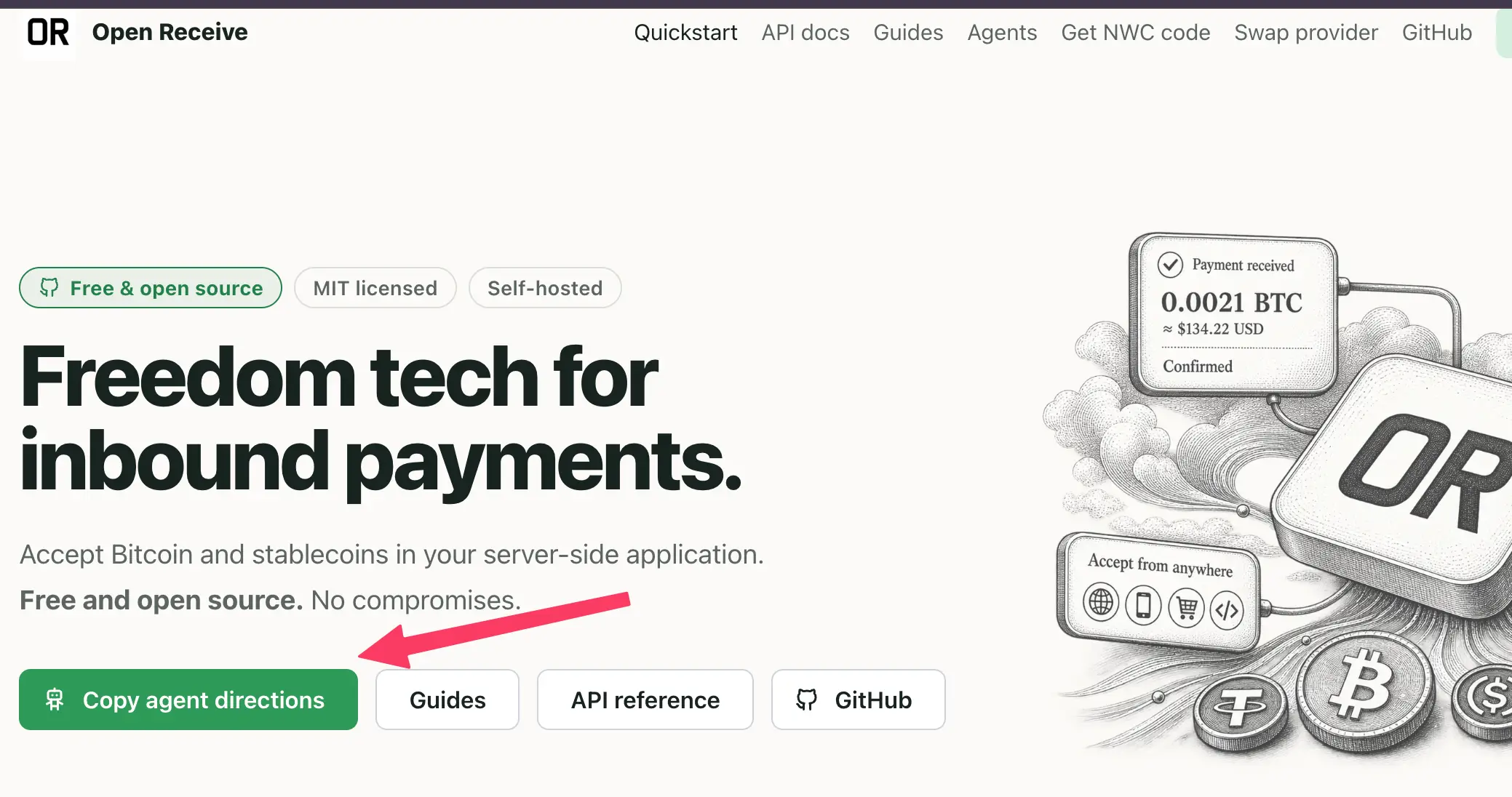
What you get is a single prompt for your stack: what OpenReceive is, how to check your environment, and the full quickstart. There is a separate payload for Express, Fastify, Next.js, FastAPI, Django, Rails, PHP, Laravel, WooCommerce, and BTCPay Server. Your agent doesn't have to search the web or guess at anything.
Prefer an installable skill instead? OpenReceive has one of those too:
- Claude Code:
/plugin marketplace add OpenReceive/openreceive, then/plugin install openreceive@openreceive - Cursor, Codex, and other skill-compatible tools:
npx skills add OpenReceive/openreceive
Step 2: Paste it into your coding agent
Open your project in your AI coding agent and paste the directions. The agent will look at your app, find your order and product models, install the right packages, and add the checkout.
It will stop and ask you for one thing: a receive-only NWC code for the wallet that should receive the money. That brings us to the next step.
Step 3: Connect your Rizful wallet
The only credential OpenReceive needs is a receive-only Nostr Wallet Connect (NWC) code from any NWC provider, or from a wallet you run yourself. Rizful makes one in a few clicks:
👉 Get A Receive-Only NWC Code from Rizful
Put that code in your server environment as NWC_URI and tell your agent it's set. From then on, every payment your site receives shows up in your Rizful vault, with a permanent Lightning Address and all the other things Rizful does for you.
If you'd rather experiment before pointing OpenReceive at your main vault, create a separate one with a small balance: Safely Set Up Test Rizful Vaults with NWC.
Step 4: Try a checkout
Once your agent finishes, run your app, add something to the cart, and pay the invoice from any Lightning wallet. Your customer sees a clean checkout with a QR code and a copy button. You see the payment land in Rizful and your app marks the order paid.
That's a complete Bitcoin checkout, on your own server, with no third party in the loop.
Learn more
- 🌐 openreceive.org — the home page, guides, and the Copy agent directions button
- 🐙 OpenReceive on GitHub — source code, agent skills, and issues
- 📖 Guides — quickstarts for every platform above, checkout UX, deployment, security, and the API reference
- 🤖 Agent directions — one self-contained file per platform (
node,fastify,next,fastapi,django,rails,php,laravel,woocommerce,btcpay)