Swap USDT, USDC, Solana and Ethereum to Bitcoin Lightning
Bitcoin Lightning is the cleanest way for a merchant to get paid: instant settlement, tiny fees, and you end up holding bitcoin — instead of altcoins which are routinely censored, frozen, or devalued.
The catch is your customers. A lot of them are not sitting on a Lightning balance. They are holding USDT, USDC, SOL, ETH, and other assets on the chains they already use.
Lightning Swap closes that gap. You create a normal Lightning invoice, your customer pays with the altcoin or stablecoin they already hold, and you receive sats on Lightning.
You don't need to do any of this by hand. OpenReceive puts a checkout in front of your customers that takes Lightning by default and, with Lightning Swap enabled as a swap provider, USDT, USDC, ETH, and SOL as well. Every payment still lands as sats in your own wallet.
What you can do with Lightning Swap
- Accept USDT on Tron, Solana, or Ethereum and settle in sats.
- Accept USDC, SOL, ETH, and other supported assets without holding them.
- Keep Lightning as your only receive rail — no multi-chain treasury to manage.
- Take payments with no account for one-off swaps on the website.
- Hand the customer a link so they complete the deposit on their own phone.
- Automate later with the API when you outgrow the website flow, or let OpenReceive handle the swap-provider integration for you.
If you want the background on stablecoins and other non-bitcoin assets, read The Problem With Altcoins. Lightning Swap is how you take payment from those customers without adopting their coins.
Here is the full path, from invoice to paid.
1. Create a Lightning invoice
In your Lightning wallet, set the amount you want to receive — 25,000 sats in this walkthrough — and generate the invoice. Lightning stays your destination; nothing changes about how you get paid.
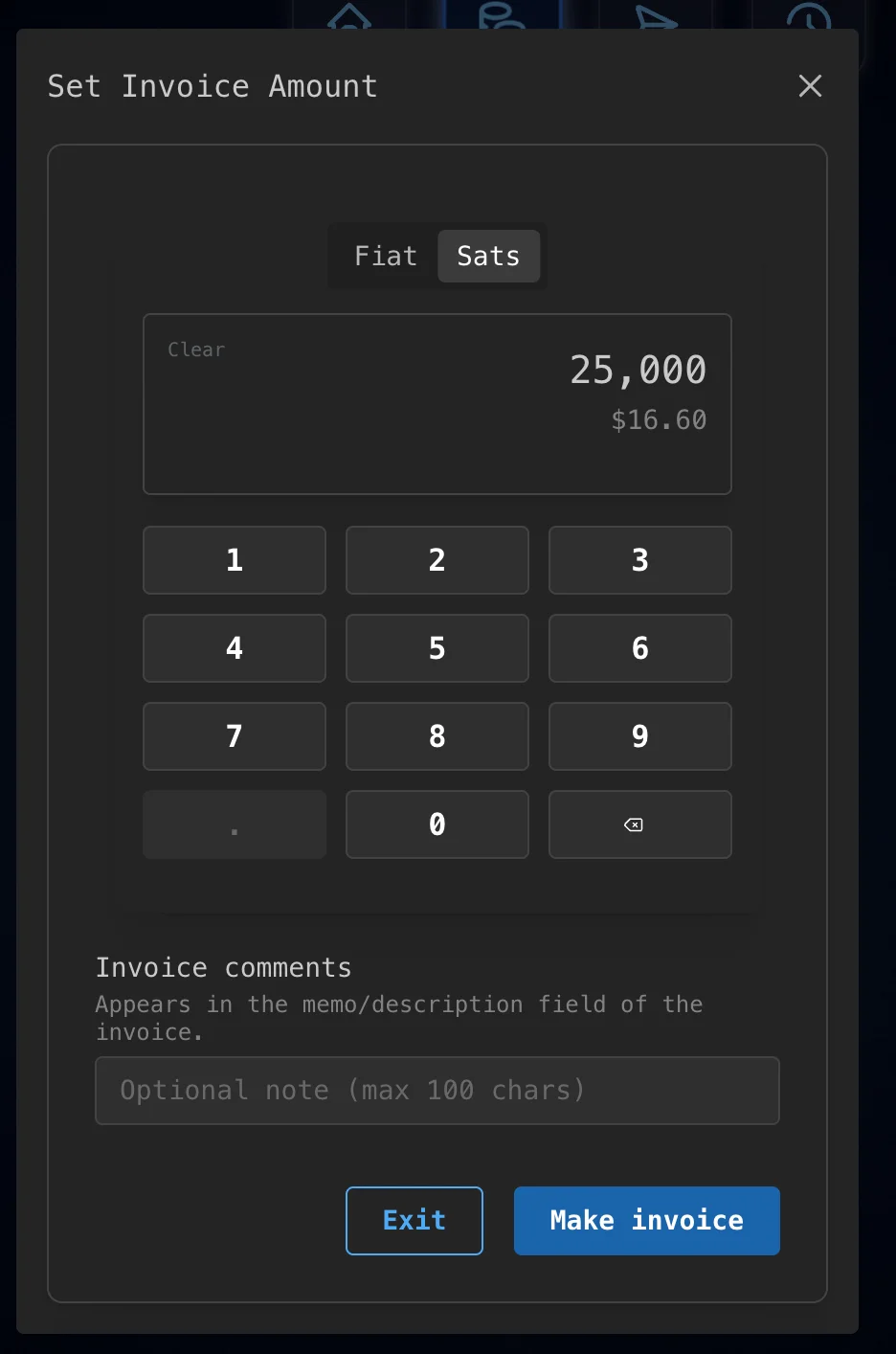
The screenshots for steps 1 and 2 use a Rizful Lightning wallet, but any wallet that produces a BOLT11 invoice works.
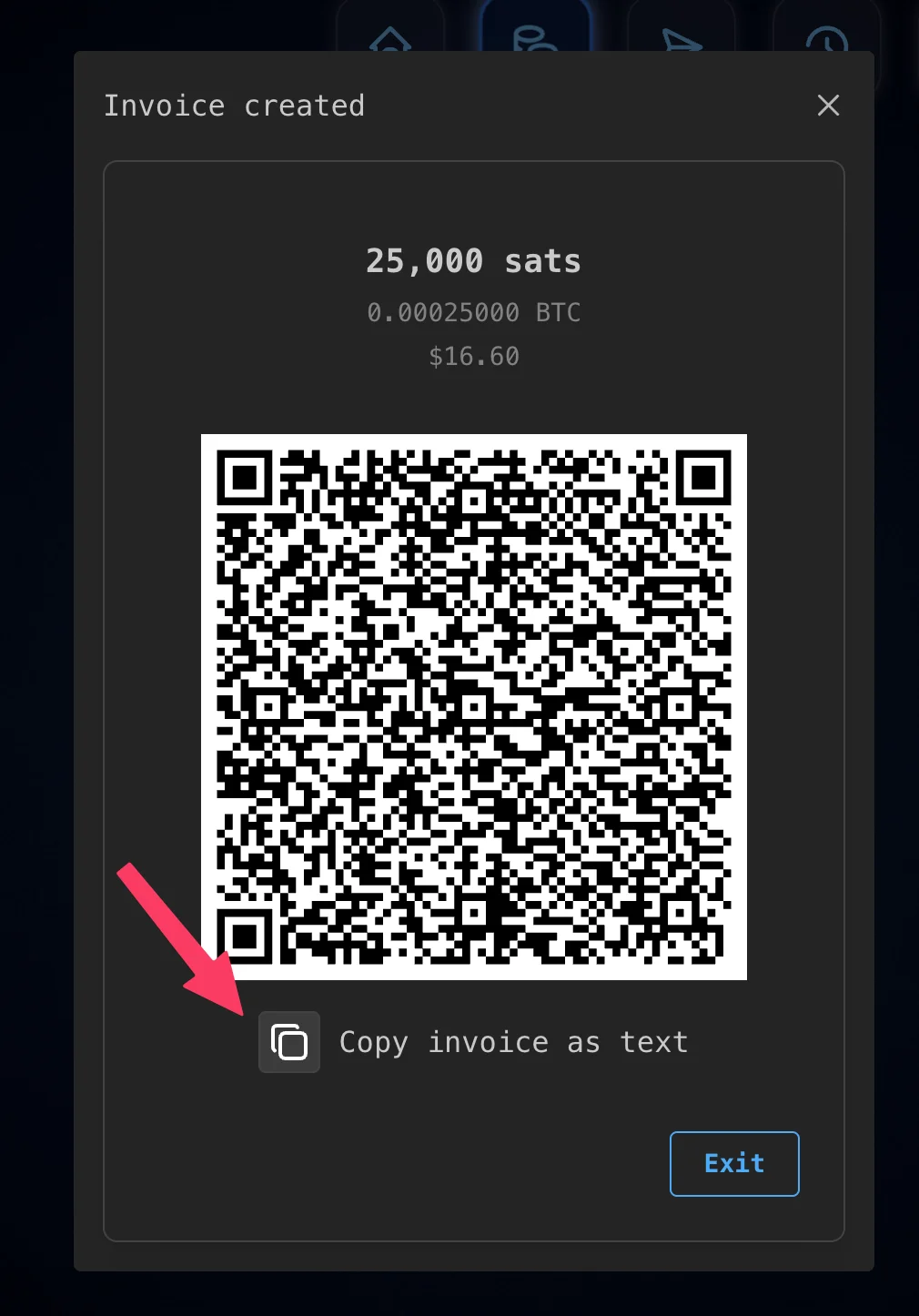
2. Copy the invoice text
Copy the invoice as text (the BOLT11 lnbc... string). That string is what gets pasted into Lightning Swap.
3. Paste the invoice on Lightning Swap and choose a pay-in asset
Open lightning-swap.com and start a new swap. Paste the Lightning invoice first. When it parses successfully, you will see the payout amount confirmed — here, 25,000 sats.
Then choose what the customer will send. Lightning Swap supports SOL, ETH, USDC (on Solana or Ethereum), and USDT (on Tron, Solana, or Ethereum). The screenshot below shows Solana, USDC on Solana, Tether on Solana, and Tether on Tron.
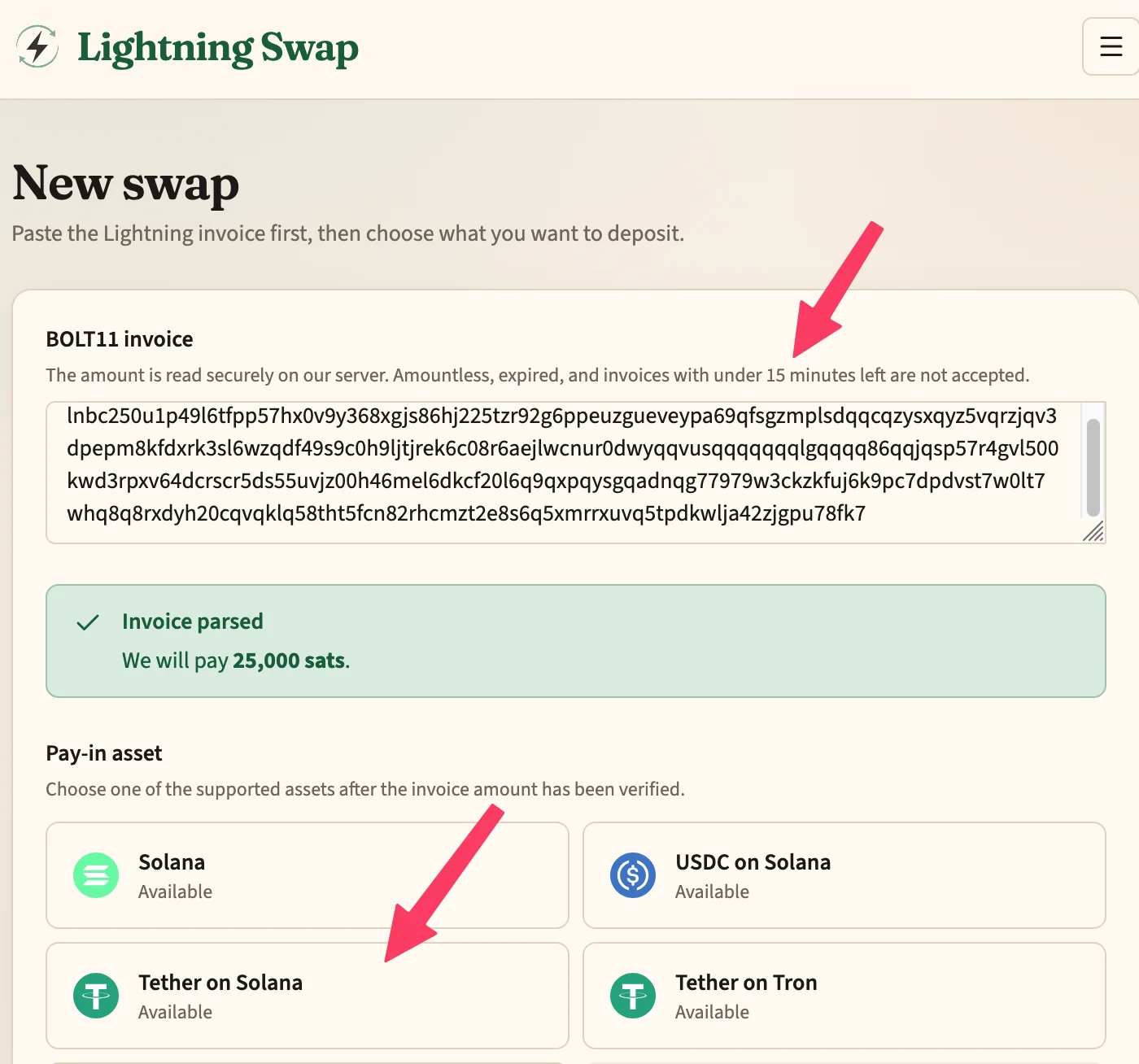
For many retail and remittance-style customers, a stablecoin on a cheap network is the path of least resistance. In this walkthrough the pay-in is Tether on Solana.
4. Customer sends the exact deposit
In this example the customer must send exactly 16.91 USDT on Solana to the address shown. Wrong asset or wrong network means lost funds — so that warning is worth reading twice.
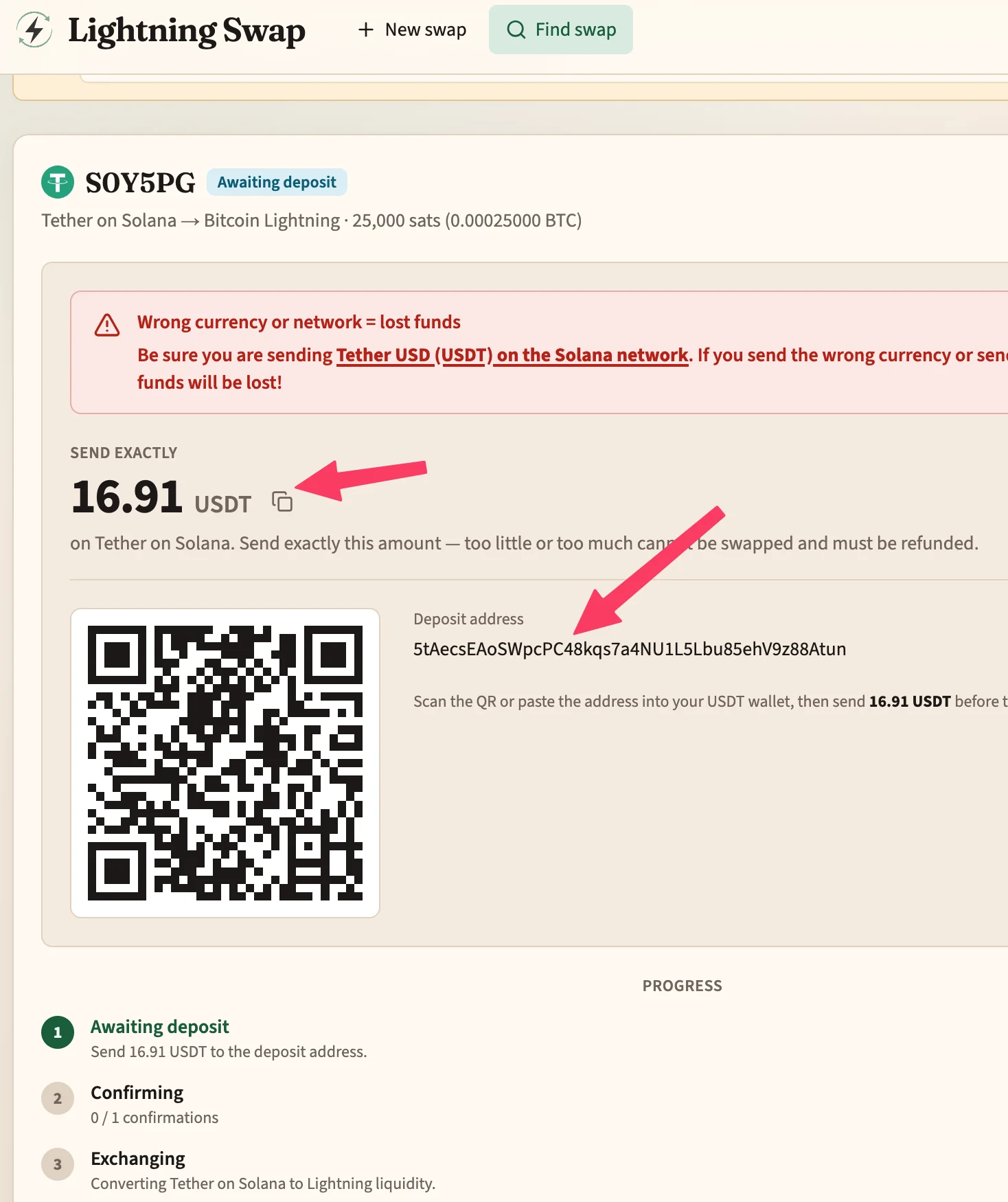
Bookmark the swap page. The URL is the handle on the order; you do not need an account to watch it finish.
From the merchant side, you do nothing else at this point except wait for your Lightning wallet to settle.
5. Your Lightning wallet gets paid
When the swap completes, your invoice is paid like any other Lightning payment. In the merchant app you get the familiar success state: Payment received — 25,000 sats.
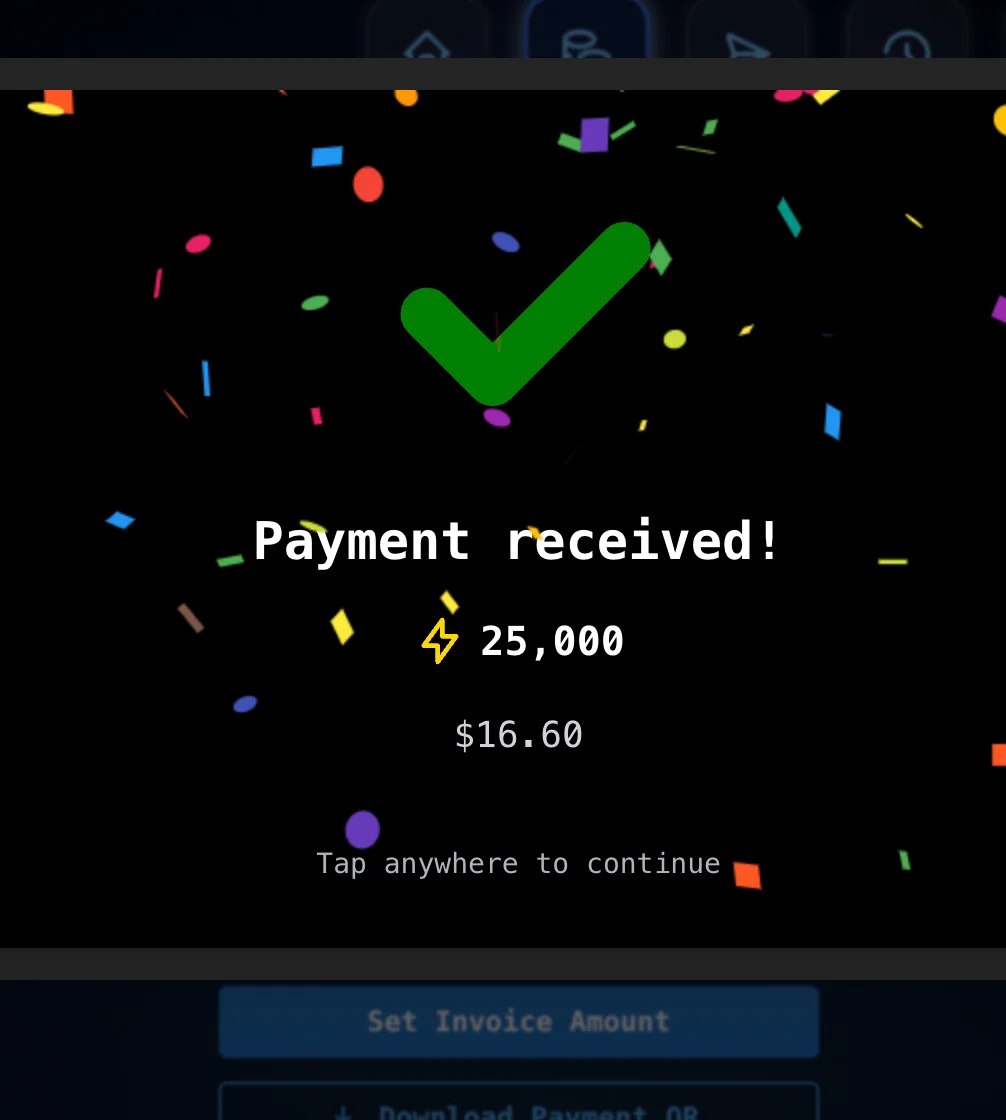
That is the point of the product for merchants: your books, tooling, and treasury stay on Lightning. The customer never had to hold bitcoin to check out.
6. Confirm the swap finished on the website
On the Lightning Swap order page, the status moves through deposit → confirmations → exchange → paying the invoice → Completed.
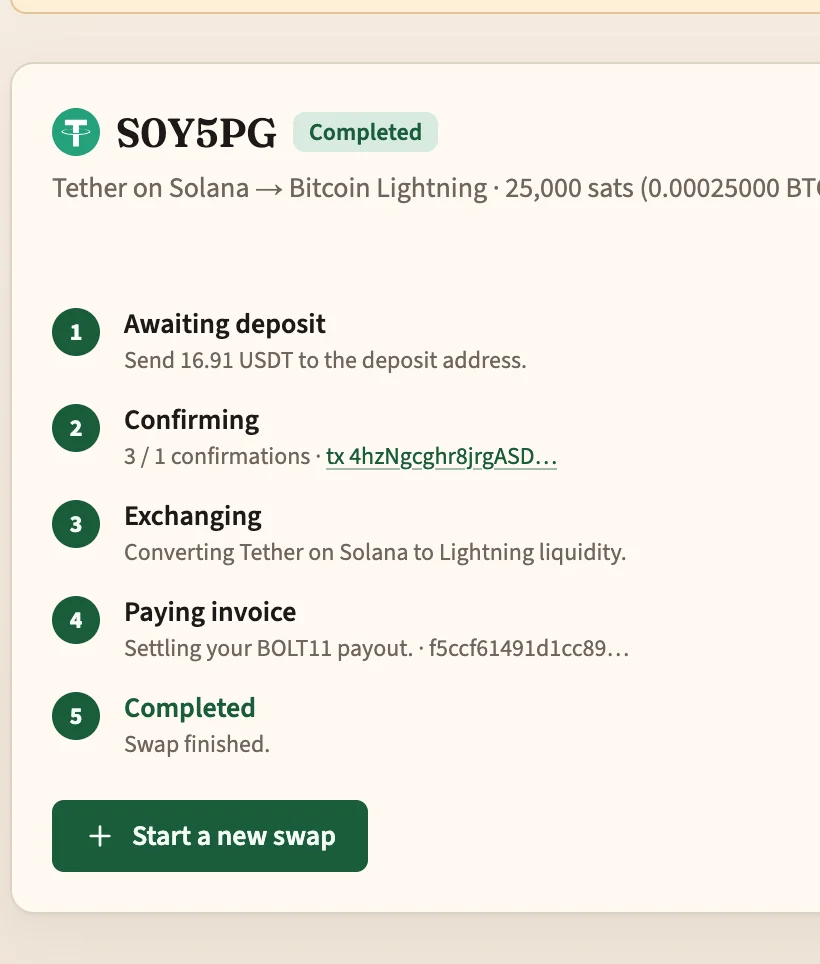
You now have a simple story you can give customers:
- You create a Lightning invoice.
- They open lightning-swap.com, paste it, and pick USDT / USDC / SOL / ETH (or another supported asset).
- They send the exact deposit.
- You receive sats.
Why this is a good merchant default
You keep Lightning as the receive rail. Settlement stays fast and on-bitcoin. You are not running a multi-asset treasury because a customer preferred USDT.
Customers keep the wallets they already use. Stablecoins and popular L1 assets are where a large share of spendable balances live. Meeting them there raises completion rates without making you a stablecoin merchant.
The website path is enough for most sales. Paste invoice → choose asset → send exact amount → done. Share the swap link if you want the customer to complete the deposit on their own phone.
Useful for remote and in-person flows alike. Email or chat the invoice string for online sales; for counter sales, create the invoice and walk the customer through the deposit screen.
Try it
- Website: https://lightning-swap.com
- API docs (if you want to automate create/order flows later): https://lightning-swap.com/api_docs
- Web/app integration: OpenReceive — Lightning Swap is a supported swap provider.
The Lightning Swap API is fully compatible with FixedFloat, so existing FixedFloat integrations can point at Lightning Swap with minimal change.
Most merchants can start on the website alone: create your Lightning invoice, hand the customer the swap page, and settle in sats.