Use Rizful With BTCPay Server
 Use Rizful With BTCPay Server
Connect Rizful.com as your Lightning Node backend for BTCPay Server to receive payments online.
BTCPay Server needs to be connected with Lightning in order to receive payments.
Rizful is a free way to receive Lightning payments, and it works great with BTCPay Server.
Not running BTCPay? If you're a developer adding payments to your own website or app, OpenReceive is a free, open-source library that does the same job with a single receive-only NWC code from Rizful — no server to host, no account, no API key. See also: Best free BTCPay Server alternative.
This will take about 2 minutes.

Step 1: Get your receive-only NWC code from Rizful
A receive-only NWC code is all a store needs: BTCPay Server only creates and looks up invoices (and reads your balance), and a receive-only code can never spend from your vault.
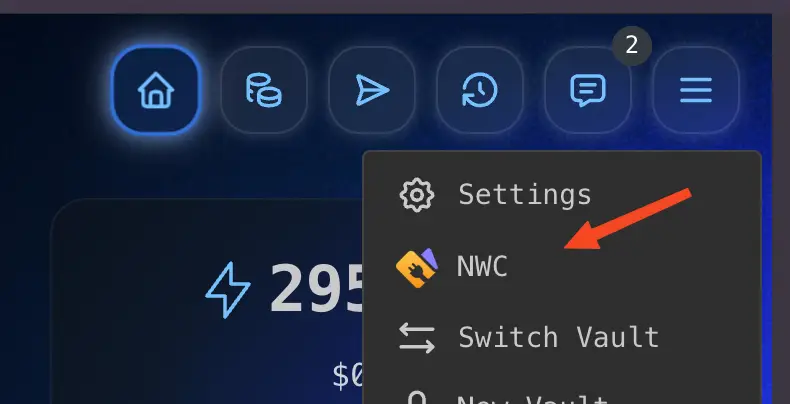
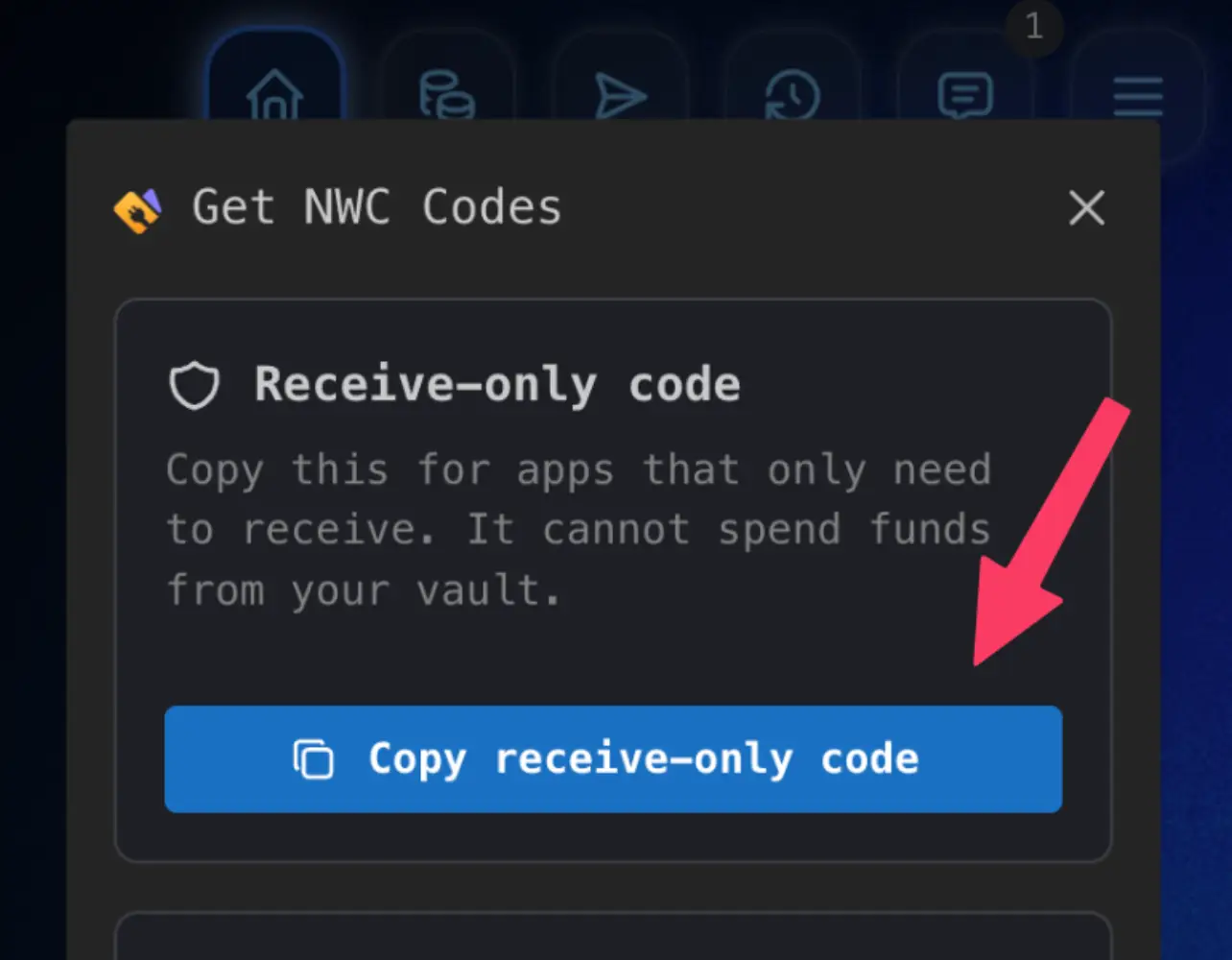
You'll get a code that looks like this: nostr+walletconnect://<64-hex-wallet-pubkey>?relay=wss://relay.example.com&secret=<64-hex-secret>
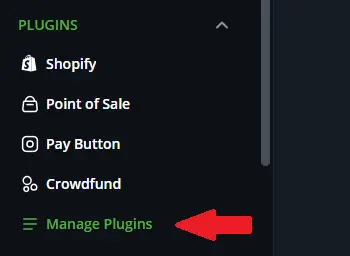
Step 2: Install the Nostr plugin (by Kukks) in BTCPay Server
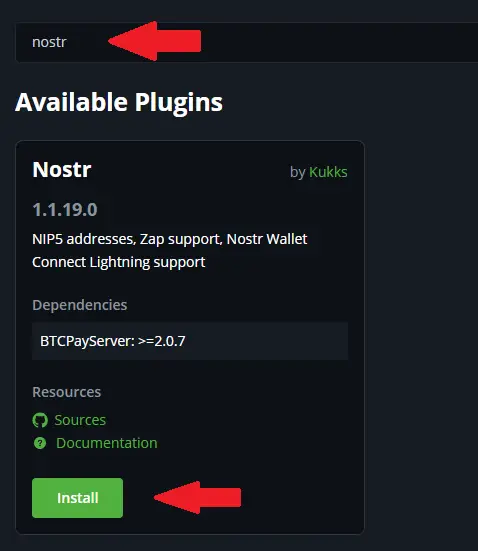
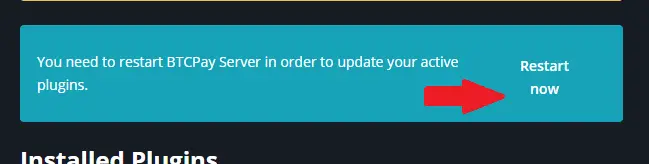
Step 3: Configure Lightning settings
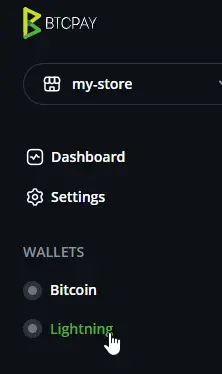

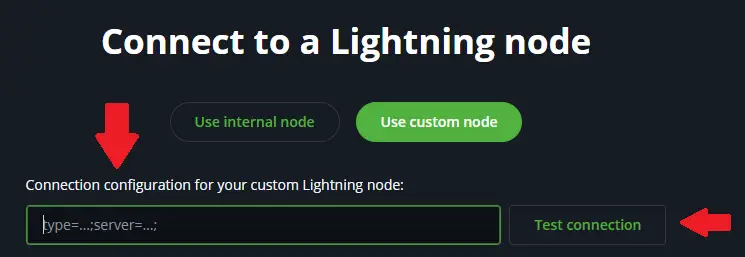


Step 4: Verify the connection
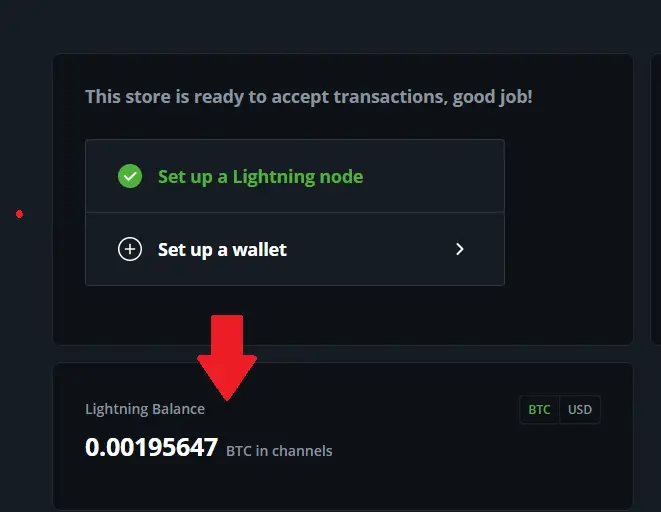
That's it!
You can now use Rizful to receive Lightning payments in BTCPay! Your customers will be able to pay your invoices instantly using the Lightning Network, and the payments will appear in your Rizful account.
You do NOT need to follow this step unless you are experiencing connection issues.
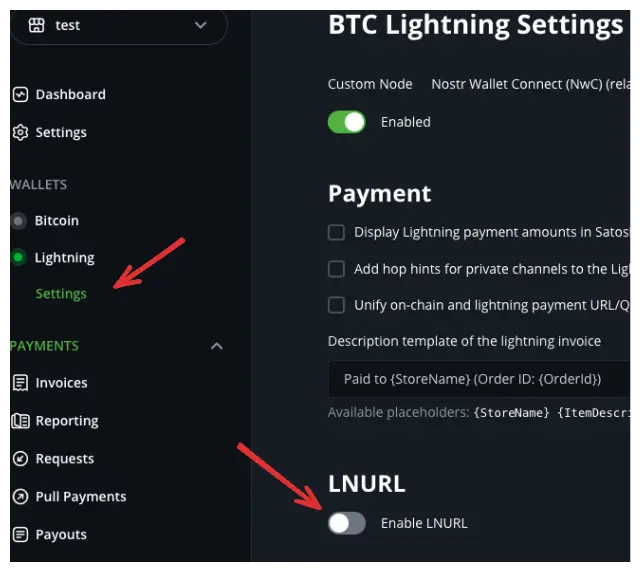
Some users have reported that having 'Enable LNURL' checked in BTCPay Server can cause problems connecting to Rizful. If your connection is working fine, you can safely ignore this section.
If you are having trouble connecting, try unchecking 'Enable LNURL' in the Lightning settings of BTCPay Server: