
How to send a payment from LND
Now you have an open channel. Let's put it to work and send a small payment from your node. Let's donate $1 in BTC to the Human Rights Foundation!
- Go to HRF's Bitcoin donation page.
- Under "BTC Pay Server", move the slider to your donation amount (or type it in the box above it).

- Click the "Pay with BTCPay" button under it.

- On the checkout screen, choose "Lightning" as the payment method.
- Use the "Copy" button to copy the invoice text to your clipboard.
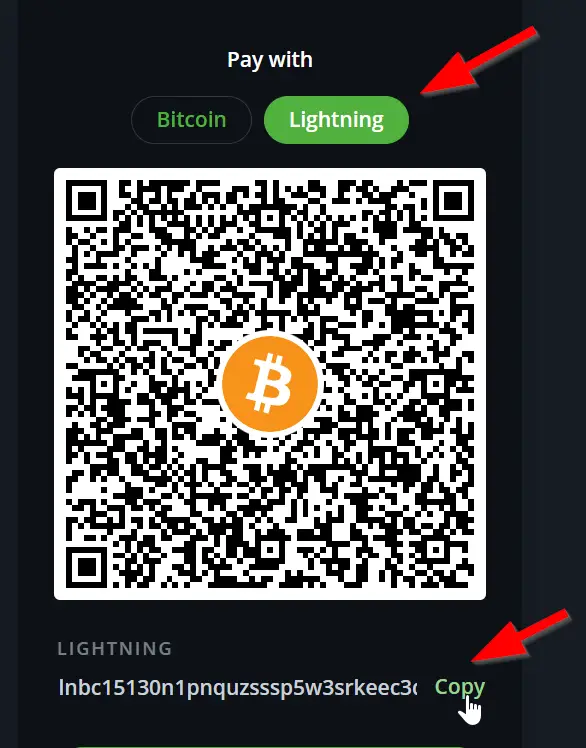
- To pay an invoice with
lncli, construct a command like this... but after--pay_req, paste the invoice text you just copied:
lncli payinvoice --pay_req [invoice text goes here]
(Curious what's inside that long invoice string? See How to decode a Lightning invoice. And if you ever want to pay an invoice from a mobile or web wallet instead of lncli, see Pay a Lightning invoice.)
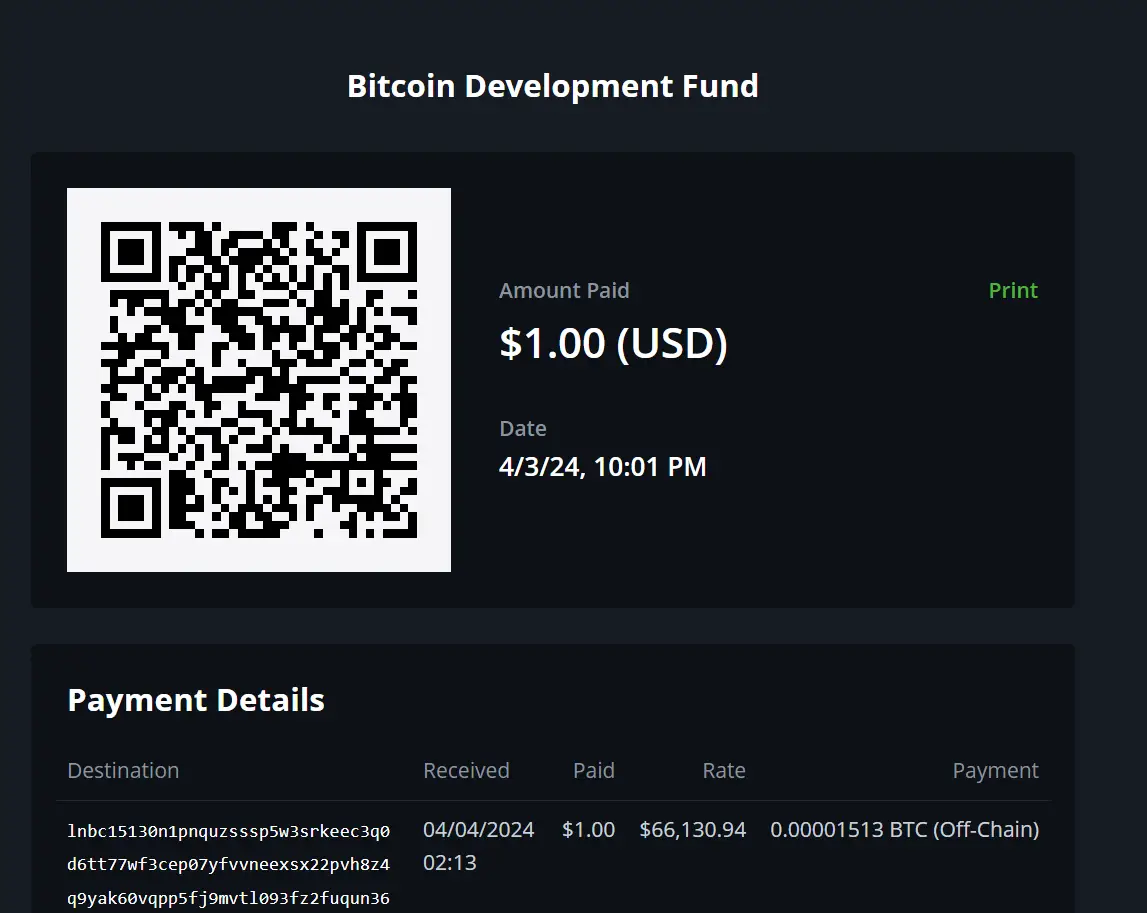
- The payment should send, and if you return to the invoice page, you should see a confirmation like this:
And how do I receive?
To receive, run lncli addinvoice --amt 1000 (the amount is in satoshis) and hand the payment_request string from the output to the payer. If you want a website or app to do this automatically -- with a hosted checkout, no invoice copy-pasting, and no API keys -- see OpenReceive.