
Send & Receive Bitcoin Gift Cards With Rizful
Rizful gift cards let you send sats with a simple claim code.
The claim code is the gift. Anyone with the code can redeem it once, so treat it like cash.
Buy
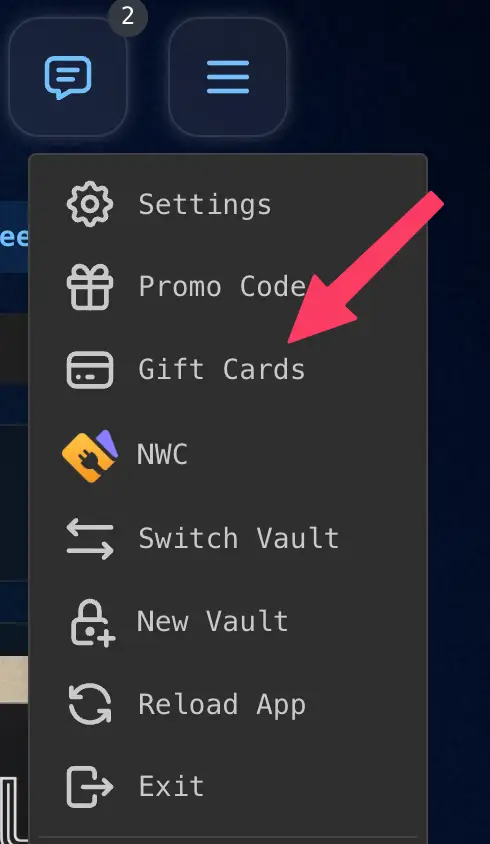
Open the menu and choose Gift Cards.
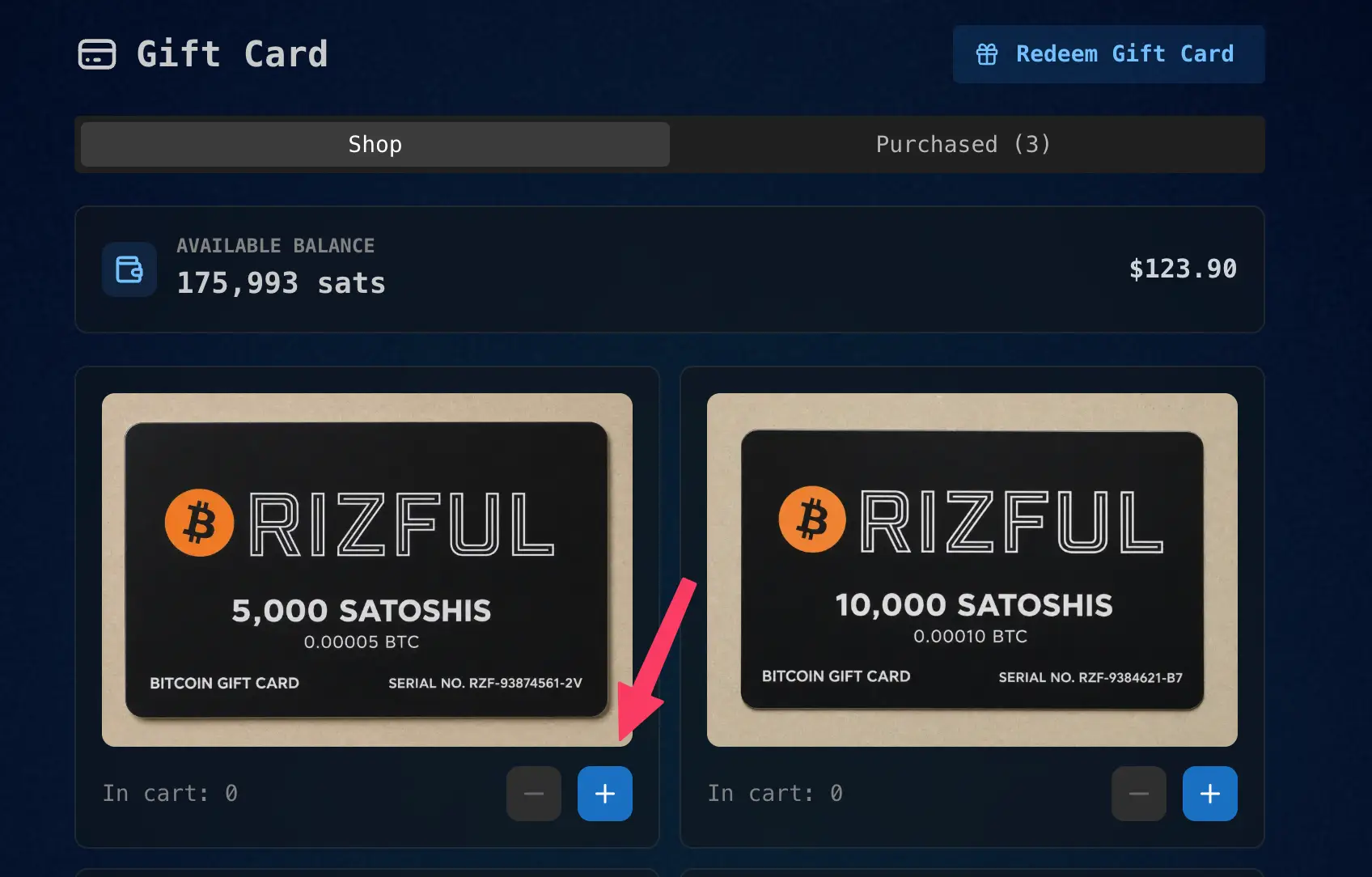
On the Shop tab, use the plus button to add a card to your cart.
Check the total, then press Purchase.
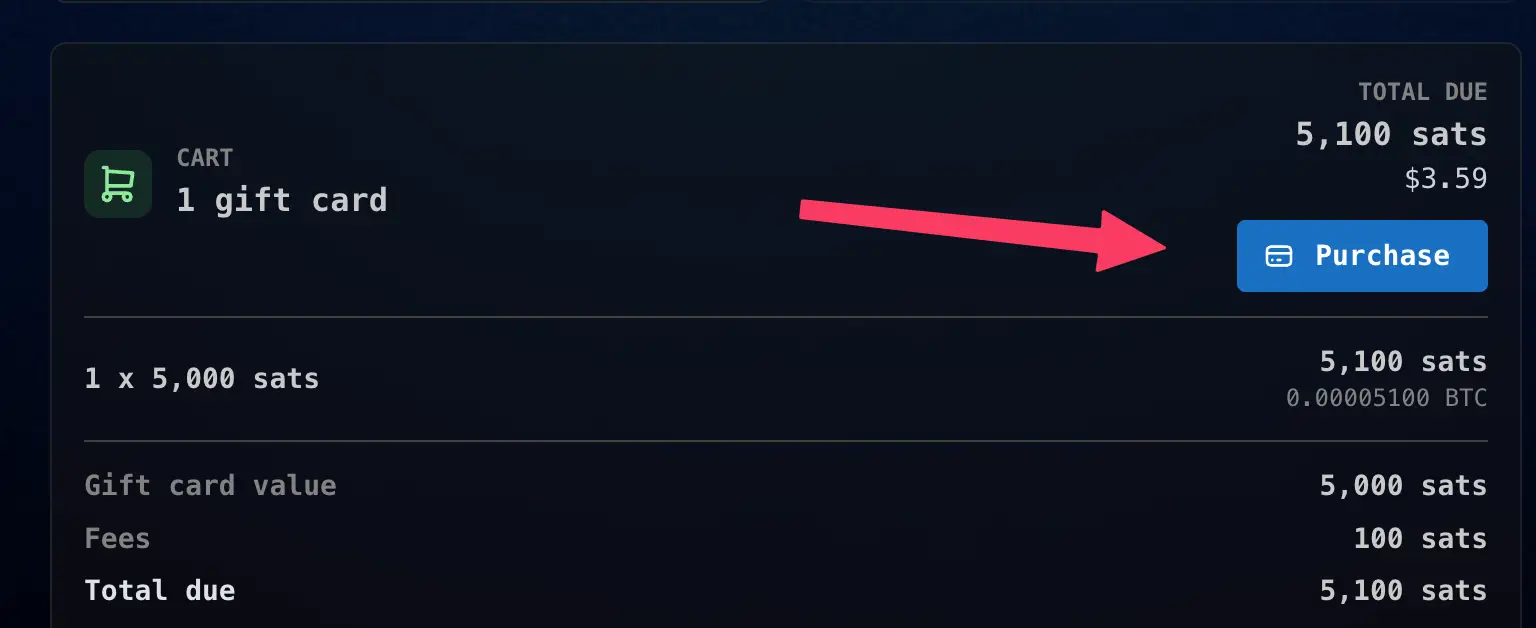
Gift cards are nonrefundable, so make sure the amount looks right before buying.
Share
Open the Purchased tab. Cards marked Ready have not been redeemed yet. Press Share card.
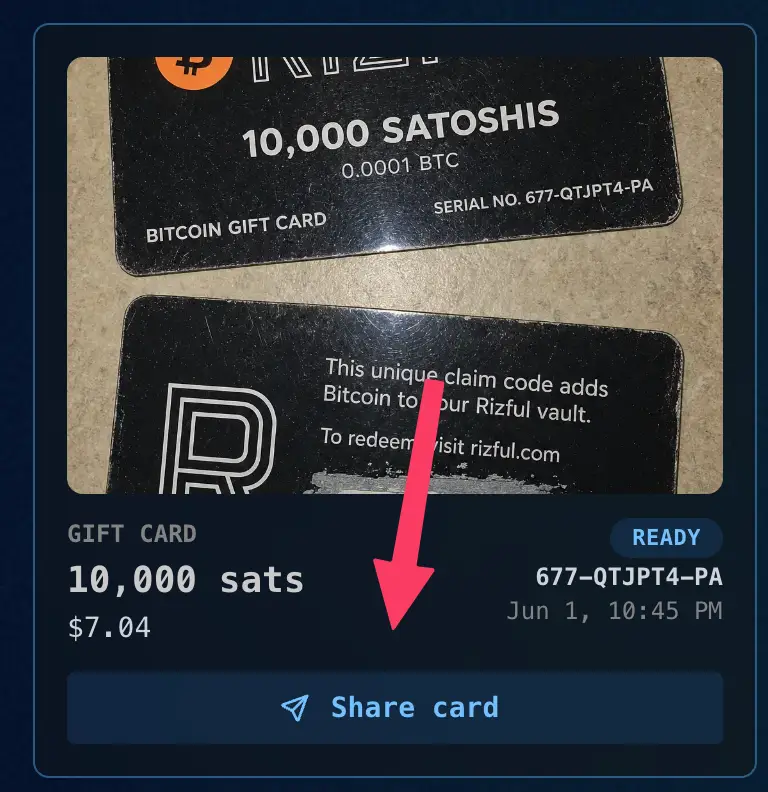
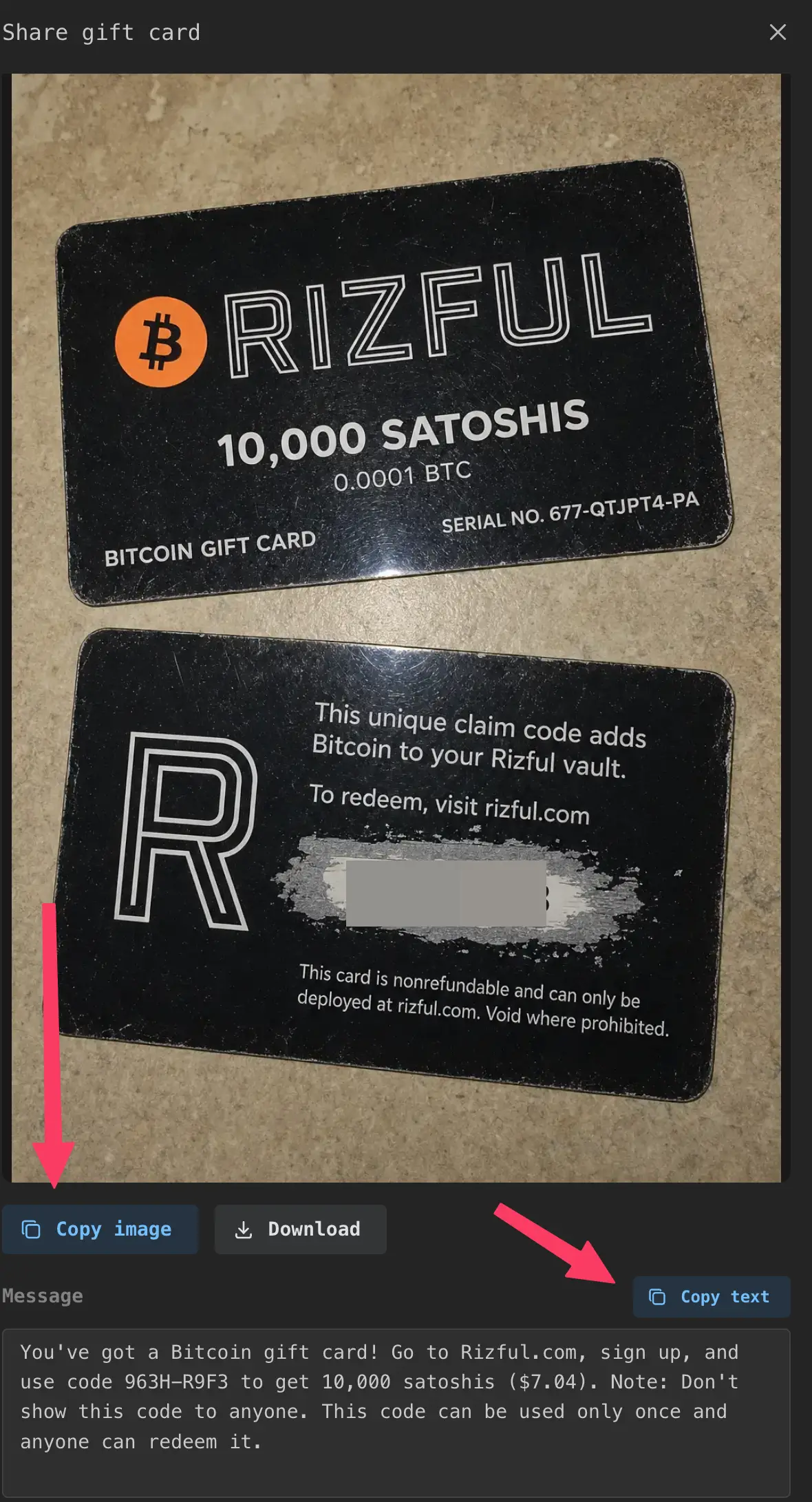
Send the card directly to the recipient. Do not post the claim code publicly.
Redeem
The recipient signs in at rizful.com or creates a vault.
They can redeem the card from Redeem Gift Card on the Gift Card page, or from Promo Code in the menu.
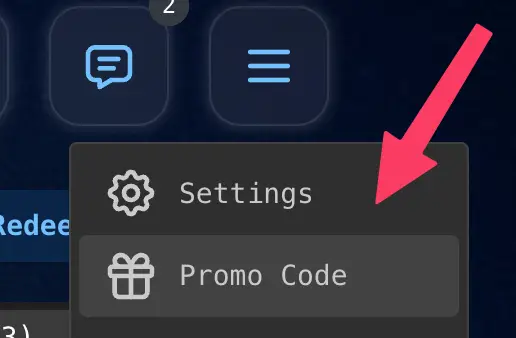
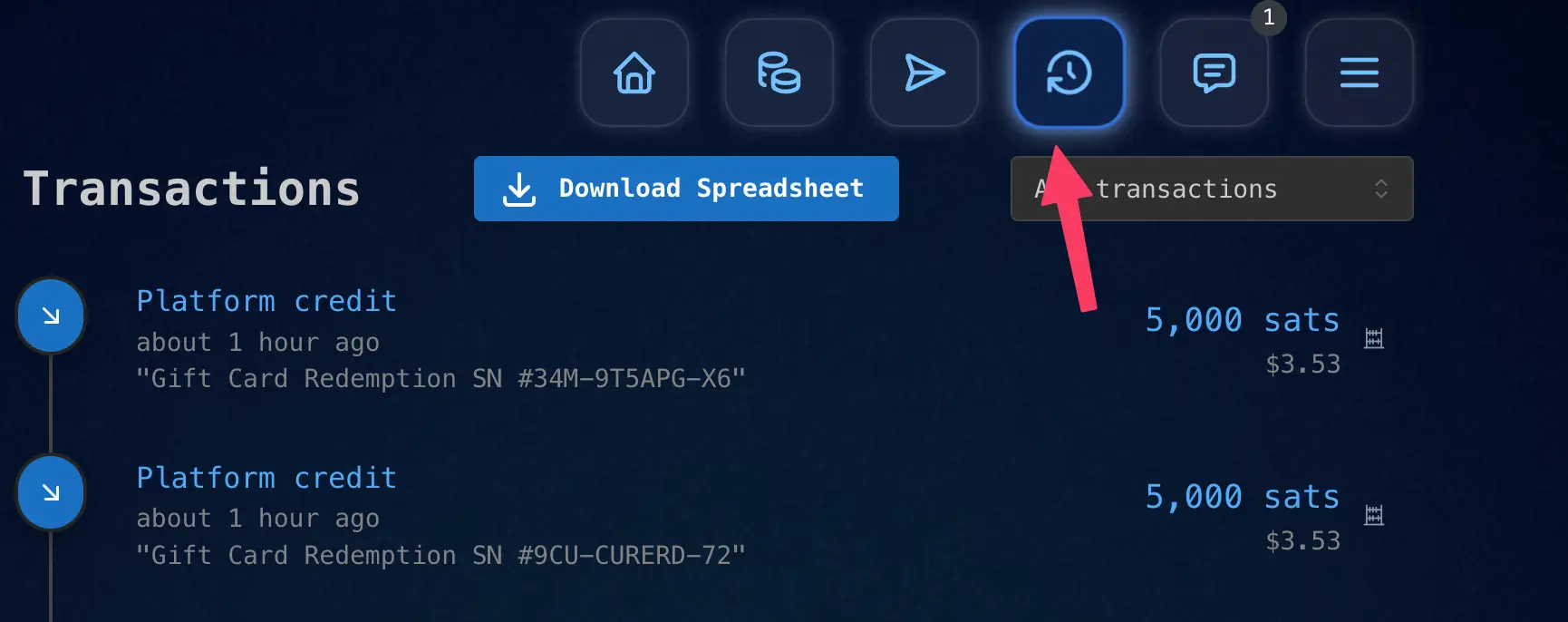
Enter the claim code and press Check Code. If the code is valid, the sats are added to the recipient's vault.
Remember
- Send the code only to the intended recipient.
- The first person to redeem the code receives the sats.
- Once redeemed, a gift card cannot be used again.